Run procurement from Claude.

The hospitality procurement platform, perfected for the AI workspace. Your login, your permissions, fifty tools.

Checking PurchasePlus
Open across properties Flagged invoices Why is this blocked Cheaper with freight
How to connect
C

Claude

Native connector, any plan

"Which flagged invoices also have the goods received?"
50

Fifty tools

The whole purchaser path

Requests, orders, receiving, invoices, stock, recipes, catalogues
PP

Your permissions

Not a service account

The assistant sees exactly what you can already see, and nothing more
G

ChatGPT

Developer mode, paid plan

"What is still open across our properties, by currency?"
>_

Cursor

Four lines of mcp.json

"Turn this quote into a draft. Do not send it."
What happens when you ask

Your question, through fifty tools, in one pass.

The assistant does not guess. It calls the same endpoints the screens use, with your permissions, and shows its working. Every call is logged.

Your question
plain language
MCP connector
purchaseplus.com/mcp
Your permissions
your own user
The answer
with its sources
list_invoices
get_receiving_note
search_catalogues
0
tool calls
0
records read
0
records changed
Execution log
The AI assistant

Plug your procurement into the assistant you already use.

Your own PurchasePlus, your own permissions. It can see and do what you can already see and do, and nothing more.

10×

A price that was never paid

Checking one supplier's invoices before payment caught a price typed at ten times the real one.

100 → 30

Flagged invoices, triaged

Asking which flagged invoices also had goods received cut the pile to a few dozen worth opening.

5 figures

Freight changed the answer

Comparing suppliers on landed cost showed a five-figure annual difference on one line.

9:41
Malcolm Jull (work)The Hotel Plus
Enable PurchasePlus MCPConnect your AI assistant.

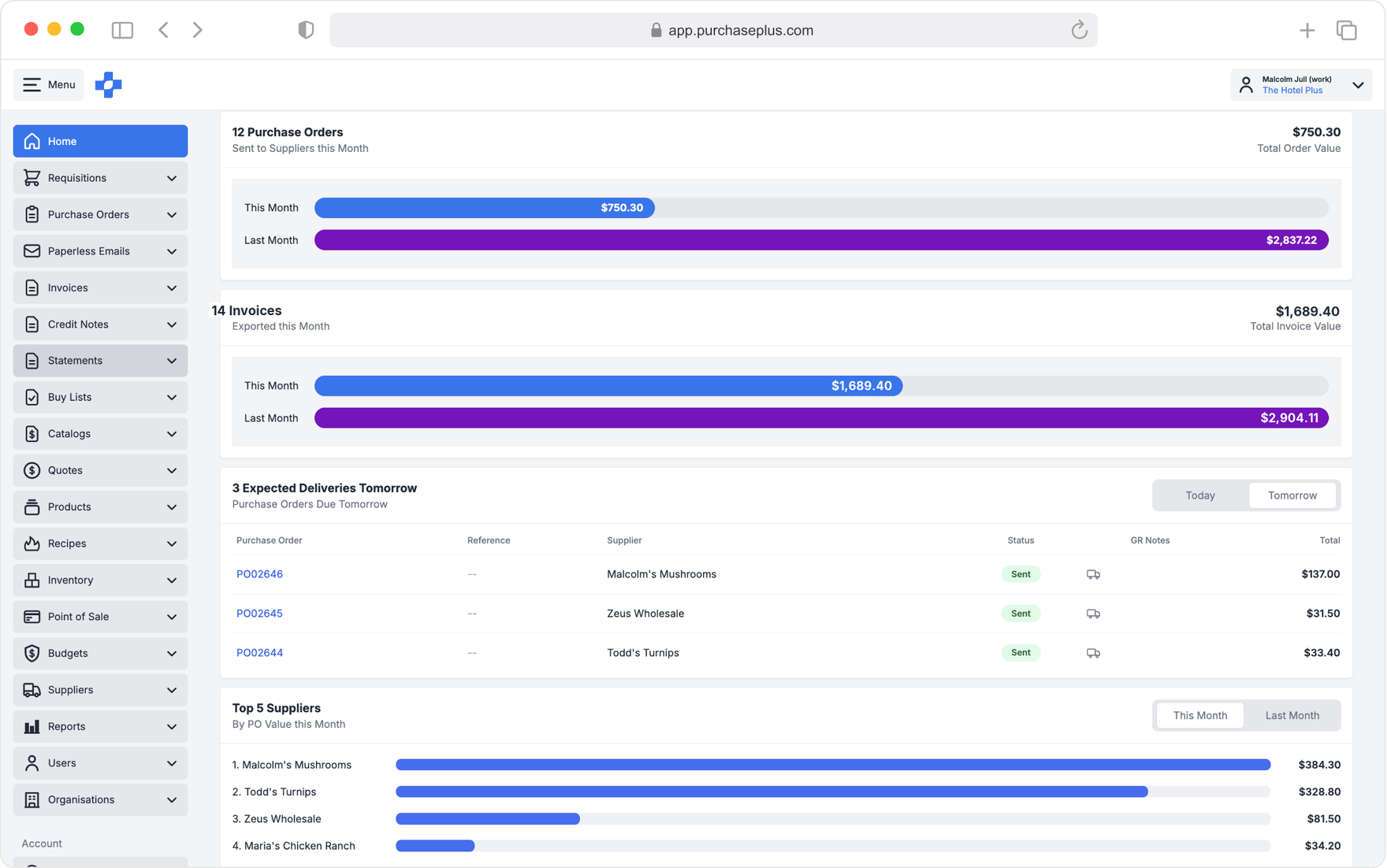
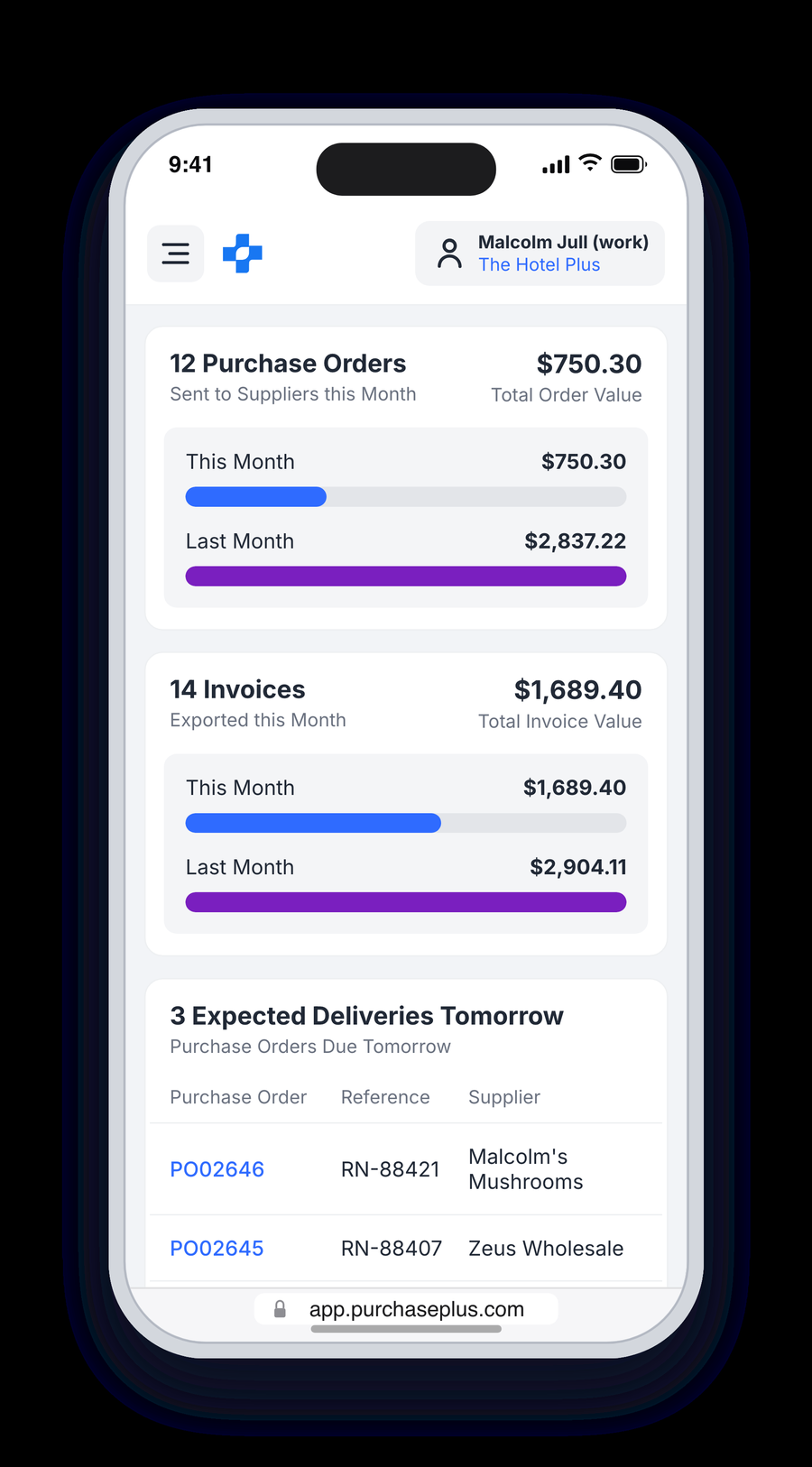
12 Purchase Orders

Sent to Suppliers this Month

$750.30Total Order Value
This Month$750.30
Last Month$2,837.22
Claude
How many properties am I connected to?
Three. Two resorts and one city hotel, all on your login.
Total spend across them this quarter?
AUD 3.24m across 2,140 purchase orders. Produce is the largest category.
Which rebates have we not claimed?
Four supplier rebates are unclaimed this quarter. The largest is five figures.

14 Invoices

Exported this Month

$1,689.40Total Invoice Value
This Month$1,689.40
Last Month$2,904.11

3 Expected Deliveries

Purchase Orders Due Tomorrow

$412.80Total Value
Confirmed$286.40
Awaiting$126.40
›Requisitions›View All
All RequisitionsView All Requisitions
Available Actions▾
Current TabView All
PR03509$41,300.00
Plus $100.00 Tax · Todd Heatly
PR03508$612.90
Plus $61.29 Tax · Awaiting approval
PR03507$188.20
Plus $18.82 Tax · Approved
PR03506$1,204.55
Plus $120.45 Tax · Awaiting approval
›Recipes›View All
All RecipesView All Recipes
Available Actions▾
Total recipes29 all sections
Food cost (COGS)
10.7%
On target (≤ 32% of sell)
Gross profit
89.3%
Library average
On menus16
recipes in use · 13 not yet on a menu
›Quotes›View All
All QuotesView All Quotes
Available Actions▾
Current TabView All
Squeegee – Aluminium Blue 600mm$11.40
Each of 1 · Amalgamated
Moffat Rinse Neutraliser 2×5L$86.20
Each of 1 · Convocare
Tork Facial Tissues Cube 2Ply$3.95
Each of 1 · Amalgamated
Freight to site$48.00
Changes the landed comparison
9:41
Malcolm Jull (work)The Hotel Plus
›Dashboard›View All
5 RequisitionsAwaiting My Approval
46 Purchase OrdersNot Yet Sent
3 InvoicesAwaiting Approval
70 InvoicesAwaiting Approval
Enable PurchasePlus MCPConnect your AI assistant straight to PurchasePlus.
Enable MCP ›

20 Purchase Orders

Sent to Suppliers this Month

$52,480.00Total Order Value
This Month$52,480.00
Last Month$38,110.00

128 Invoices

Exported this Month

$44,690.00Total Invoice Value
This Month$44,690.00
Last Month$31,250.00
›Requisitions›View All
All RequisitionsView All Requisitions
Current TabView All
RequisitionRequested byTotal
PR03509Custom · OpenTodd Heatly$41,300.00
PR02034Test · Awaiting approvalP+ Admin$569.98
PR03507Custom · ApprovedTodd Heatly$188.20
PR03506Custom · Awaiting approvalP+ Admin$1,204.55
›Quotes›View All
All QuotesView All Quotes
Current TabView All
ProductSupplierPrice
Squeegee – Aluminium Blue 600mmEach of 1Armores$11.40
Moffat Rinse Neutraliser 2×5L10 X 1 Each of 1Convocare$86.20
Tork Facial Tissues Cube 2Ply90 sheet / Carton of 24Armores$3.95
Suma Break Up D3.5 Degreaser5 X 1 Carton of 2Armores$62.10
Freight to siteChanges the landed comparisonArmores$48.00
Claude
PurchasePlus, the screen the assistant is working in
Claude
Checking
What you can ask

Questions that used to be a morning of exports.

Every one of these is a real question asked during four weeks of early use across three properties. Ask in a sentence. The answer comes back in the assistant you already have open.

ANSWER · 3 SOURCES

Ask in a sentence

Anyone on your team asks in plain language, signed in as themselves. No export, no ticket, no waiting on someone who knows the report.

Answers carry their sources

Every figure comes back with the orders, receiving notes and invoices behind it, so it can be checked rather than trusted.

InvoicesOrdersRecipesCataloguesFIFTY TOOLS CONNECTED

One connector, the whole path

Requests, orders, receiving, invoices, stock, recipes and catalogues answer together, under the permissions that person already has.

FORECASTpred +164%

What the trend is doing

Spend and commitments read forward, not just back, so the question is what to do next rather than what happened.

Guardrails

It can read. It can draft. It cannot act for you.

Every session is a real PurchasePlus user, not a shared service account. The assistant sees exactly what that person can already see, and nothing more. Tools they are not entitled to are never offered.

Read Always

Anything that person can already open in PurchasePlus.

  • Purchase requests, orders, receiving notes
  • Invoices, credit notes, statements
  • Stock on hand, stocktakes, transfers
  • Recipes and their current cost
  • Supplier catalogues and prices
  • Any report they can already run

Draft Reviewed

Created as a draft and left open. Nothing is submitted.

  • Create or update a purchase request
  • Add lines, or reorder into a new draft
  • Add a product to a buy list
  • Create a buy list from an invoice
  • Add an ingredient to a recipe
  • Create suppliers from a list
  • Create a catalogue from an invoice
  • Export a report and take the link

Decide You

Never the assistant. There is no setting that changes this.

  • Approving a request, invoice or credit note
  • Sending or placing a purchase order
  • Deleting a record
  • Deactivating a supplier
  • Completing a stock transfer

"The guardrails are right. Because approving, sending, deleting and deactivating stay with a person, we never worried the connector could do something irreversible."

André Bosman (FC), Crocombe Hotels
From four weeks of early use

Real questions, real money found.

A resort group, three properties, about twenty working sessions. Supplier names, product names and exact figures are removed.

01Before you pay

A price typed at ten times the real price

One supplier had a pile of invoices and finance wanted to know if anything was wrong before the money went out. They caught a price entered at ten times the real one, and a bill that may have been paid twice. "This is saving real dollars."

02Across the group

The morning that used to go on exports

Finance wanted one picture of what was still open across three properties and three currencies. "I used to spend a morning on exports for that picture. Now it is one conversation, so I can spend that time on the exceptions."

03Matching

Why is this invoice blocked?

A milk invoice was blocked and the block did not explain itself. The milk had been counted as single units instead of cartons. Minutes instead of an hour-long hunt, and fixed on the spot.

04Suppliers

Who is actually cheaper, once freight is in

The same seafood line came from several suppliers, and the invoice price was not the full story until freight was added. On one line the cheaper name changed, worth a five-figure difference a year.

0
purchaser tools on the production connector

The whole purchaser path, plus everything around it. A user who is not entitled to drafts, inventory, recipes or report export simply sees fewer.

Purchase requestsPurchase ordersReceiving notes InvoicesCredit notesStatementsBuy lists ReportsProductsSuppliersSupplier catalogues InventoryStocktakesTransfers, readRecipes Delivery addressesOrganisation switchSession
Connect

Two minutes, with the account you already have.

The connector address is the same everywhere. Pick your assistant above, or here.

1

Open Settings, then Connectors

Add a custom connector. On a Team or Enterprise account your org owner may need to approve it first.

2

Paste the connector address

connector
https://purchaseplus.com/mcp
3

Sign in as yourself

Your own PurchasePlus login and your own permissions. Not a shared service account. You can disconnect at any time.

The config above has no credentials in it, on purpose. Access is tied to your own PurchasePlus user and we set it up with you on a short call, so your permissions, your organisations and your guardrails are right from the first question.

Connect our MCP to your procurement operation with AI agents.

We will connect it with you, show you what your team can ask on day one, and set the guardrails before anyone types anything.

Read the full guide