
Back to All Product Updates
January and February 2026 Monthly Wrap-Up
Published March 5th, 2026

Harry Balding, PurchasePlus Platform Expert
Welcome
In January and February, our Product and Engineering Team has delivered powerful new tools to make PurchasePlus faster, smarter, and more flexible.
We’ve introduced a brand-new Workflow Model for Requisitions, experimental Statement Search to simplify reconciliation, and Product Tags to help Purchasers organise and find products more easily. Bulk Print for Purchase Orders, enhanced delivery visibility, and expanded reporting give teams quicker access to the information that matters most.
Read on to learn about the new features that you can use in
PurchasePlus.
New Approval Workflow Model for Requisitions
We've introduced a new model for Requisition Approval Workflows, that is structurally similar to our new
Invoice and Credit Note Approval Workflows.
From the moment a
Requisition is submitted, users in the first rank of Approvers can review, approve or decline the Requisition. Upon Approval, the document proceeds to Approvers in the next Rank (according to the configured Rank Maximum Values and the Workflow Rank Order), and so on, until it reaches Final Approval, and it can become one or more Purchase Orders that can be sent to your Suppliers.
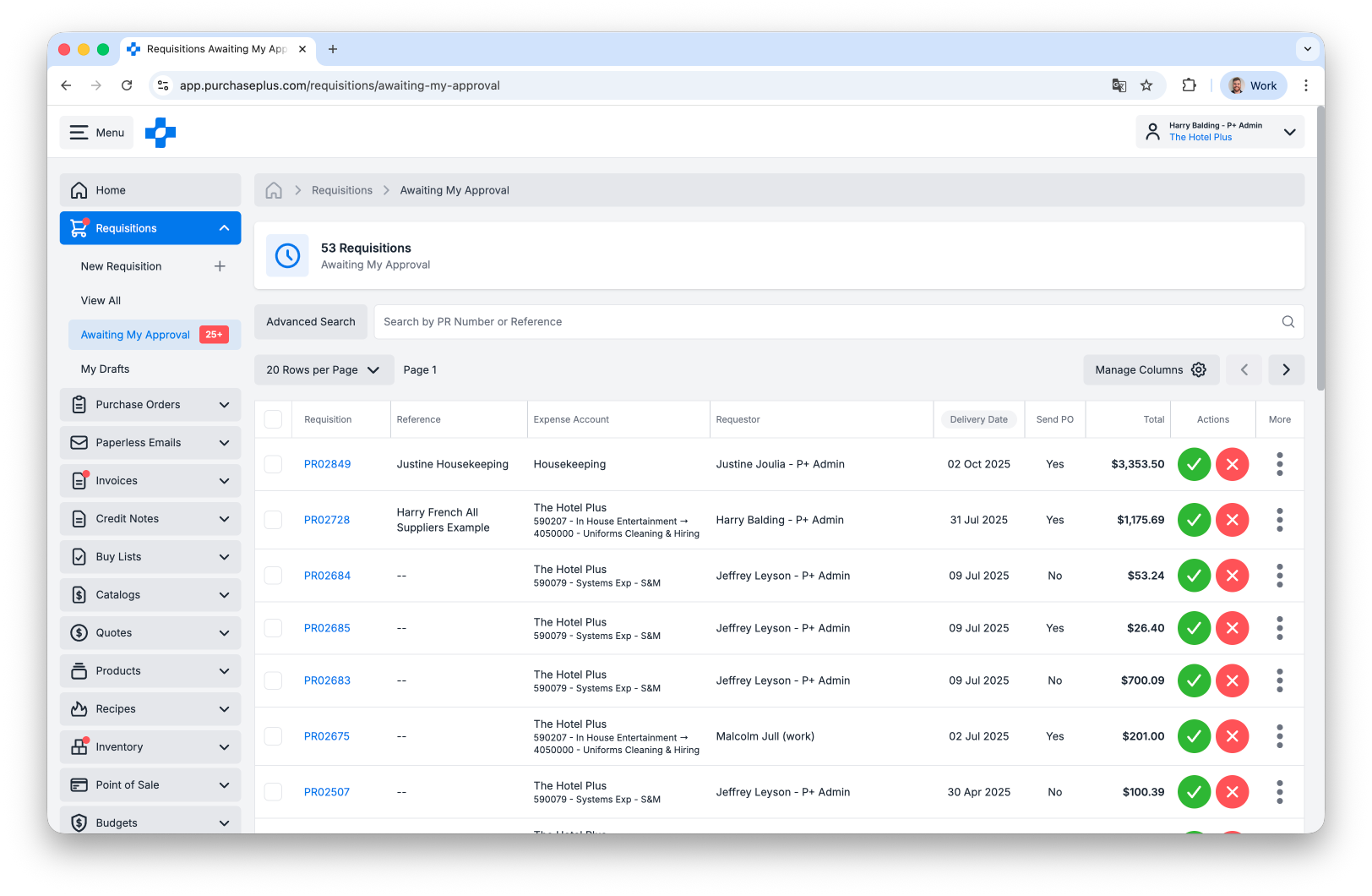
Above: The updated Requisition Approval Workflow model greatly improves the way Requisition spend in managed in purchasing organisations.
New Requisition Approval Workflows are designed to be more scalable, configurable, performant, and harmonious with the way the rest of the PurchasePlus platform operates. However, new Requisition Workflows cannot work concurrently (in the same account) with Legacy Requisition Workflows, and a migration project will be required for Purchasers wishing to adopt the new and improved Requisition Approval Workflow model. Please contact your PurchasePlus Account Manager for more information.
Statement Search
There is a new (experimental) Statement Search that allows users to drop in a Statement and find Invoices and Credit Notes that match the Statement. The Statement (i.e. the PDF, CSV, PNG or JPG file you supply) will be scanned, and Invoice or Credit Note Numbers will be extracted and matched to Invoices and Credit Notes found in your PurchasePlus account.
The Statement Search function is found in the [More] menu in the header of the All Invoices table. Please try out this exciting new feature, and share your feedback with us!
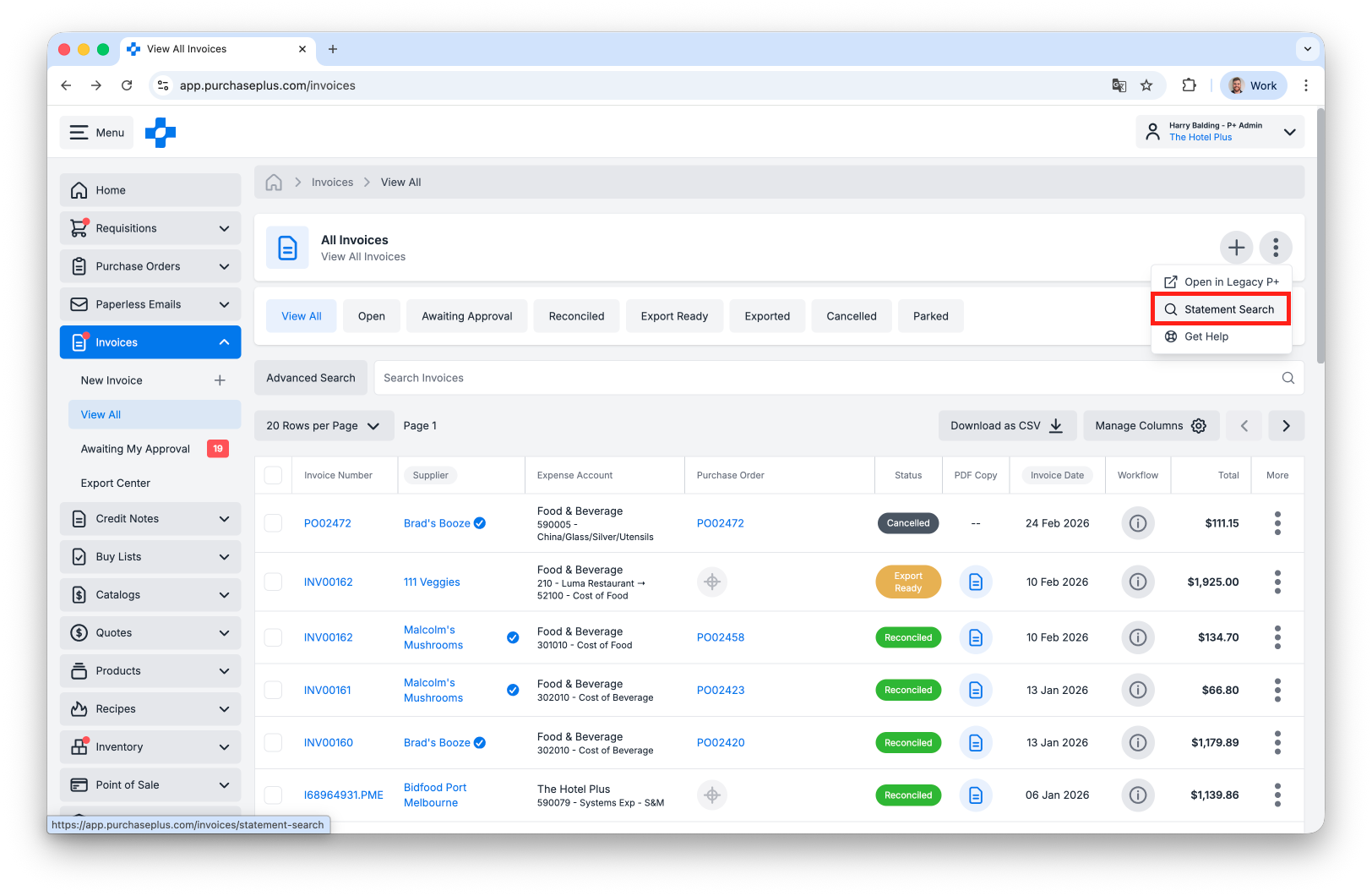
Above: The Statement Search is available from the All Invoices page, in the More menu.
Product Tags
There is a new [Tags] area in the Products side-nav area for Purchasers to create Tags. Purchasers can create Tags in the Tags area if they have 'Manage Products' permission.
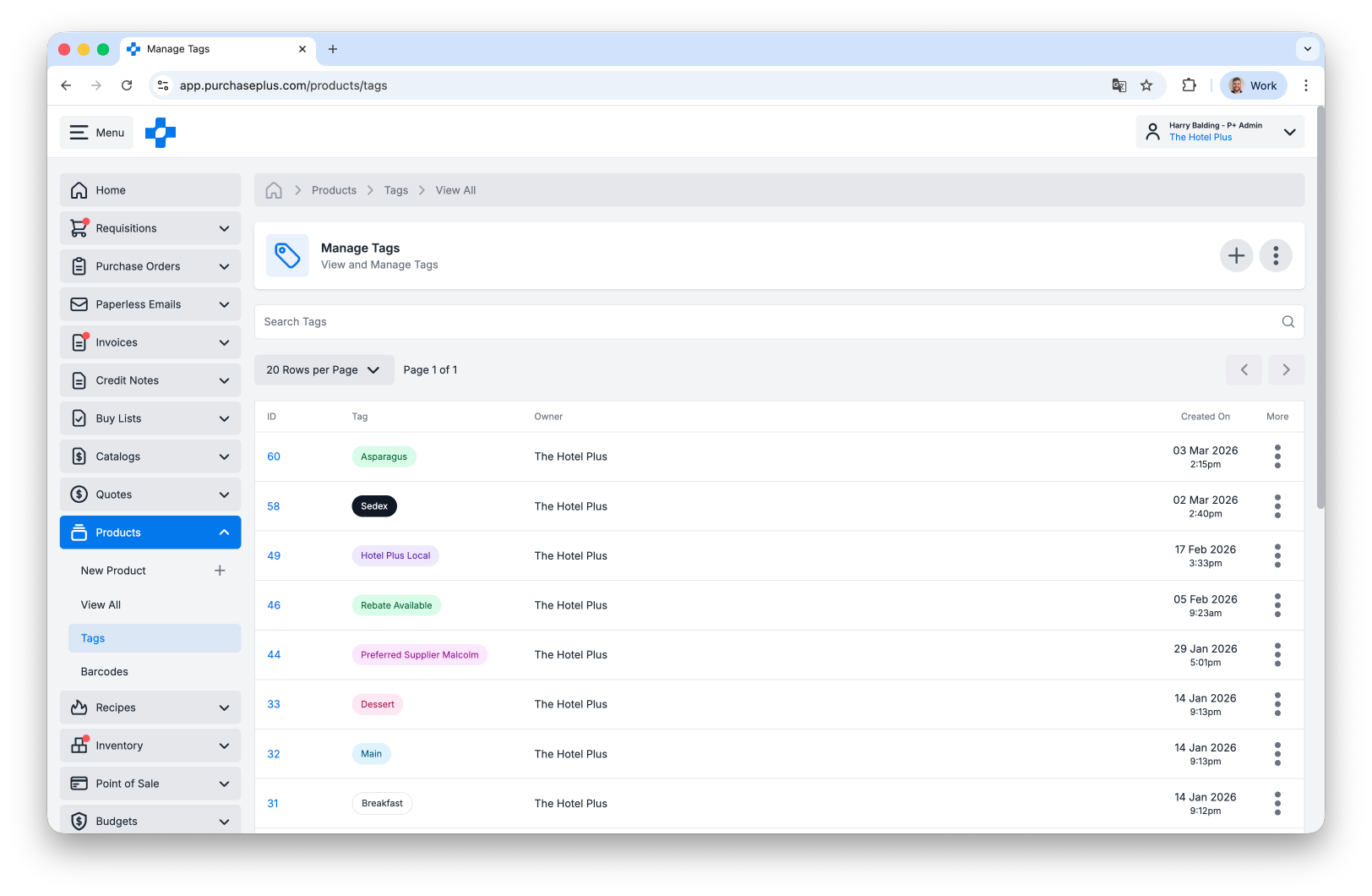
Above: The list of Product Tags.
Additionally, there is a new
[Tags] tab when viewing a Product, and Purchasers can tag any product in the world with any Tag they own. Only users at that Purchaser Organisation will see those tags on that Product.
Learn more about Product Tags.New User Account Activation Experience
A new user is now asked to set their password after clicking the activation link in their activation email; You can no longer enter a password on behalf of this user when during the creation of their account.
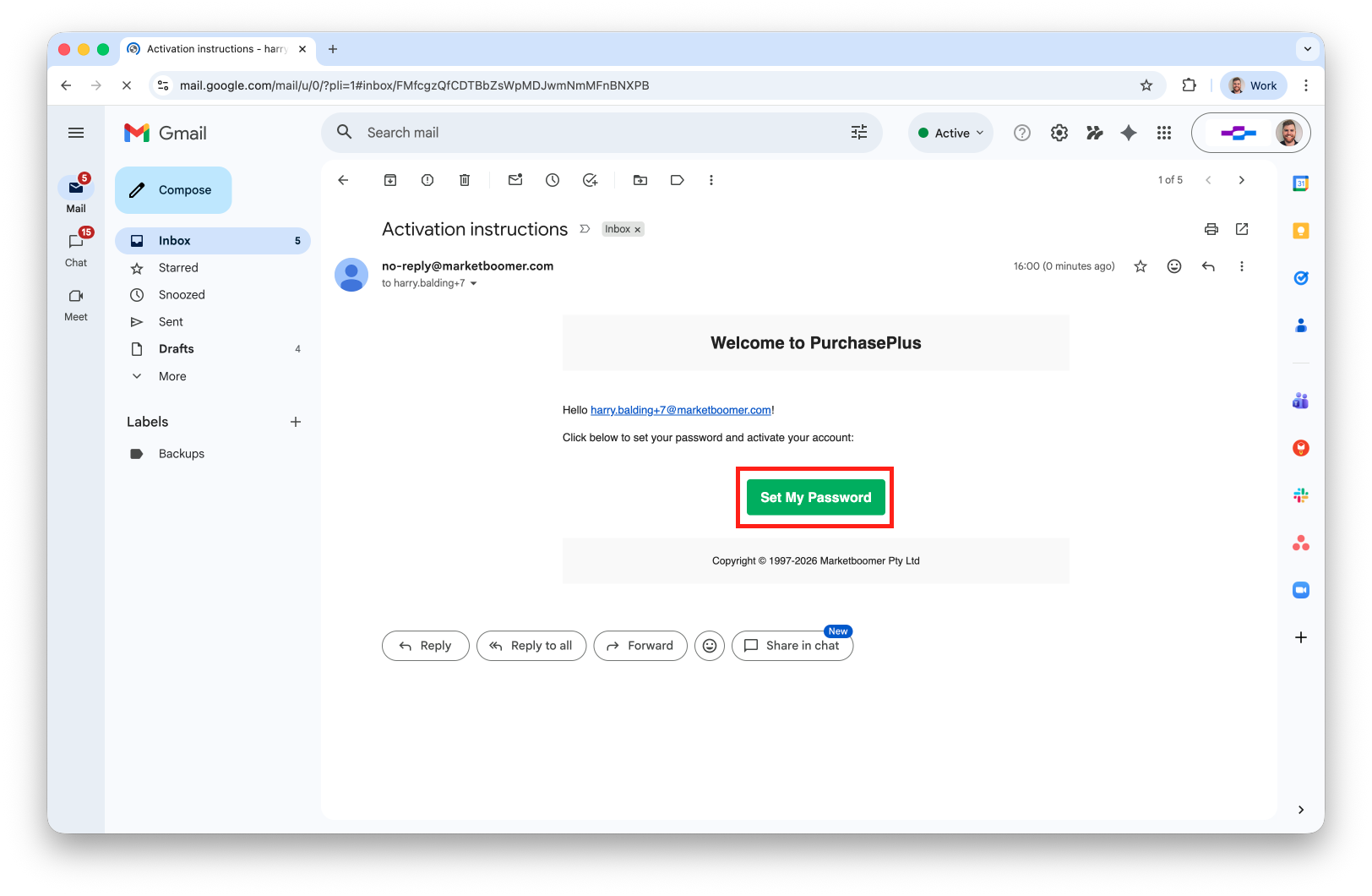
Above: New Users will now have a simpler and more secure Account Activation experience.
Bulk Print Purchase Orders
You can now multi-select and print Purchase Orders in the All Purchase Orders table view:
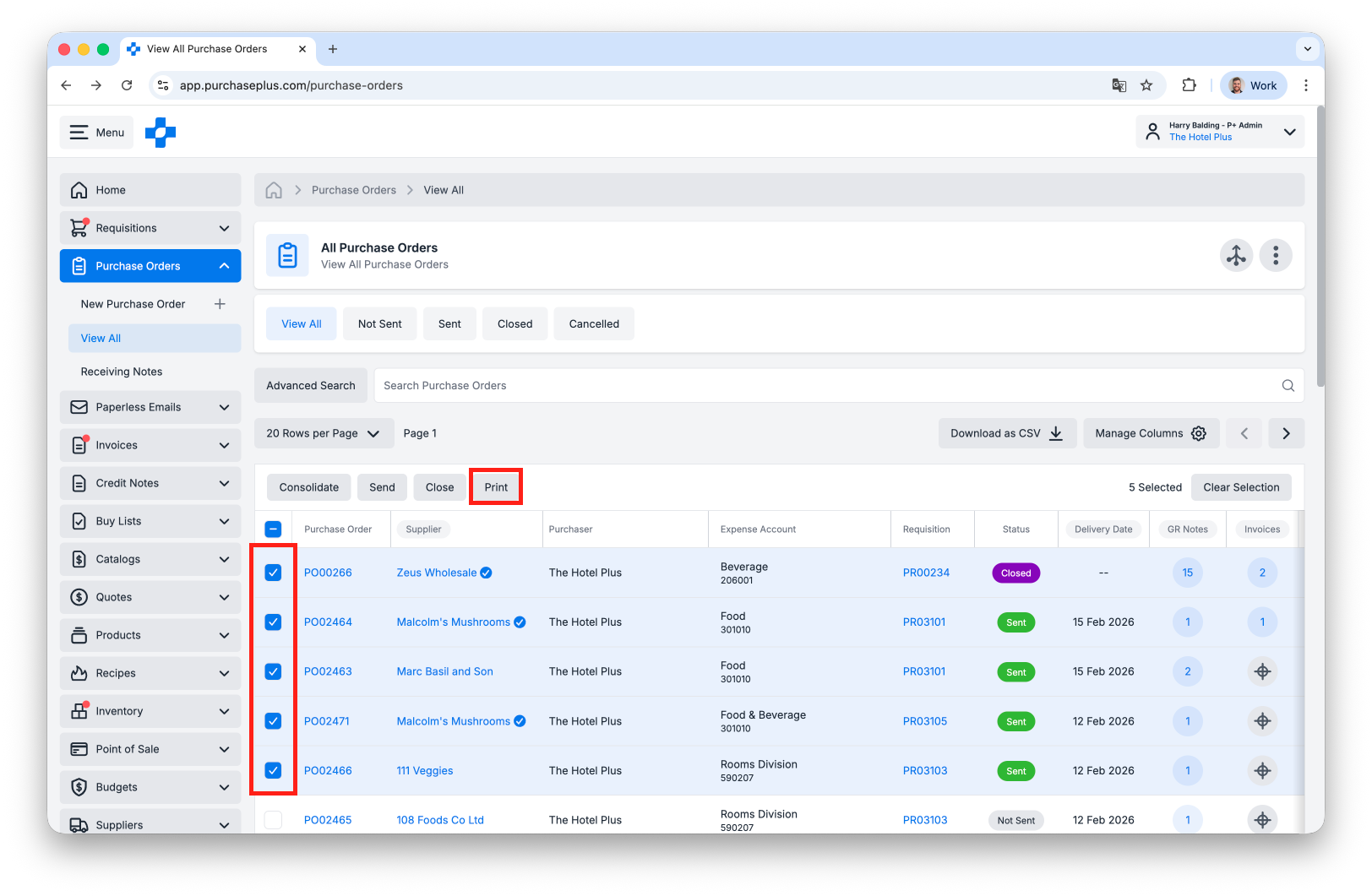
Above: Printing multiple Purchase Orders in the same action.
Purchase Orders due Today or Tomorrow on GR Note Success Screen
The Purchase Orders Due Today or Tomorrow widget now appears in the success screen when marking a GR Note as Received:
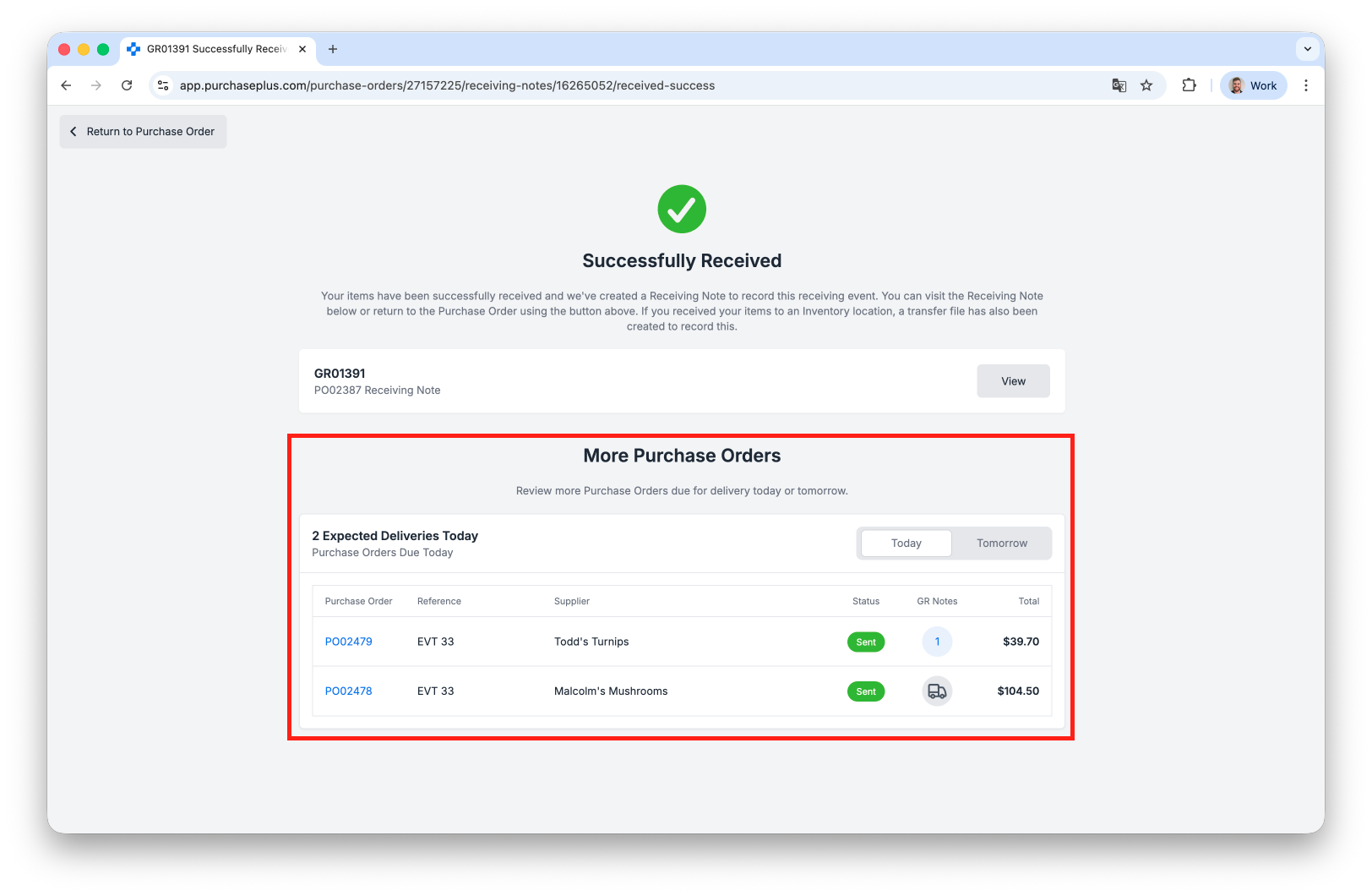
Above: Receivers can now easily Receive additional deliveries without extra navigation.
Update 'Purchaser' on an Invoice
You can now change the Purchaser on an Invoice by hovering over the [Purchaser] row in the Invoice's Info Panel:
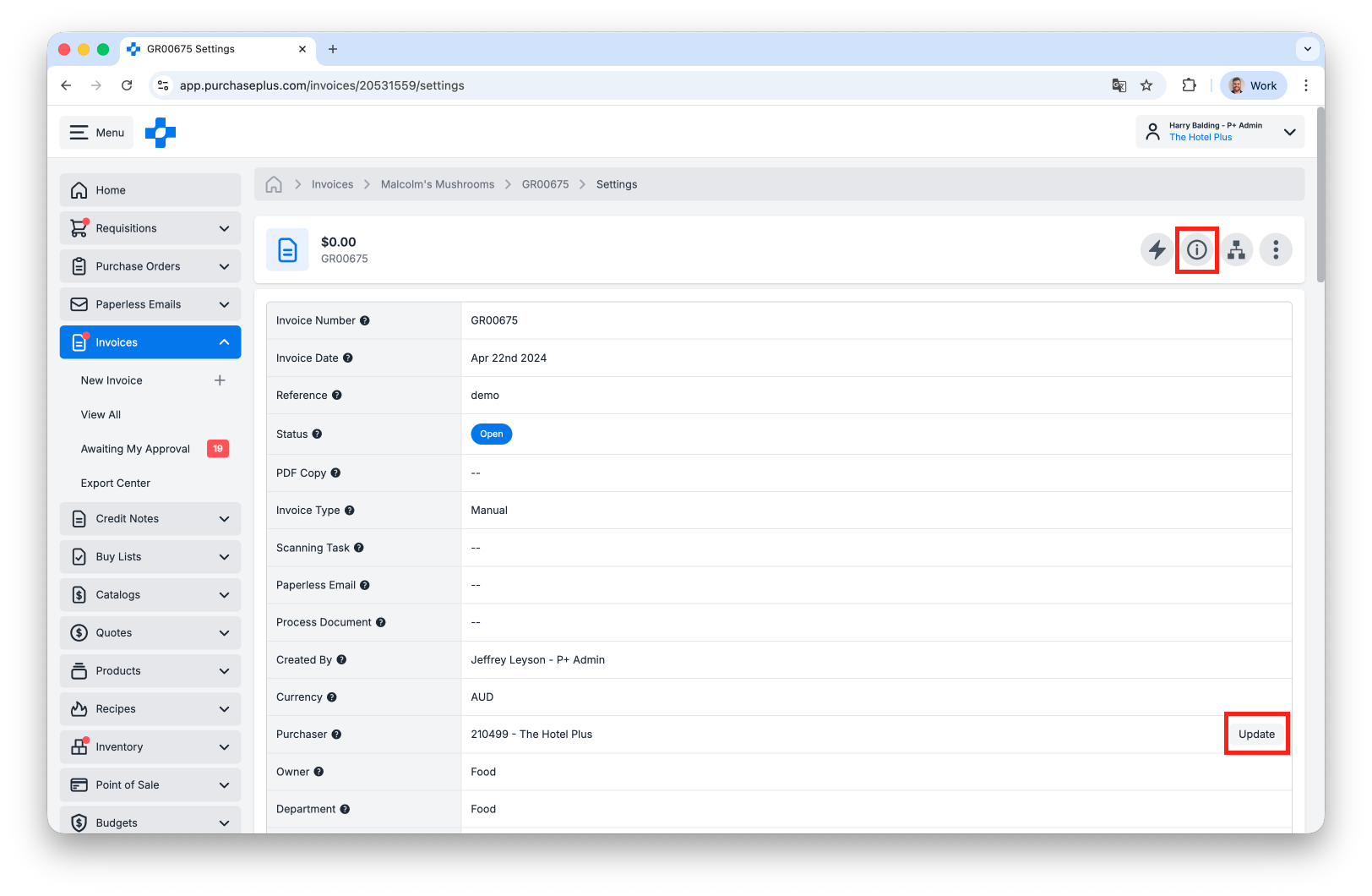
Above: Hovering over rows in the Info Panel table will allow a user to update the details contained within.
Additional Reports for Purchasers
The following new Reports are now available for Purchasers:
- Invoice and Purchase Order Lines Report (previously referred to as the Accrual Lines Report in Legacy PurchasePlus)
- Approval Workflows Report
- Users Report
- POS Items Report (POS Module Users only)
- Recipes Report (Recipes Module Users only)
- Recipe Line Items Report (Recipes Module Users only)
- Stock Items and Substitutes Report (Inventory Module Users only)

Above: A small sample of the Invoice and Purchase Order Lines report viewed in-app in PurchasePlus.
Substitute Quotes
When clicking the
[Quotes] button on a Product or Stock Item, we now show "Substitute Quotes" in the resulting window. 'Substitute Quotes' don't count as actual quotes, rather they are quotes on the
Substitutes of the product you are viewing:
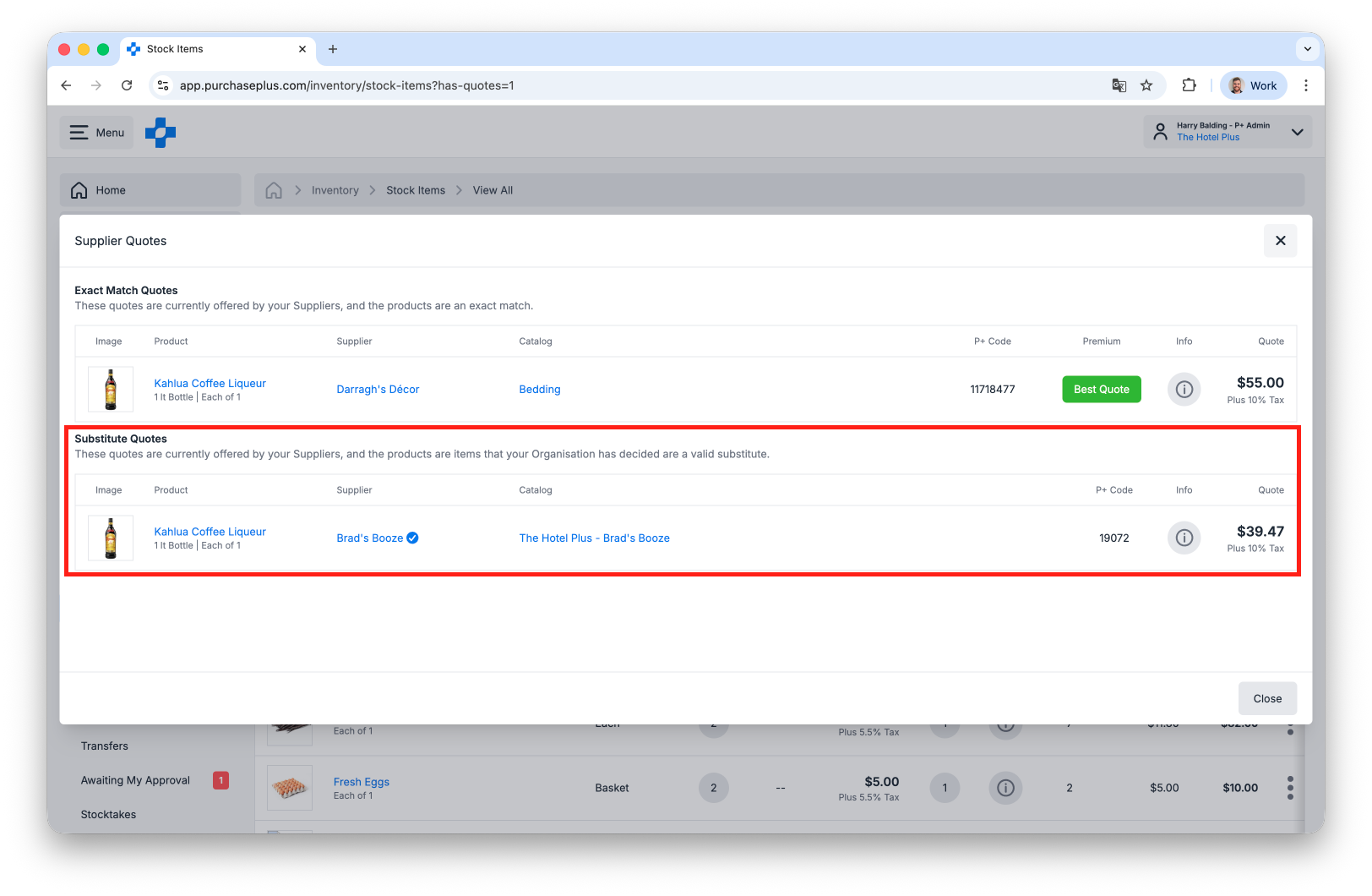
Above: Substitute Quotes are displayed beneath Exact Match Quotes on your Stock Items.
Paperless Emails Action Items
(Paperless Invoicing Module Users Only)
There is now a new
[Action Items] area in the
Paperless Emails side navigation bar. From this area, Purchasers can review problematic Scan Tasks to resolve issues - for example, a scanned Invoice missing a recognised Supplier.
Close a Partially-Counted Stocktake
(Inventory Module Users Only)
You can now close a partially-counted
Stocktake, and you will be warned that any empty (i.e. '--') counts will be automatically set to the Expected Quantity, so that there is no variance.
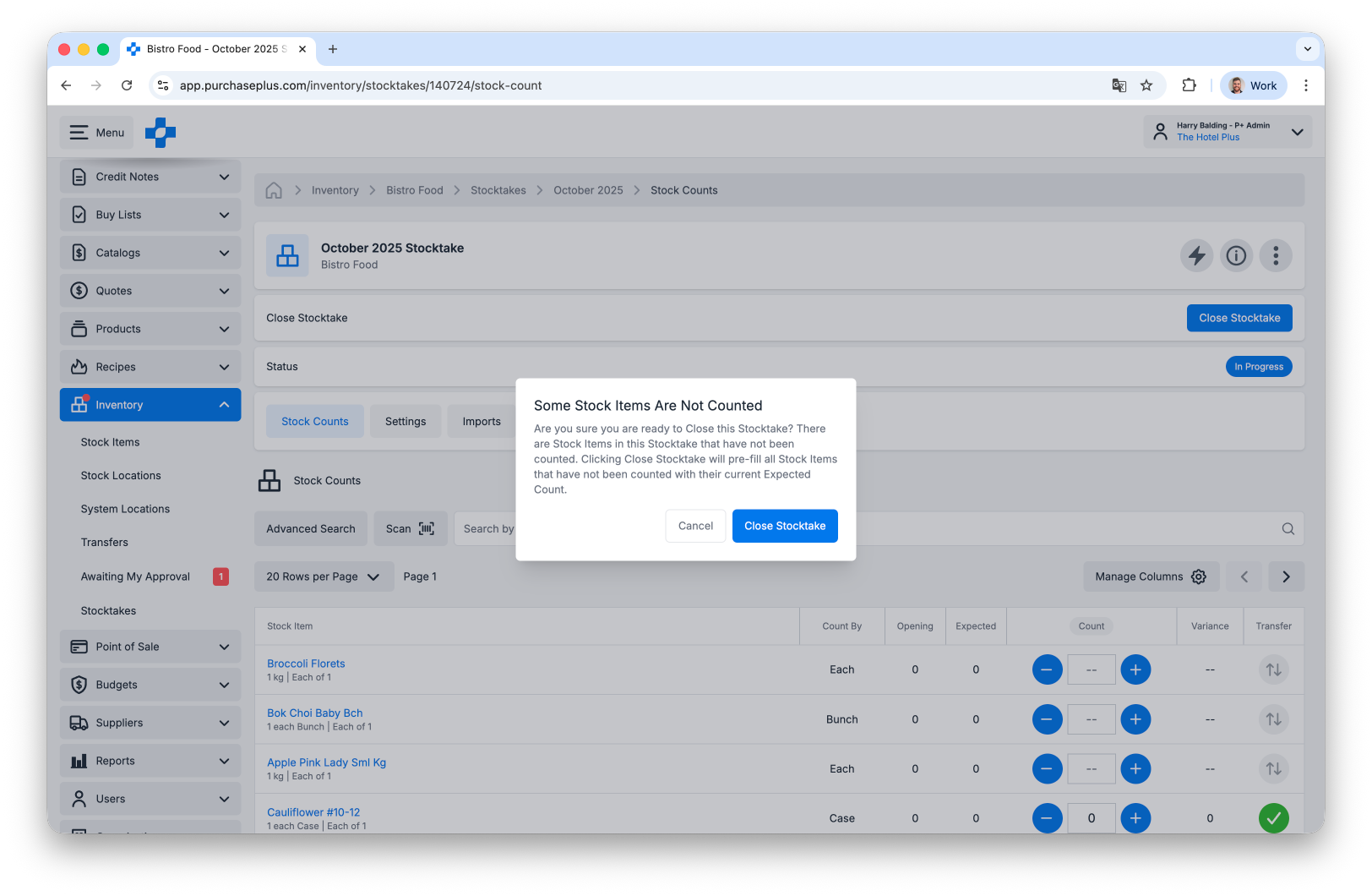
Above: Stocktakers can now Close a Partially-Counted Stocktake.
Transfer Improvements
(Inventory Module Users Only)
- An Origin Quantity column is now available on an Open or Awaiting Approval Stock Transfer.
- There is now an Attachments Tab on a Transfer allowing attachments to be added to a Transfer:
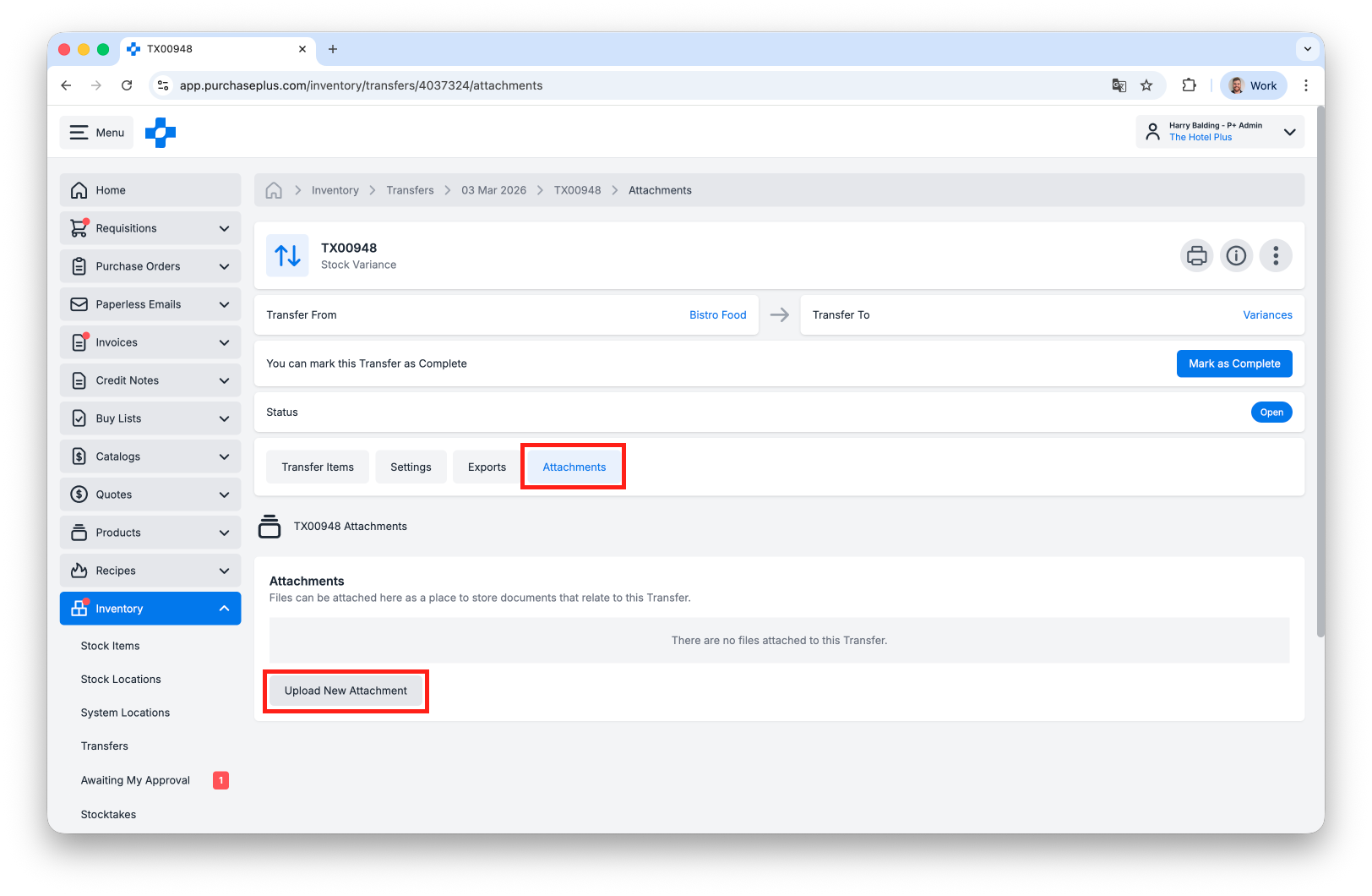
Above: Users can now attach a file to a Transfer.
Budget Quick Panel in Requisitions
(Budget Module Users Only)
There is now a Budget Quick Panel available on Requisitions, if the user is using a wide screen monitor:
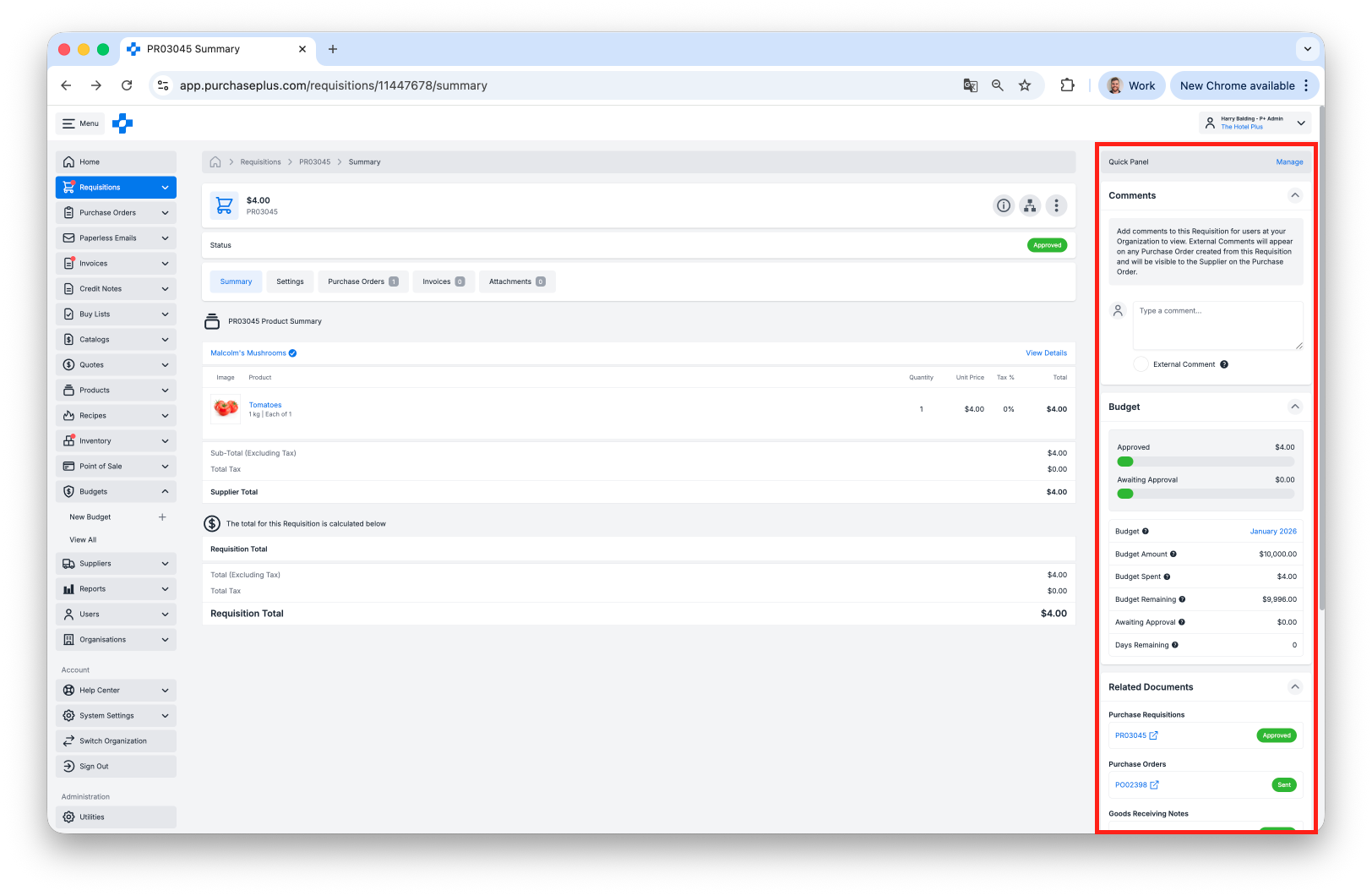
Above: Budget information relating to a Requisition can now be displayed alongside the Requisition in a 'Quick Panel'.
Other Enhancements
- POS Batch Sales now enter a 'Validating' state when [Create Transfers] is actioned. POS Batch Sales are placed into an Invalid state if one or more of the Transfers would likely fail to be completed. Errors are shown on the POS Batch Sales, and they are placed into an Invalid state for errors to be reviewed and actioned.
- The Approval Workflow for Invoices now shows a Super Approve event more elegantly.
- There are new Supplier ID and Supplier Business Number fields in the Info Panel of a Credit Note and Invoice.
- The Invoices Awaiting My Approval table can now be sorted the same as the All Invoices table.
- For users in Expert Mode, when approving an individual Invoice or Credit Note, Requisition or Transfer will return you to the Awaiting My Approval table.
- [Credit Notes] -> [Awaiting My Approval] option in the Side Navigation Bar is now available.
- There is now a 20, 50 and 100 rows per page option in the All Invoices table view:
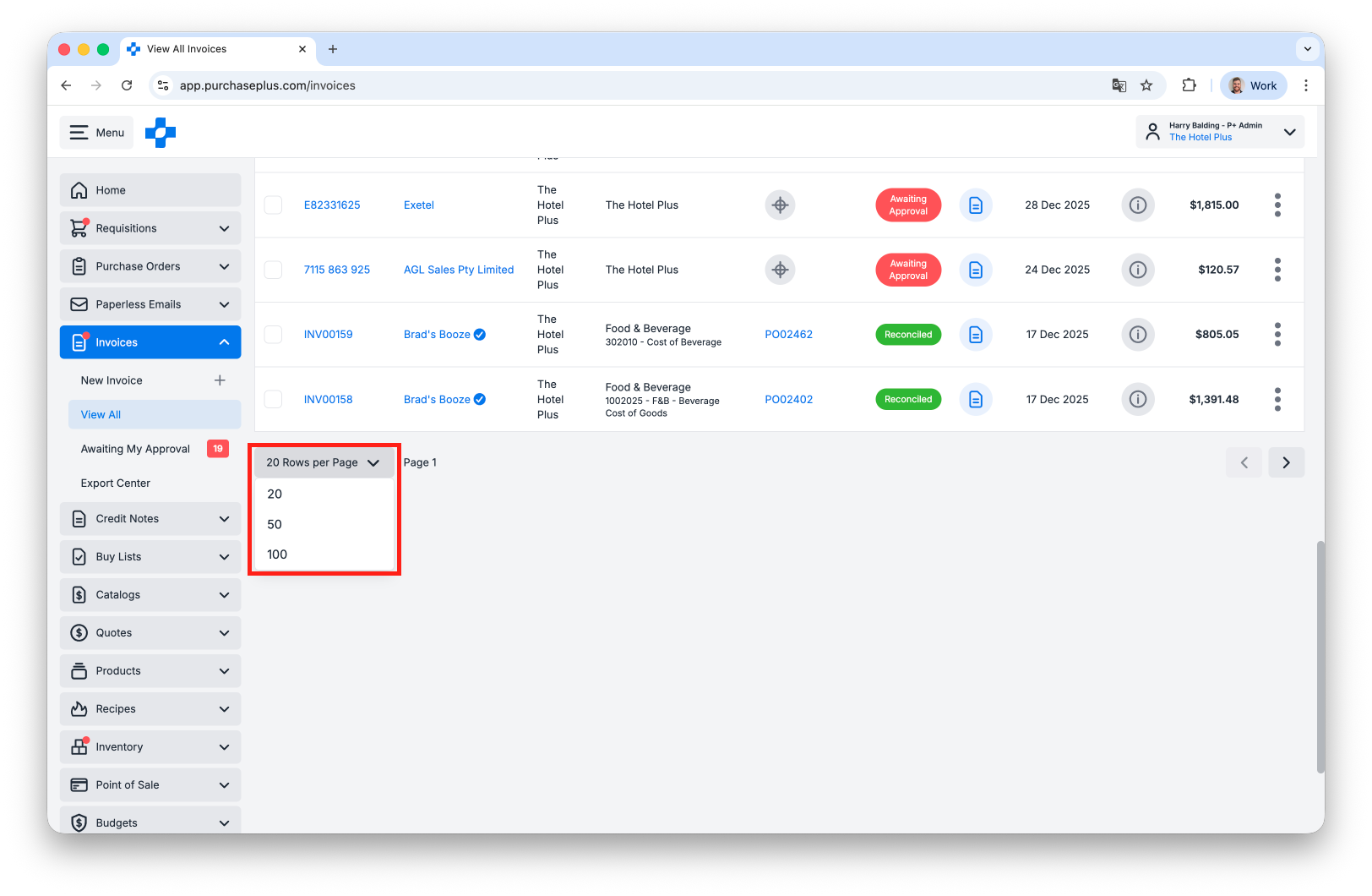
Above: users can quickly change the pagination value of the All Invoices table.
Supplier Portal Enhancements
There is a new Reports side-nav area for Suppliers and the following Reports are available there for business insight and opportunity identification:
- Marketshare Report,
- Products Purchased Report:
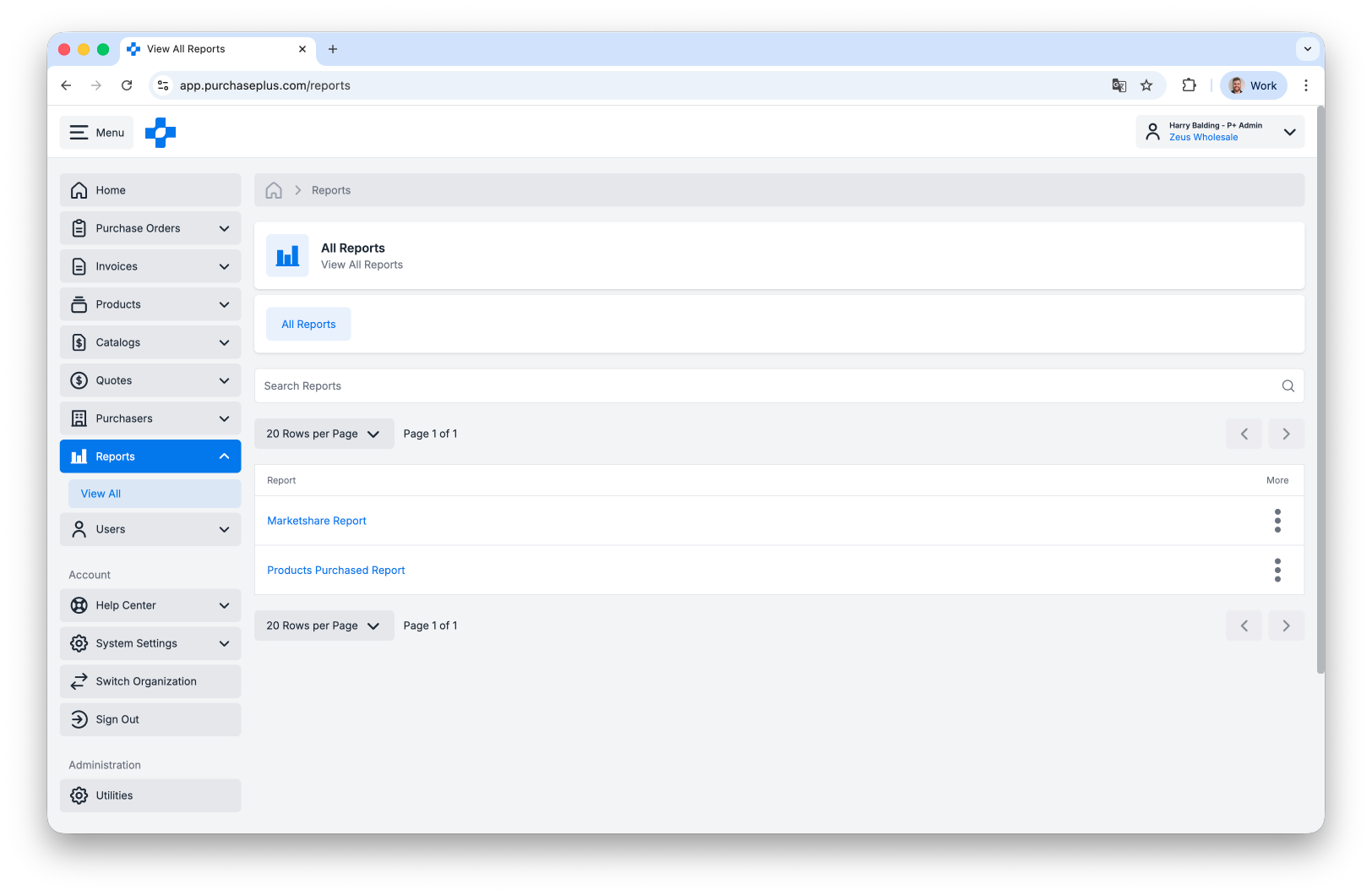
Above: Select Supplier Reports are now available for Suppliers using PurchasePlus.
For any questions, please contact us via email on
help@marketboomer.com or phone us on
+61 2 8215 7133.


