

This month’s release brings a series of structural improvements that make PurchasePlus cleaner, clearer, and even easier to manage.
We’ve overhauled the side navigation with dedicated areas for Paperless Emails and Credit Notes. Credit Notes now support full Approval Workflows, and the former “Flagged” invoice state has been renamed to “Awaiting Approval” for greater clarity.
We’re also introducing a new Budgets side-nav area (available for our customers with a Budget subscription), along with a Product Price Update Audit Log to give buyers and suppliers greater visibility into pricing changes over time.
Read on to learn about the new features that you can use in PurchasePlus.

Back to All Product Updates
November 2025 Monthly Wrap-Up
Product Update
Published December 5th, 2025

Welcome
Jump To
There is now a dedicated [Paperless Emails] side navigation area for Purchasers to view all emails sent to their Paperless Invoicing Email Address.
Additionally, there is now a dedicated [Credit Notes] option in the side navigation bar:
Additionally, there is now a dedicated [Credit Notes] option in the side navigation bar:
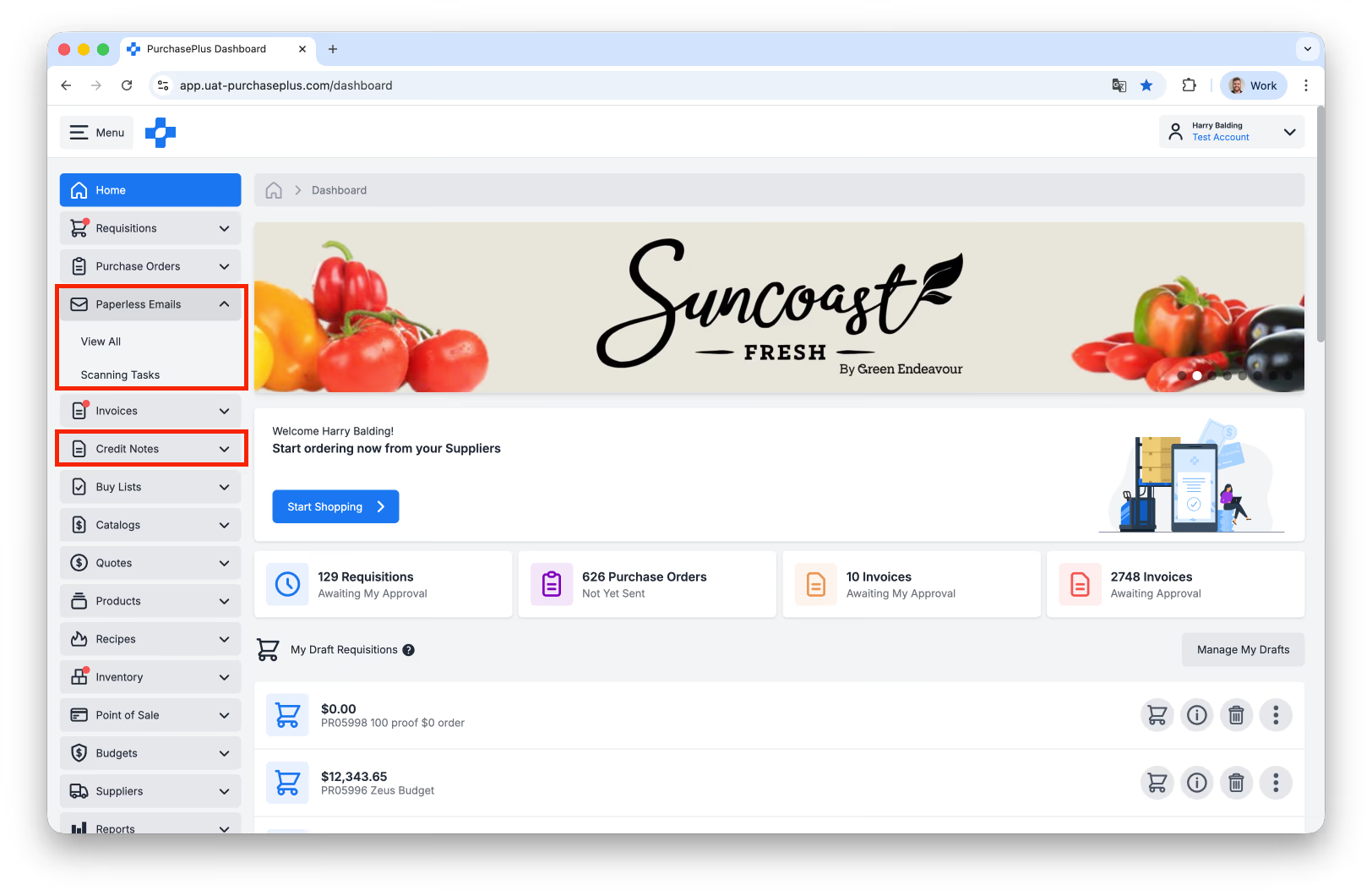
Above: There are new Paperless Emails and Credit Notes options in the side navigation bar.
The Paperless Emails area is made up of two sub-areas:
- [View All] Paperless Emails, where you can view each email sent by your Suppliers to your dedicated Paperless Invoicing Email Address. This includes emails that our system automatically 'filters out' - i.e. does not use to create Invoices or Credit Notes - like statements, marketing content, and duplicate documents.
- [Scanning Tasks], which are a half-way point between your Supplier's email (including any PDF attachment) and the resulting Invoice or Credit Note in our system.
- [View All] Paperless Emails, where you can view each email sent by your Suppliers to your dedicated Paperless Invoicing Email Address. This includes emails that our system automatically 'filters out' - i.e. does not use to create Invoices or Credit Notes - like statements, marketing content, and duplicate documents.
- [Scanning Tasks], which are a half-way point between your Supplier's email (including any PDF attachment) and the resulting Invoice or Credit Note in our system.
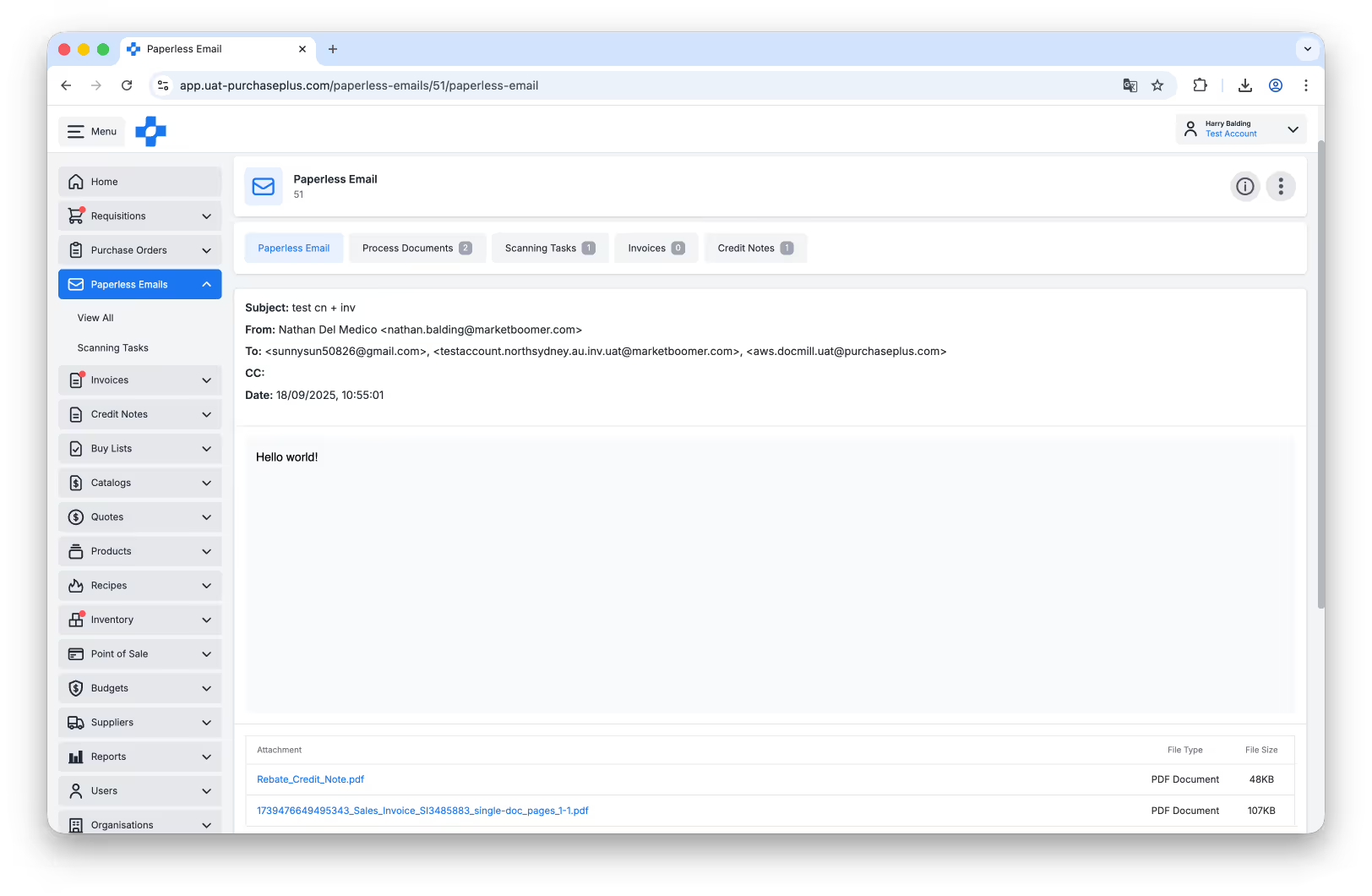
Above: Viewing an email that a Supplier sent to the Paperless Email Address.
‘Flagged’ Invoice Status Renamed to ‘Awaiting Approval’
The state of ‘Flagged’ for an Invoice or Credit Note has been renamed to ‘Awaiting Approval’. If the Invoice has one or more Flags after being created and/or processed against your Flags and Flag Thresholds, it will be in the ‘Awaiting Approval’ state.
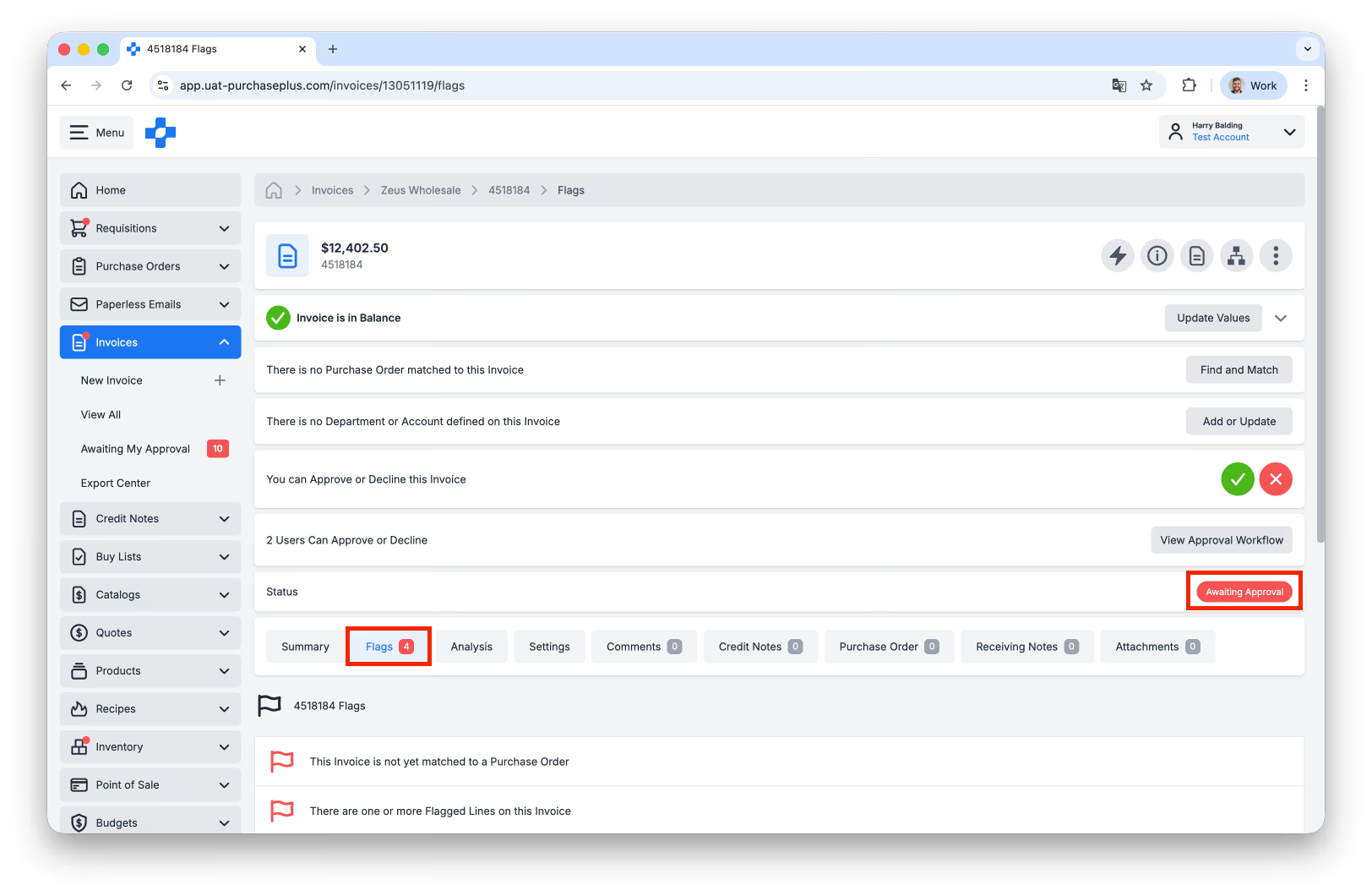
Above: An Invoice that has Flags and is therefore in the Awaiting Approval state.
Credit Note Approval Workflows
Credit Note Approval Workflows can now be created and used for Credit Notes. Learn more about Invoice and Credit Note Approval Workflows.
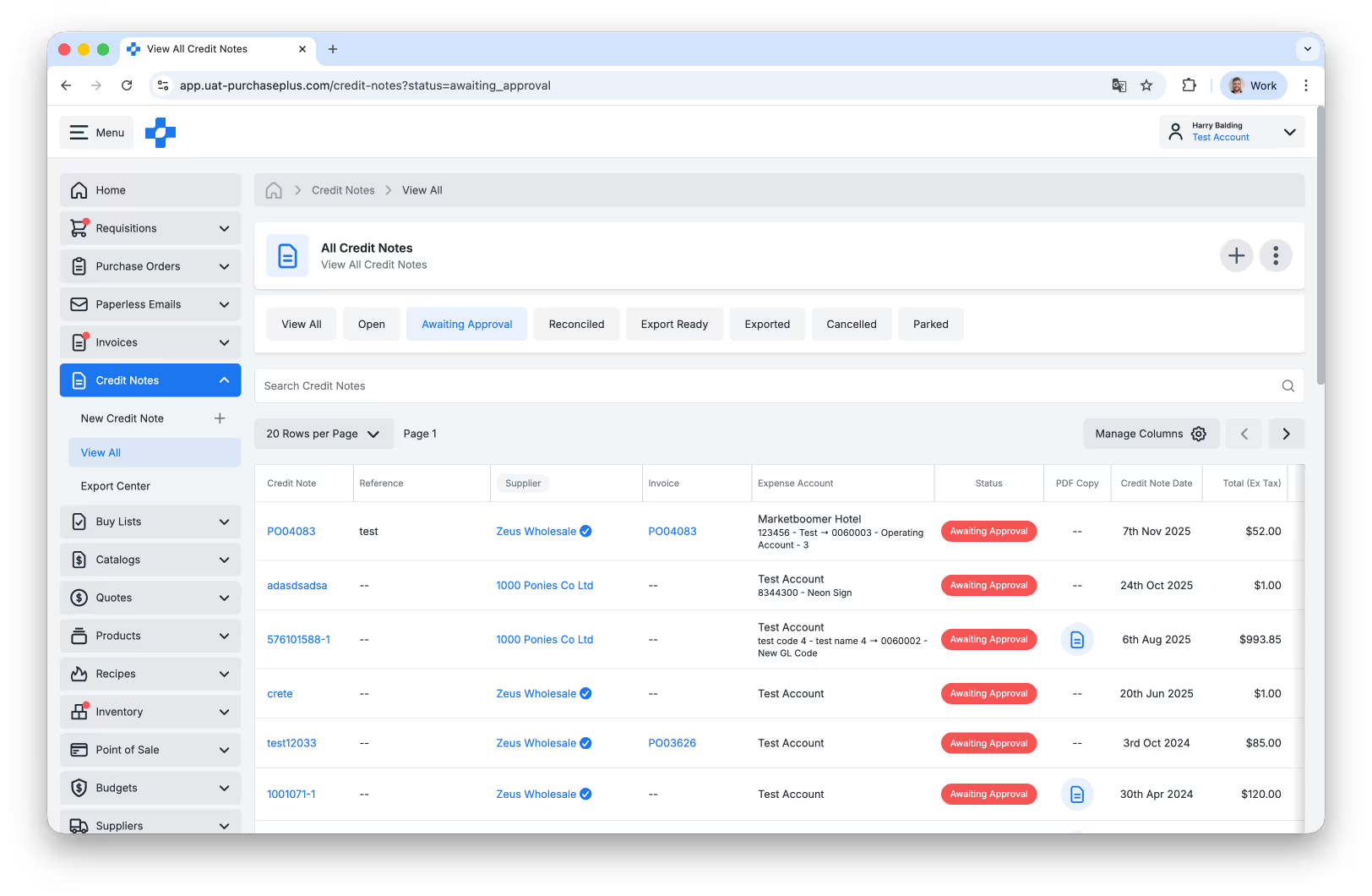
Above: Credit Notes that are Awaiting Approval due to an Approval Workflow in place.
Budgets Module
There is now a new [Budgets] module available for Purchasers with a Budget subscription, accessed via the side navigation bar.
A 'Budget' in PurchasePlus is a spending limit, set by permitted users, and applied to an area of their business for a specific period of time. Budgets are made up of:
- A Year and Month that the Budget applies to,
- An Organisation Unit (Department) and Account Code that the Budget applies to, and
- A Budget Amount (exclusive of tax) that applies to the Budget.
A 'Budget' in PurchasePlus is a spending limit, set by permitted users, and applied to an area of their business for a specific period of time. Budgets are made up of:
- A Year and Month that the Budget applies to,
- An Organisation Unit (Department) and Account Code that the Budget applies to, and
- A Budget Amount (exclusive of tax) that applies to the Budget.
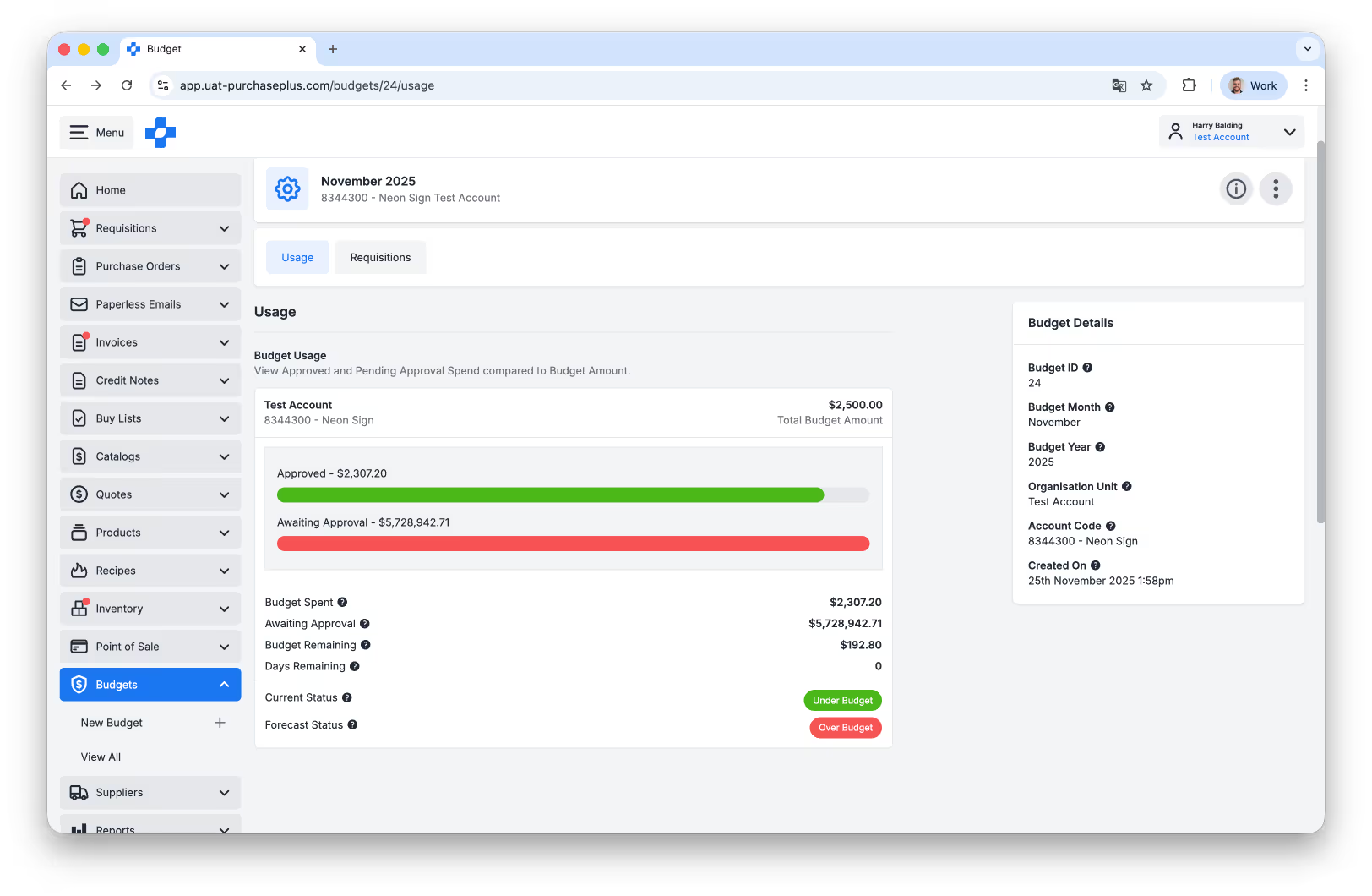
Above: Viewing a Budget.
When a Requisition is raised by a Purchaser, the Budget Amount is consumed when all of the following conditions are met:
a) the Requisition's Delivery Date falls in the Budget's Year/Month, AND
b) the Requisition is expensed to the Budget's Organisational Unit and Account Code, AND
c) the Requisition is Approved.
Budgets in PurchasePlus do not prevent users from raising or submitting Requisitions (even if the Requisition will mean the relevant Budget is exceeded), but all of the Requisition's Approvers are made aware that their Requisition will exceed the Budget before it becomes a Purchase Order.
Learn more about the Budgets Module.
a) the Requisition's Delivery Date falls in the Budget's Year/Month, AND
b) the Requisition is expensed to the Budget's Organisational Unit and Account Code, AND
c) the Requisition is Approved.
Budgets in PurchasePlus do not prevent users from raising or submitting Requisitions (even if the Requisition will mean the relevant Budget is exceeded), but all of the Requisition's Approvers are made aware that their Requisition will exceed the Budget before it becomes a Purchase Order.
Learn more about the Budgets Module.
Product Price Update Audit Log
We have added a "View Audit Log" option in the more menu of a Product in a Catalog to show price changes on that product over time.
At present, this Audit Log will only list some price changes on that product over time (e.g. changes made via Catalog Imports or via API update will not yet be reflected here).
At present, this Audit Log will only list some price changes on that product over time (e.g. changes made via Catalog Imports or via API update will not yet be reflected here).
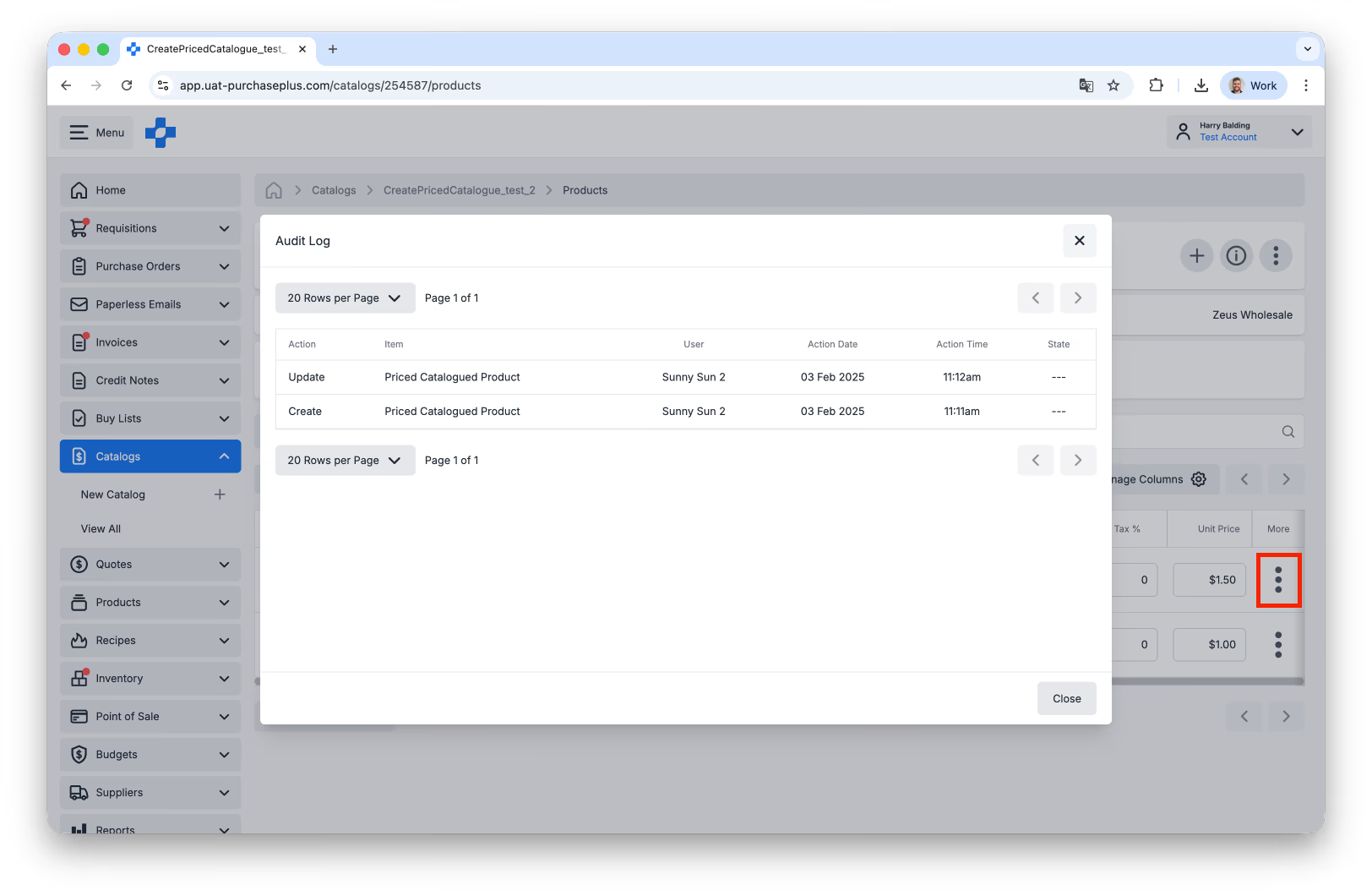
Above: The audit log listing changes to a Product's Price in a Catalog.
Other Enhancements
- There is now a Paperless Email and Process Document field in the Info Panel of an Invoice header for easier tracking of the Invoice's origin.
- The Is Default option on an AP System's Custom Codes is now available and fully supported.
- The My Suppliers area for a Purchaser can now be advanced searched by Business Number and by Supplier Number:
- The Is Default option on an AP System's Custom Codes is now available and fully supported.
- The My Suppliers area for a Purchaser can now be advanced searched by Business Number and by Supplier Number:
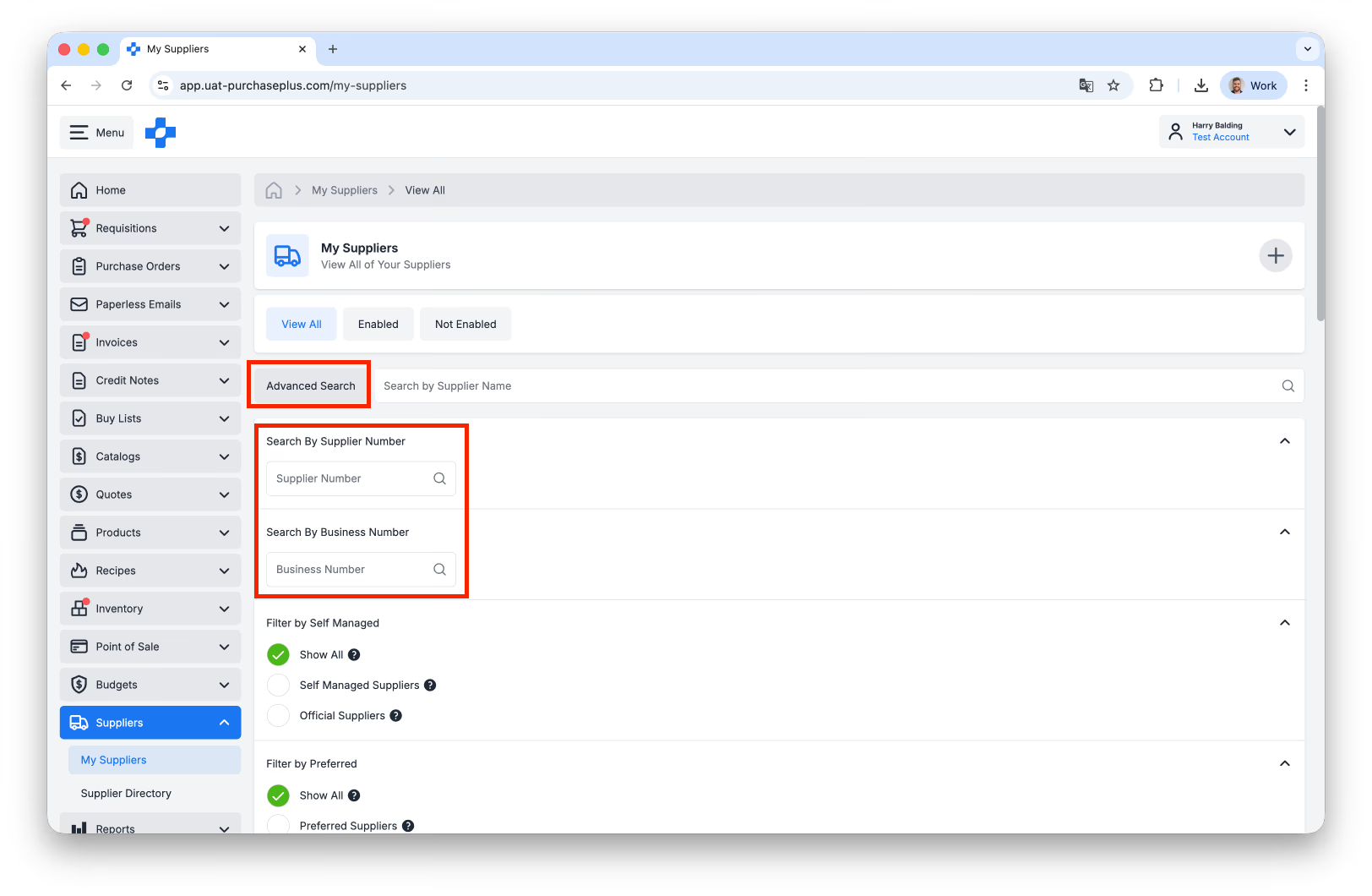
Above: Advanced Searching My Suppliers as a Purchaser.
For any questions, please contact us via email on help@purchaseplus.com or phone us on +61 2 8215 7133.