

This month’s release introduces smarter automation, improved reporting, and enhanced operational control across PurchasePlus.
Highlights include Allergen Tags for Recipes, AI-powered Auto-Coding for Invoices, and expanded reporting insights. We’ve also improved export capabilities, Supplier management logic, and Inventory workflows - helping teams work more efficiently, make better decisions, and maintain greater visibility across procurement and finance processes.
Read on to learn about the new features that you can use in PurchasePlus.

Back to All Product Updates
January and February 2026 Monthly Wrap-Up
Product Update
Published April 8th, 2026

Welcome
Jump To
Allergen Tags for Recipes
We now have an Allergens feature available in the Recipes side-navigation area for Purchasers.
A Recipe and its Lines (i.e. Ingredients) can be 'tagged' with an Allergen either manually or using our AI Assistant, for quick identification and communication.
PurchasePlus maintains a master list of common Allergens, and Purchasers can additionally add their own Allergens if required.
Learn more about Allergen Tags for Recipes.
A Recipe and its Lines (i.e. Ingredients) can be 'tagged' with an Allergen either manually or using our AI Assistant, for quick identification and communication.
PurchasePlus maintains a master list of common Allergens, and Purchasers can additionally add their own Allergens if required.
Learn more about Allergen Tags for Recipes.
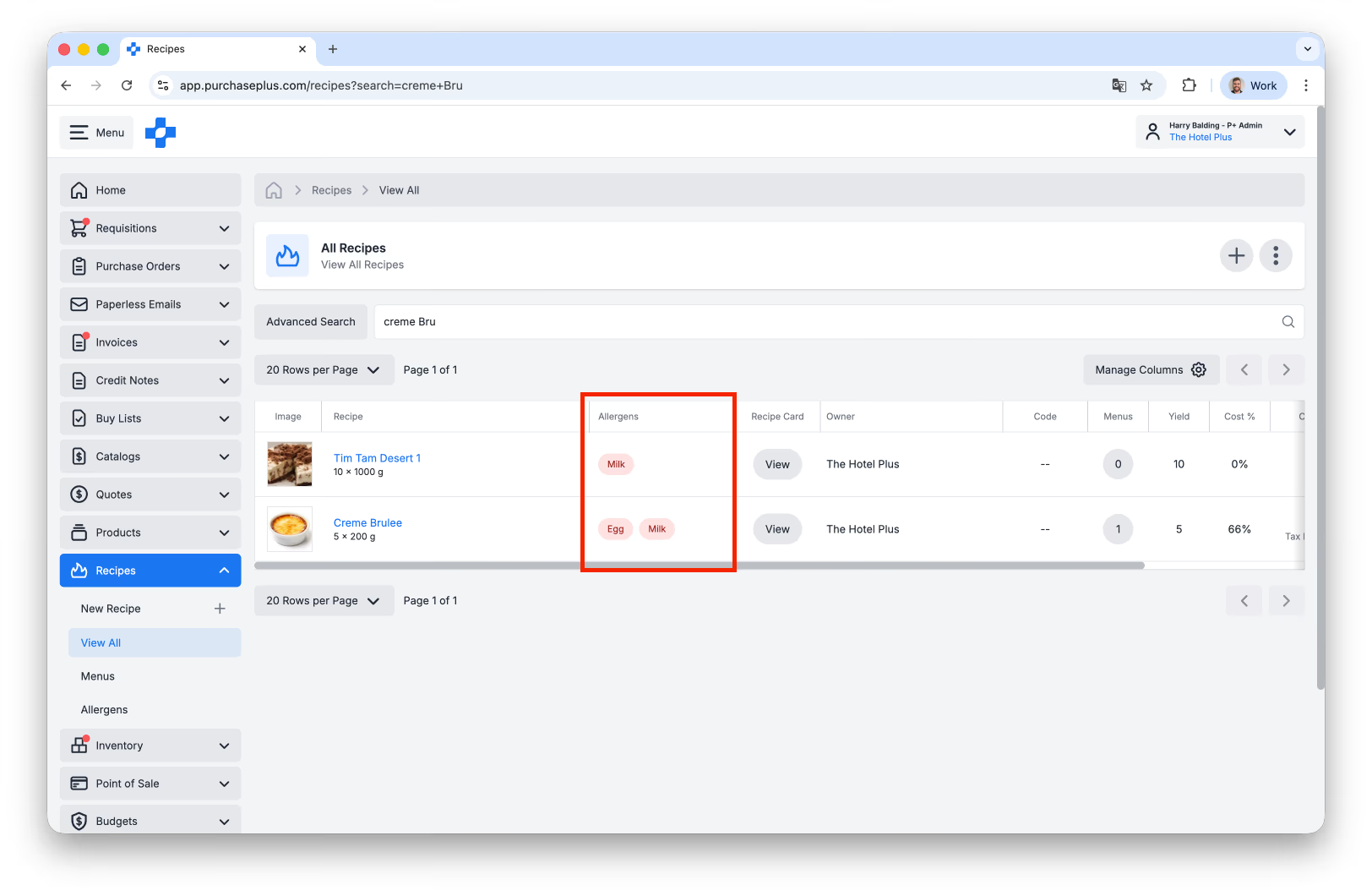
Above: Recipes and their Ingredients can now be clearly identified by their Allergens.
AI-based Auto-coding for Invoices
Our Paperless Invoicing AI now has an optional sub-feature called 'Auto-Coding', which is Off by default.
It attempts to automatically suggest the finance coding for a scanned Invoice, based on available Department and Account Code settings, and in ambiguous scenarios (or when no settings are present), it considers how similar Invoices have usually been coded before.
Learn more about auto-coding for Invoices and Credit Notes.
It attempts to automatically suggest the finance coding for a scanned Invoice, based on available Department and Account Code settings, and in ambiguous scenarios (or when no settings are present), it considers how similar Invoices have usually been coded before.
Learn more about auto-coding for Invoices and Credit Notes.
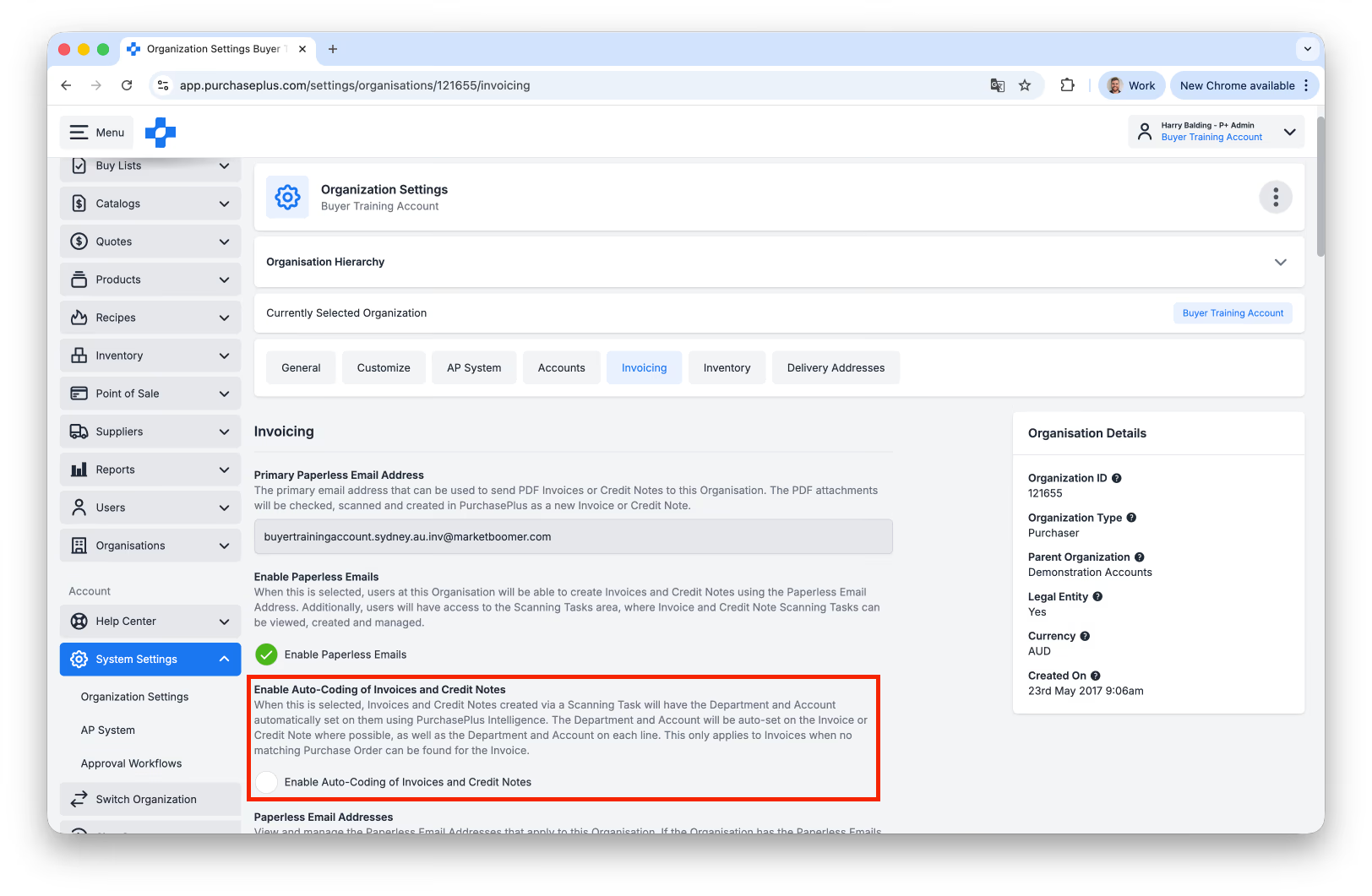
Above: Enabling the Auto-coding feature in the Organisation Settings area.
Reporting Enhancements
- There is a new Invoice and Purchasers Orders Report available to all Purchasers (previously known as Accruals Report in Legacy P+).
- There is a new Category field on a Report allowing Purchasing Users to filter by Category.
- There is a new Description field on a Report allowing Users to view a description of the Report.
- There is a new Data Availability field on a Report allowing Users to know if the Report data is "Real Time" or "Delayed". Delayed Data can be up to 24 hours old.
- There is a new Category field on a Report allowing Purchasing Users to filter by Category.
- There is a new Description field on a Report allowing Users to view a description of the Report.
- There is a new Data Availability field on a Report allowing Users to know if the Report data is "Real Time" or "Delayed". Delayed Data can be up to 24 hours old.
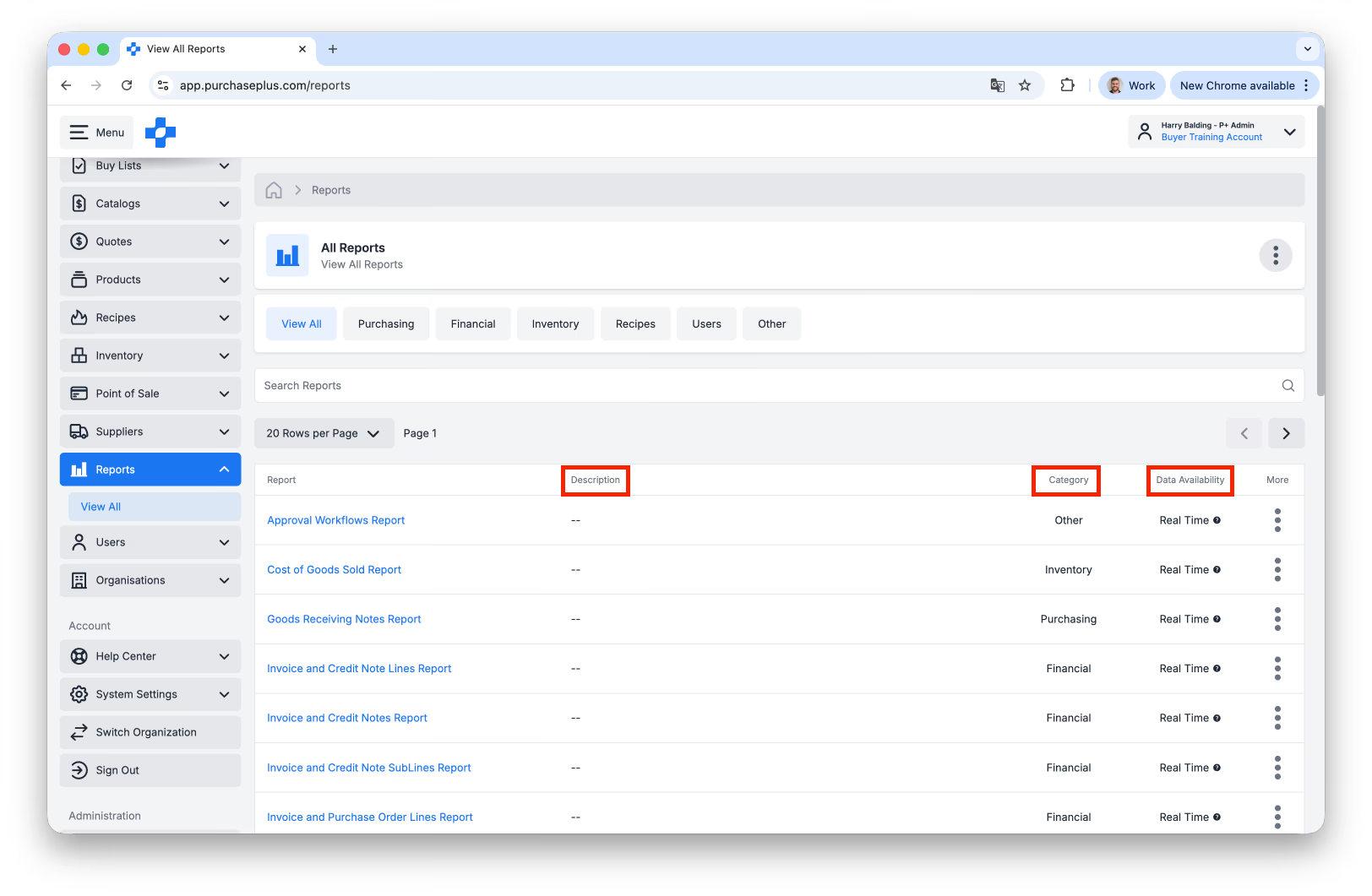
Above: The new Description, Category and Data Availability fields on Reports.
Export Credit Notes in Bulk
For AP Systems configured as Type A, you can now multi-select and Export multiple Credit Notes in the same action.
Learn more about exporting Credit Notes in bulk.
Learn more about exporting Credit Notes in bulk.
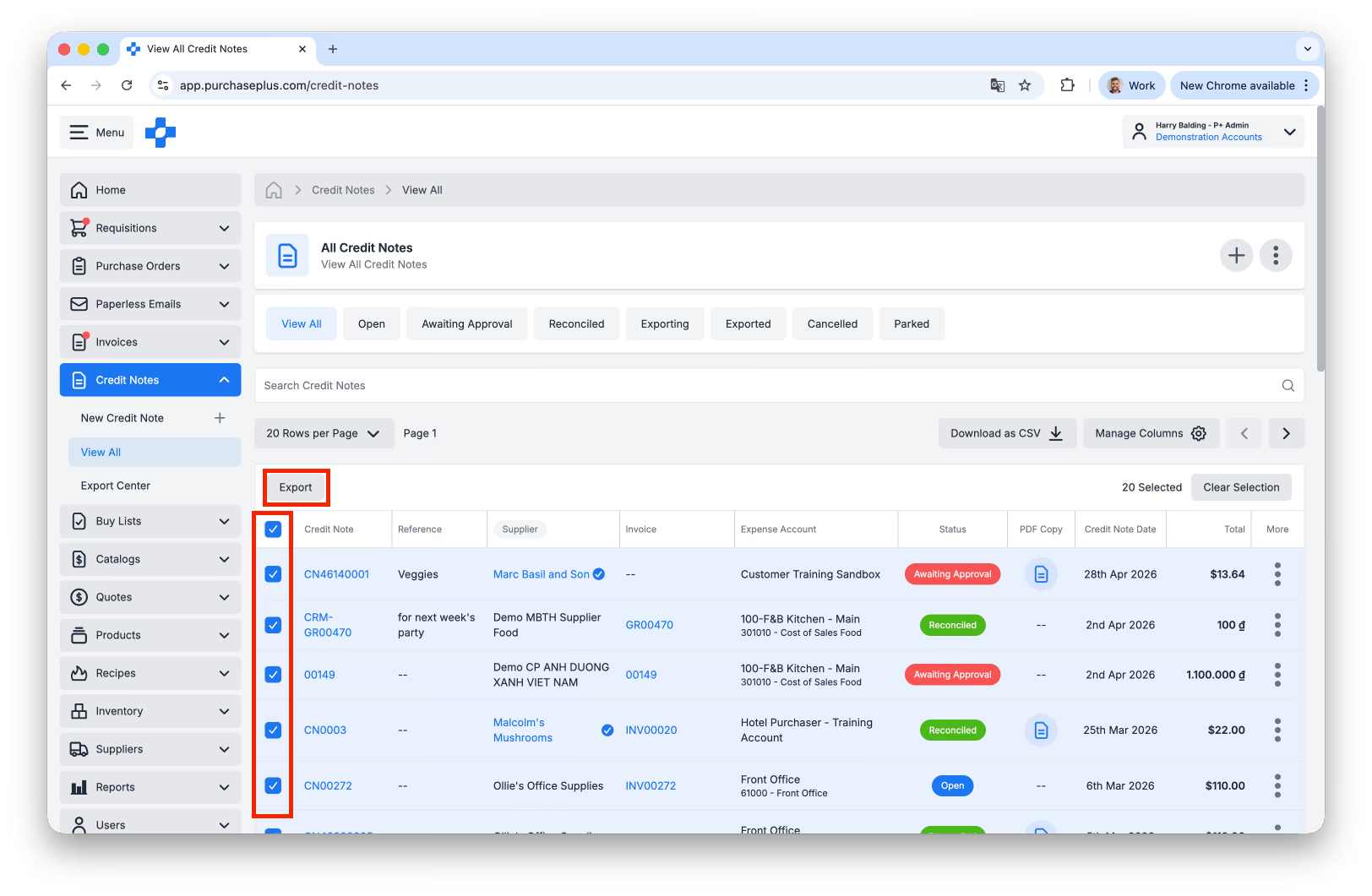
Above: Users can now Export Credit Notes in bulk, if their AP System is configured as Type A (for Invoice Export purposes).
Export Centre Enhancements
- When visiting the Export Center you will now see Exports for your Organisation and any Organisation below yours in your Organisation Hierarchy.
- For AP Systems configured as Type A, you can export any Invoice or Credit Note for any Organisation below yours in your Organisation Hierarchy, and the correct AP System will be used.
- When visiting the Export Center there is now a new AP System column available:
- For AP Systems configured as Type A, you can export any Invoice or Credit Note for any Organisation below yours in your Organisation Hierarchy, and the correct AP System will be used.
- When visiting the Export Center there is now a new AP System column available:
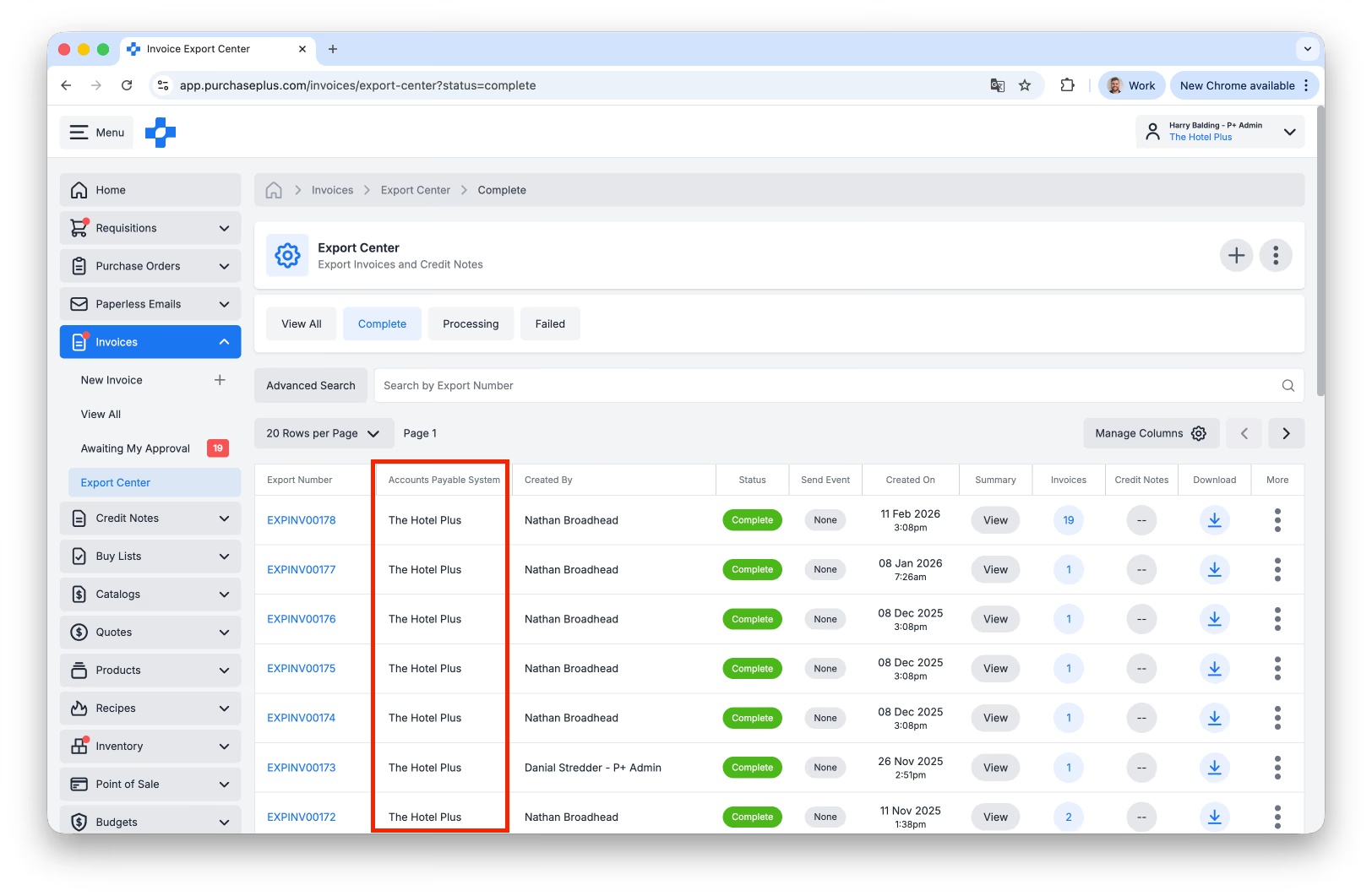
Above: The AP System relating to each Export is now available for review in the Export Centre.
Inherit 'Preferred Supplier' statuses from Parent Organisation
When a Purchaser clicks [Connect] on a Supplier, the Supplier will be set as Preferred if the Purchaser’s direct parent Organisation currently has set that exact same Supplier to be Preferred.
All users at your Organisation will then see that the Supplier has been tagged as Preferred Supplier (with a blue check icon) when they are viewing this Supplier, or when they are browsing products and quotes from this Supplier (for example, when they are creating a Requisition).
All users at your Organisation will then see that the Supplier has been tagged as Preferred Supplier (with a blue check icon) when they are viewing this Supplier, or when they are browsing products and quotes from this Supplier (for example, when they are creating a Requisition).
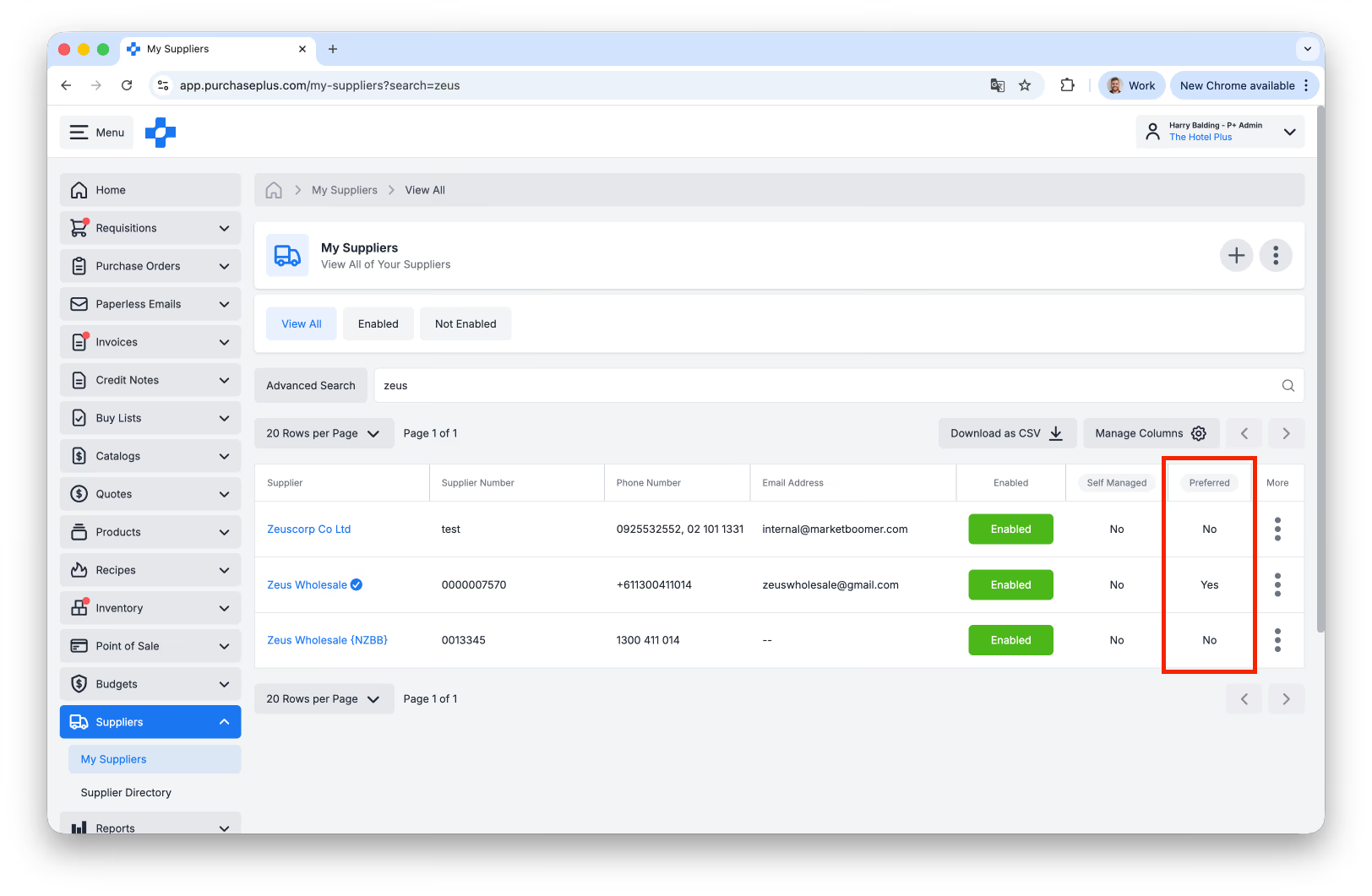
Above: Preferred Supplier Status can now be inherited from your Direct Parent Organisation when connecting with a Supplier.
Inventory Module Enhancements
- If you are an approver of a Transfer in the Awaiting Approval state you can now make changes to it as if it were in the Open state.
- There is now a Total Variance value in the Info Panel of an In Progress Stocktake:
- There is now a Total Variance value in the Info Panel of an In Progress Stocktake:
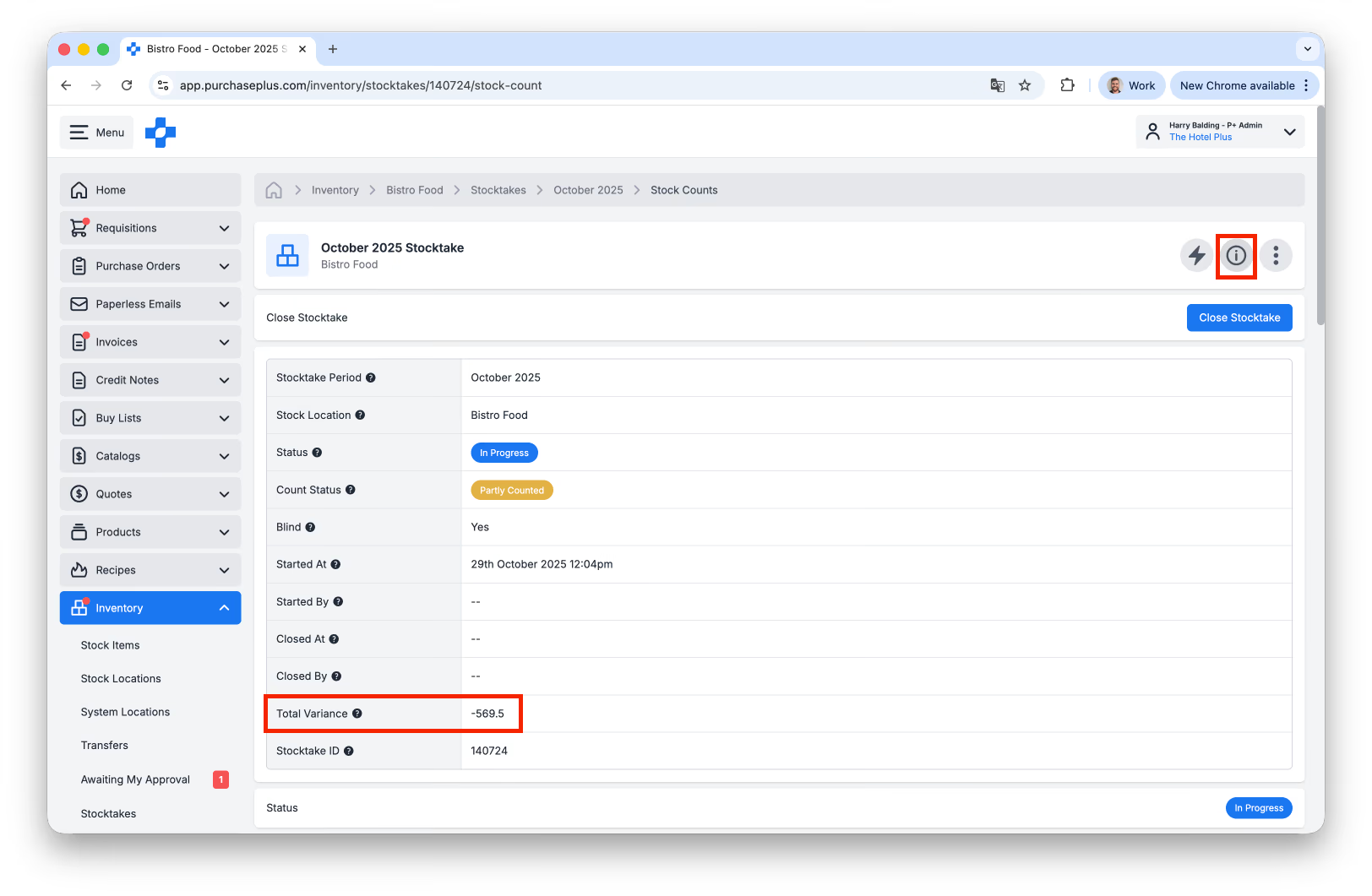
Above: A real-time 'Total Variance' field is now available for In-Progress Stocktakes.
Other Enhancements
- When creating an Invoice from a Receiving Note, Tax for each Line Item is now copied from the Purchase Order.
- A deleted Account will now appear in the Account field in the header of an Invoice, Credit Note, Requisition and Purchase Order.
- If you change the Department in the Create Requisition form, the Delivery Address should now update based on the selected Department:
- A deleted Account will now appear in the Account field in the header of an Invoice, Credit Note, Requisition and Purchase Order.
- If you change the Department in the Create Requisition form, the Delivery Address should now update based on the selected Department:
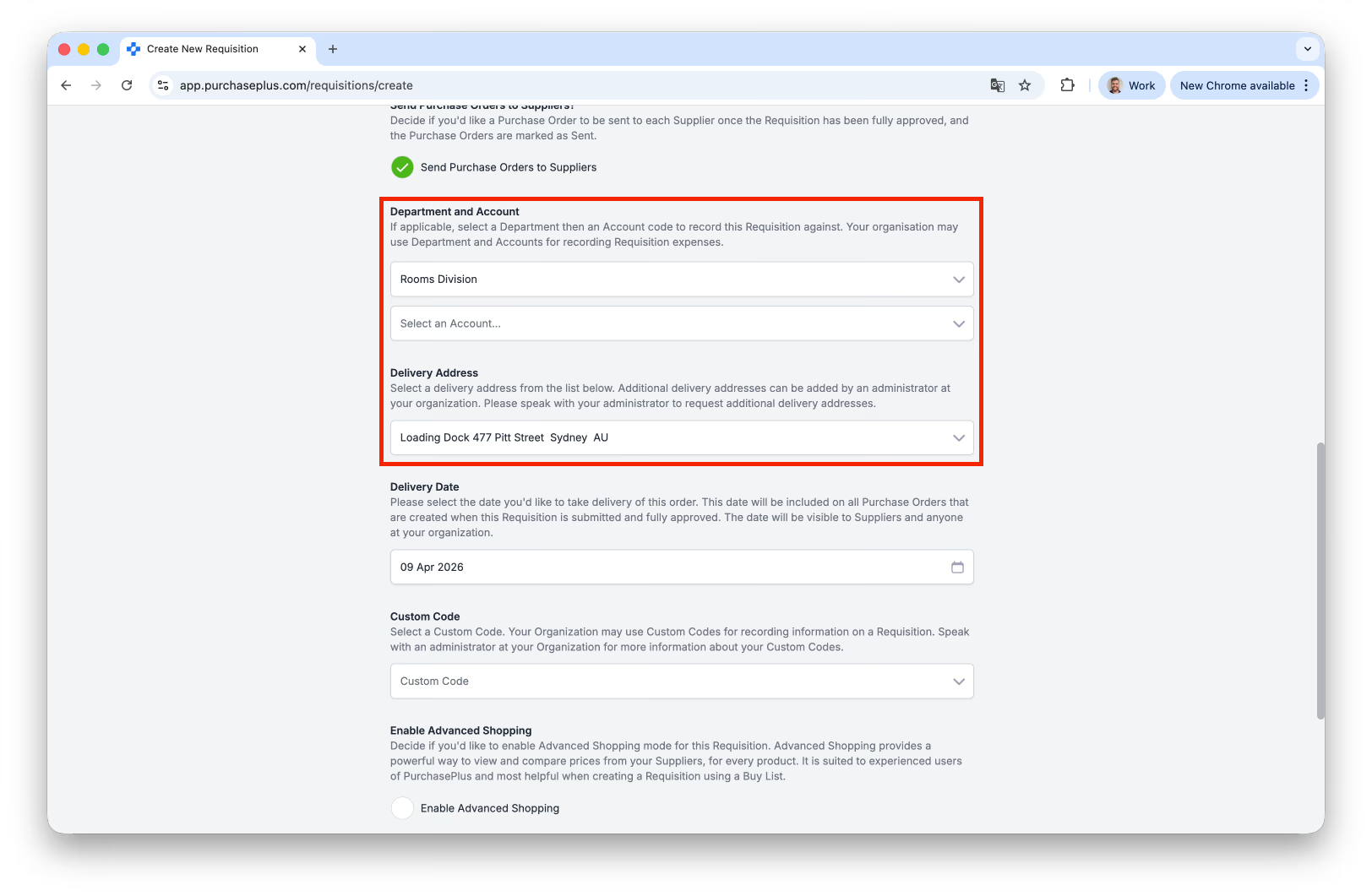
Above: Selecting a different Department may update the Requisition's Delivery Address (if there is one set for the Department).
For any questions, please contact us via email on help@purchaseplus.com or phone us on +61 2 8215 7133.