

Profile Settings
Profile Settings
Profile Settings
Each Supplier on PurchasePlus has an organisational 'profile' that displays some important information to the Purchasers that use our platform.
If you have a Trade Relationship in place with a Purchaser, they will see lots of information specific to your organisation when they view your Supplier Profile:
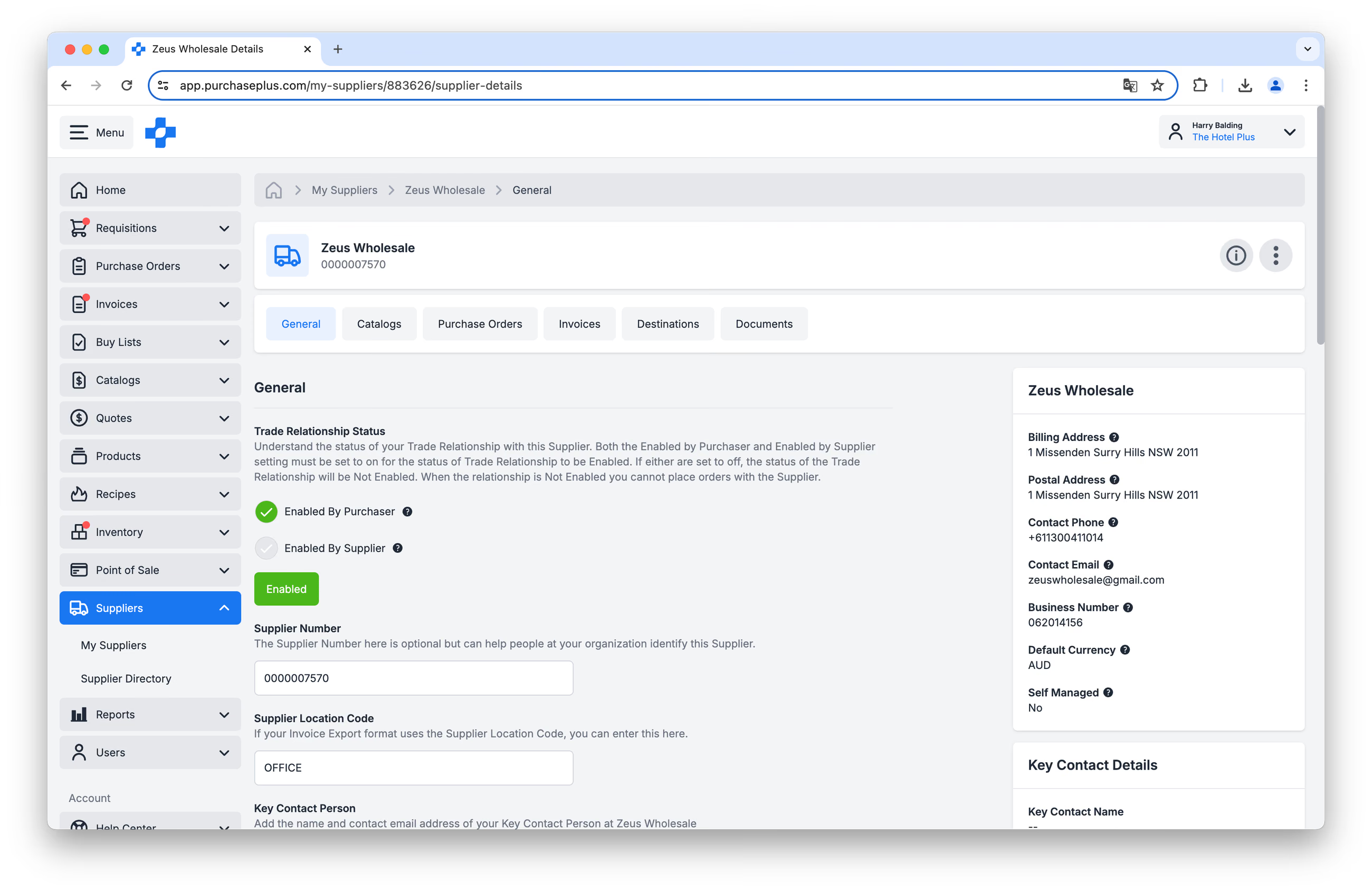
If you do not have a Trade Relationship in place with a Purchaser, they will instead see a relatively limited amount of information when they view your Profile in the Supplier Directory:
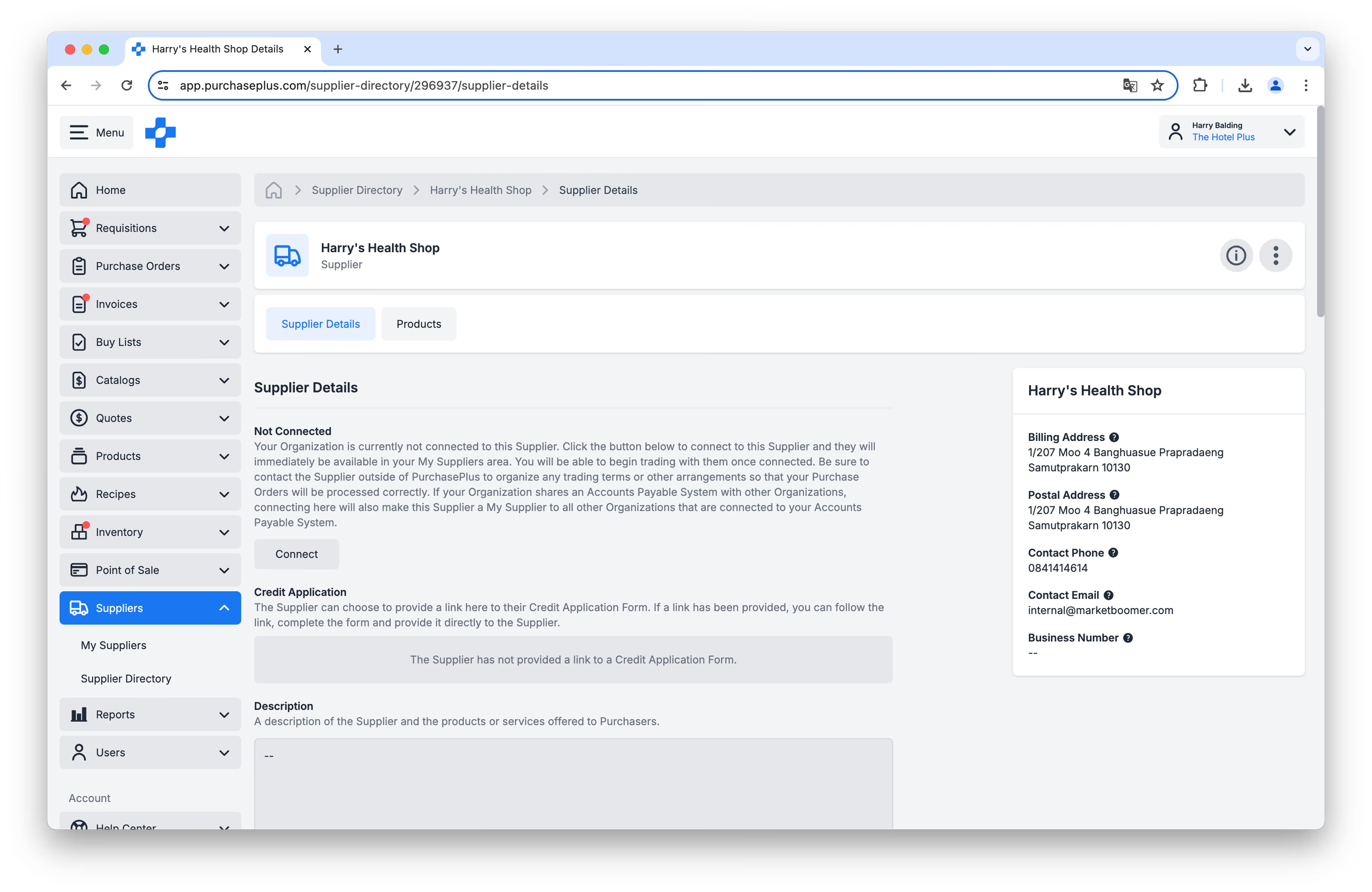
Permitted users can update the information and settings contained in your Supplier Profile in order to be visible and successful on the PurchasePlus platform.
Required Permissions
A Supplier User will need the Manage Organisations permission in order to view and update your organisational settings. Please contact our friendly support team if you need to have this permission added to your user profile.
Organisation settings
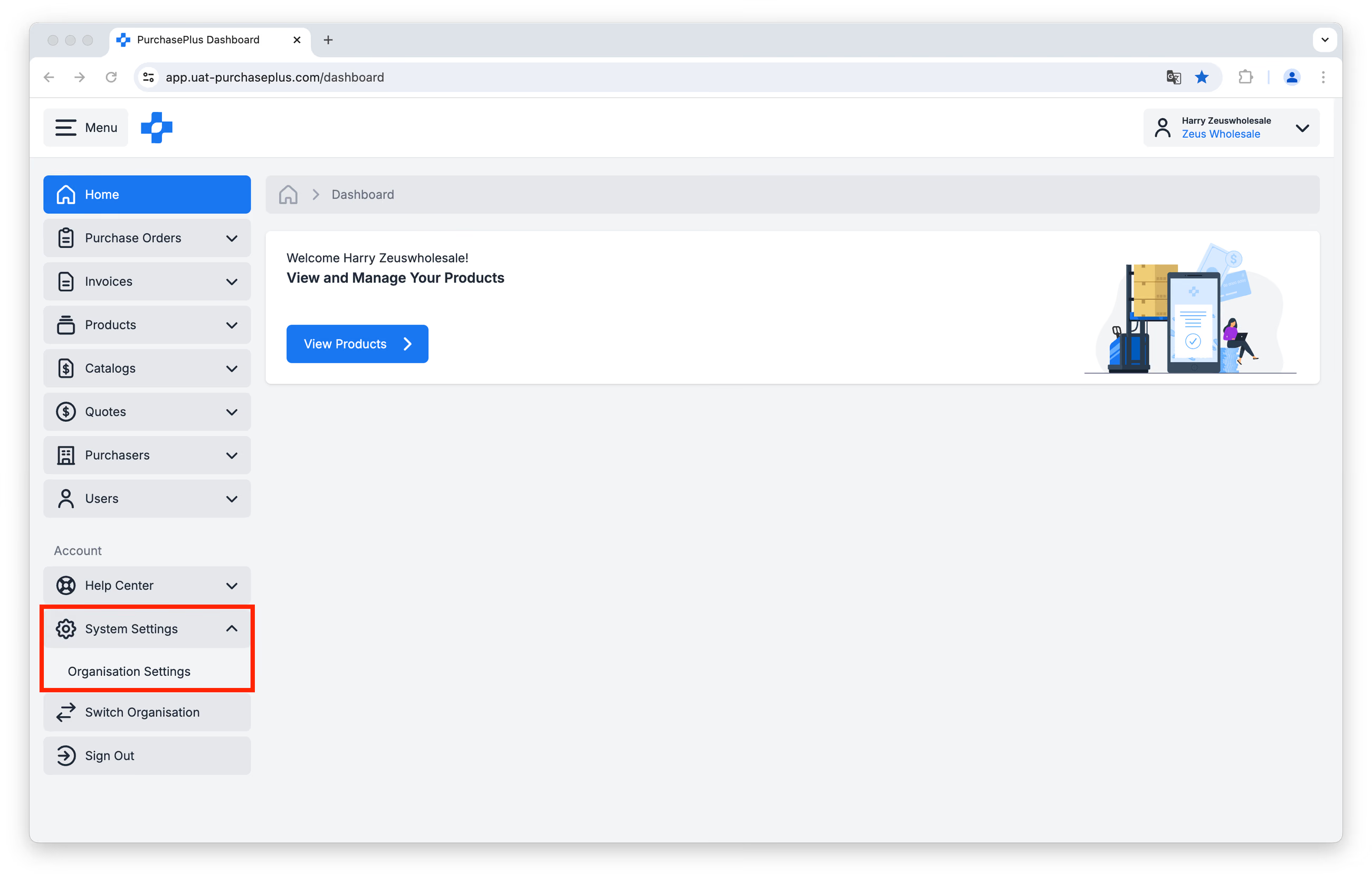
You can access your Organisational Settings by clicking [System Settings] → [Organisation Settings] in the side navigation bar:
General Settings
The first page you arrive at after clicking [Organisation Settings] is the [General Settings] tab:
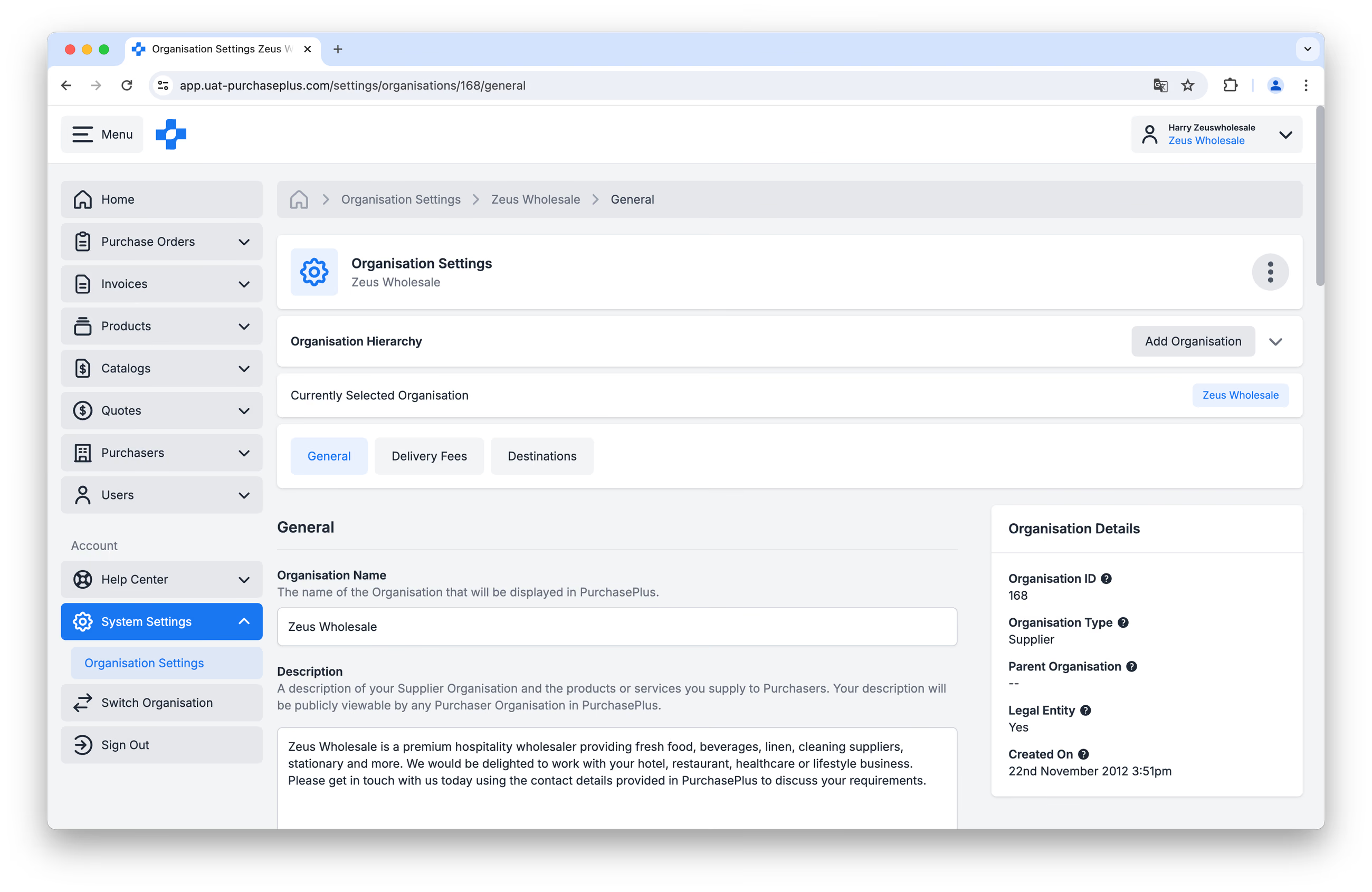
On this page, you can view and update fields like your Organisation Name, Description and Contact Details, as well as access a copy of the Supplier Agreement that your Organisation has signed with PurchasePlus.
Minimum Order Delivery Fees
You can View, Create and Update your Delivery Fees on the [Delivery Fees] tab:
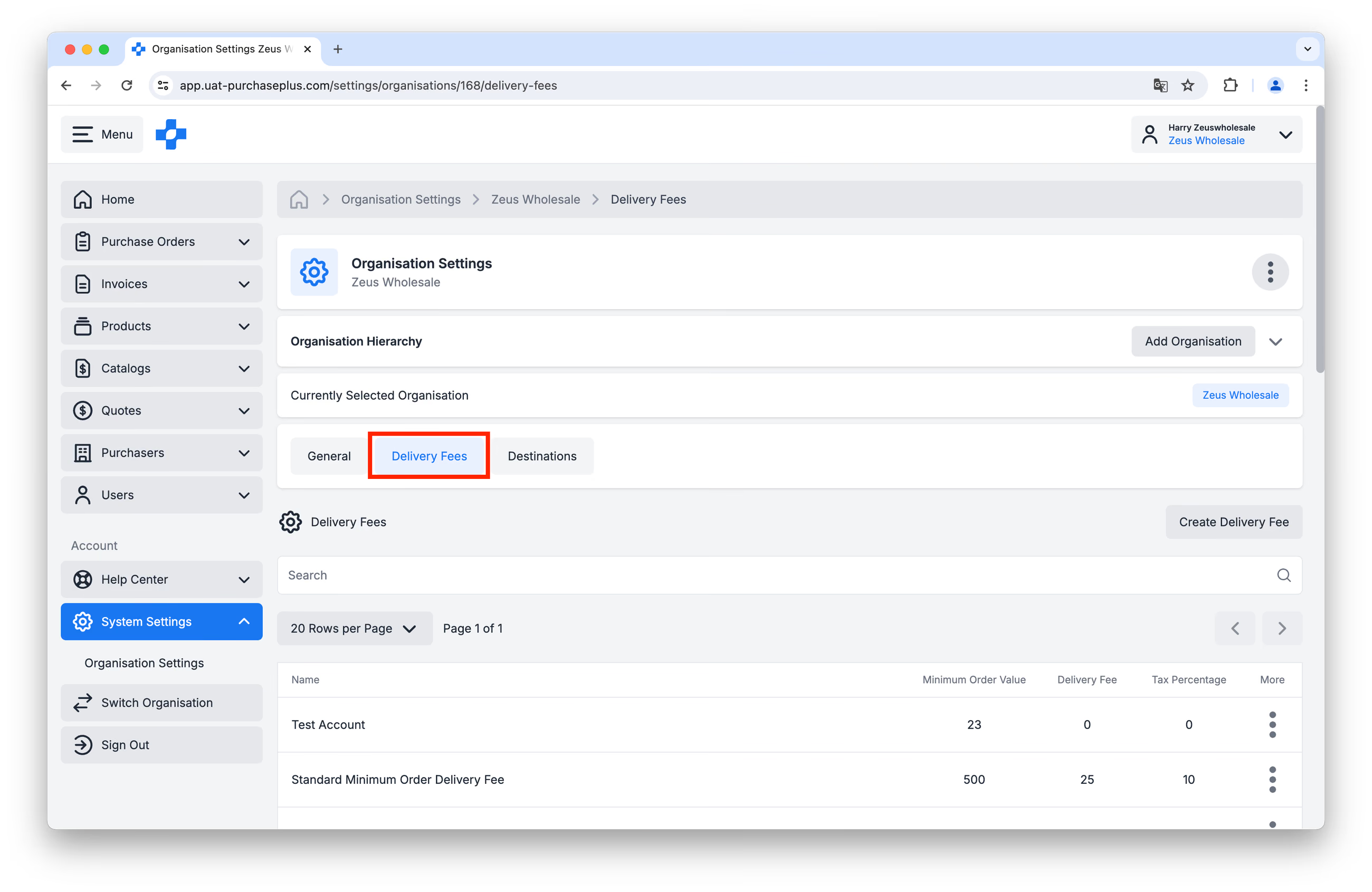
Learn more about Delivery Fees.
Destinations
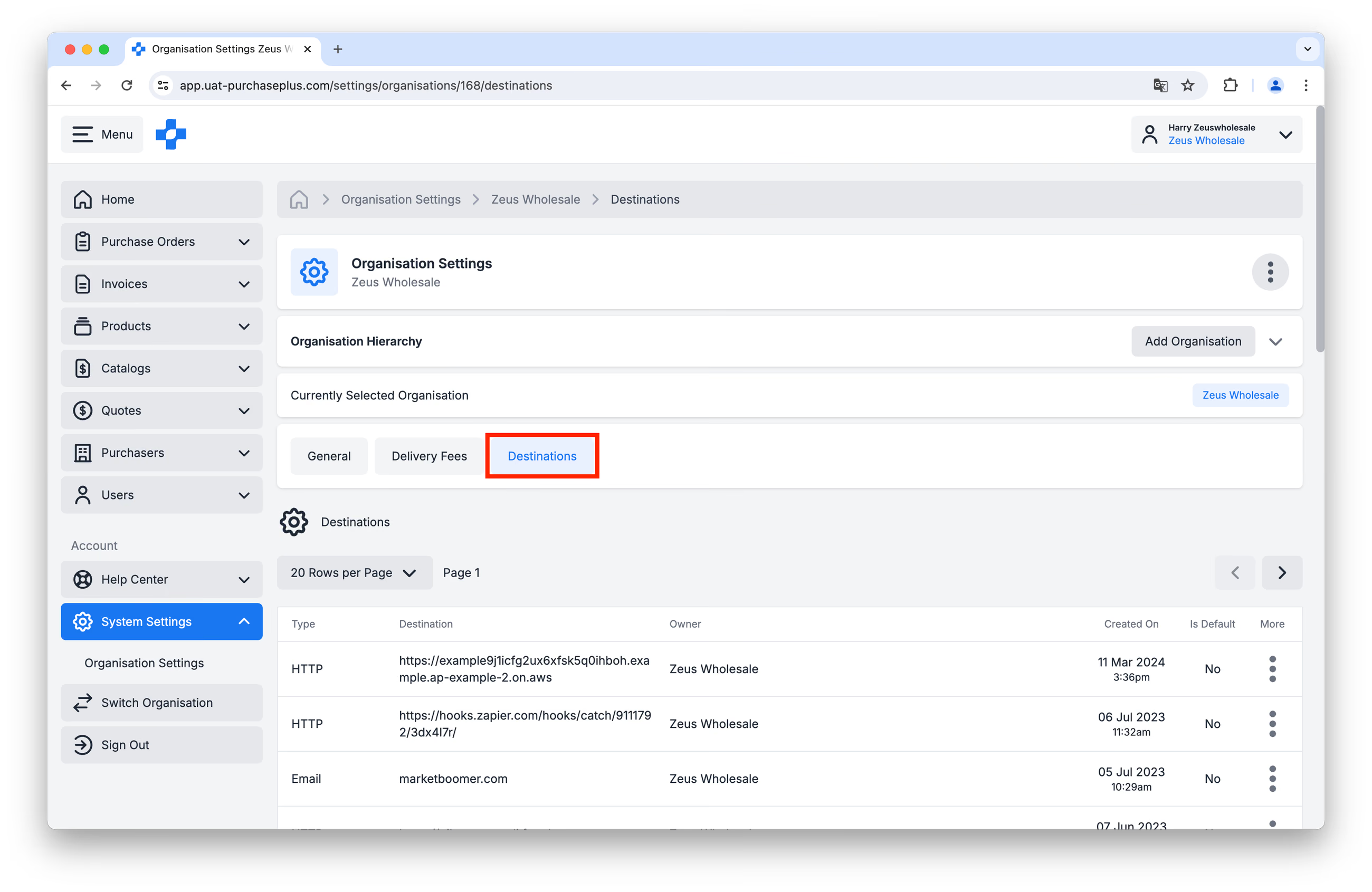
Destinations are electronic delivery points (e.g. an email inbox or other HTTP address) that Purchasers can automatically send their Purchase Orders to, when using PurchasePlus.
You can view your Destinations on the [Destinations] tab:
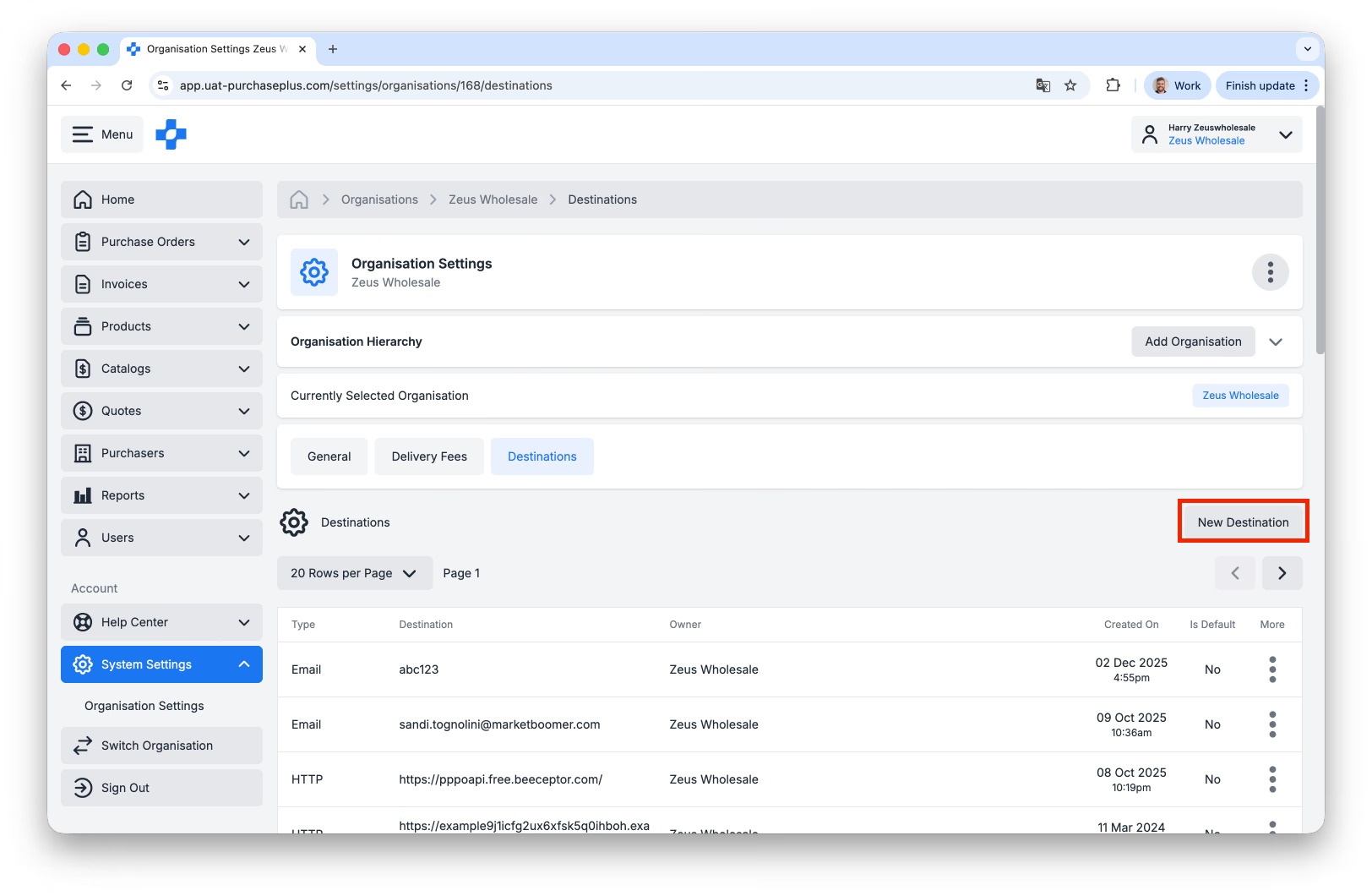
To create a new Destination, click [New Destination]:
You will be presented with a short form to complete:
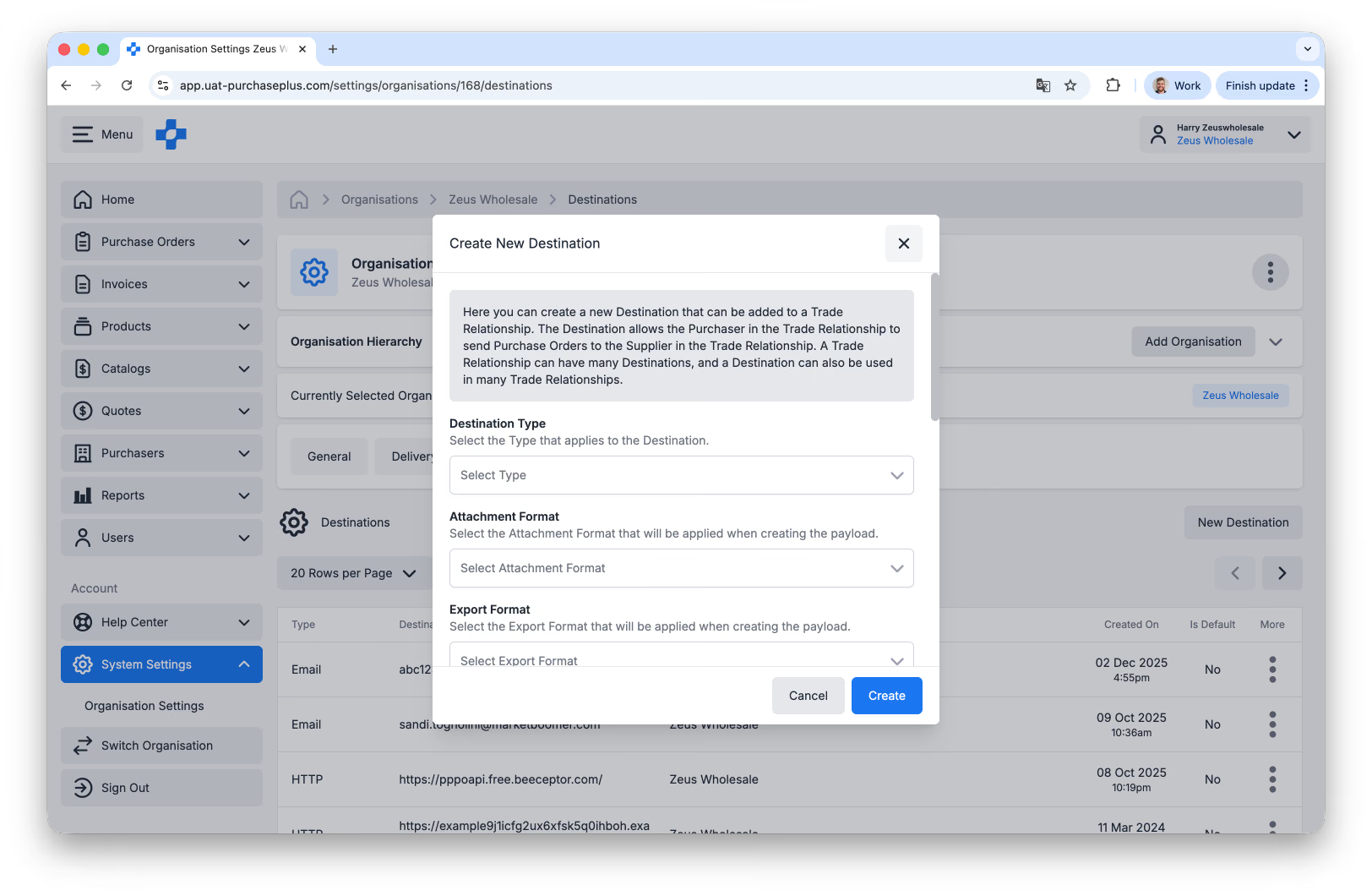
Please follow these steps to create a new Email Destination for Purchase Orders:
- Destination Type will most commonly be EMAIL.
- Attachment Format \- for email PO’s, select Trade_PurchaseOrder_PDFFormat.
- Export Format \- for email PO's, select Trade_PurchaseOrder_HtmlFormat
- External URL - This is the email address where your Purchase Orders will be sent to.
- Default Destination should be left disabled, unless it is the primary email address that you would like to receive email Purchase Orders to.
For additional support (or for support with non-Email Destinations), please contact our support team.
Organisational Hierarchy
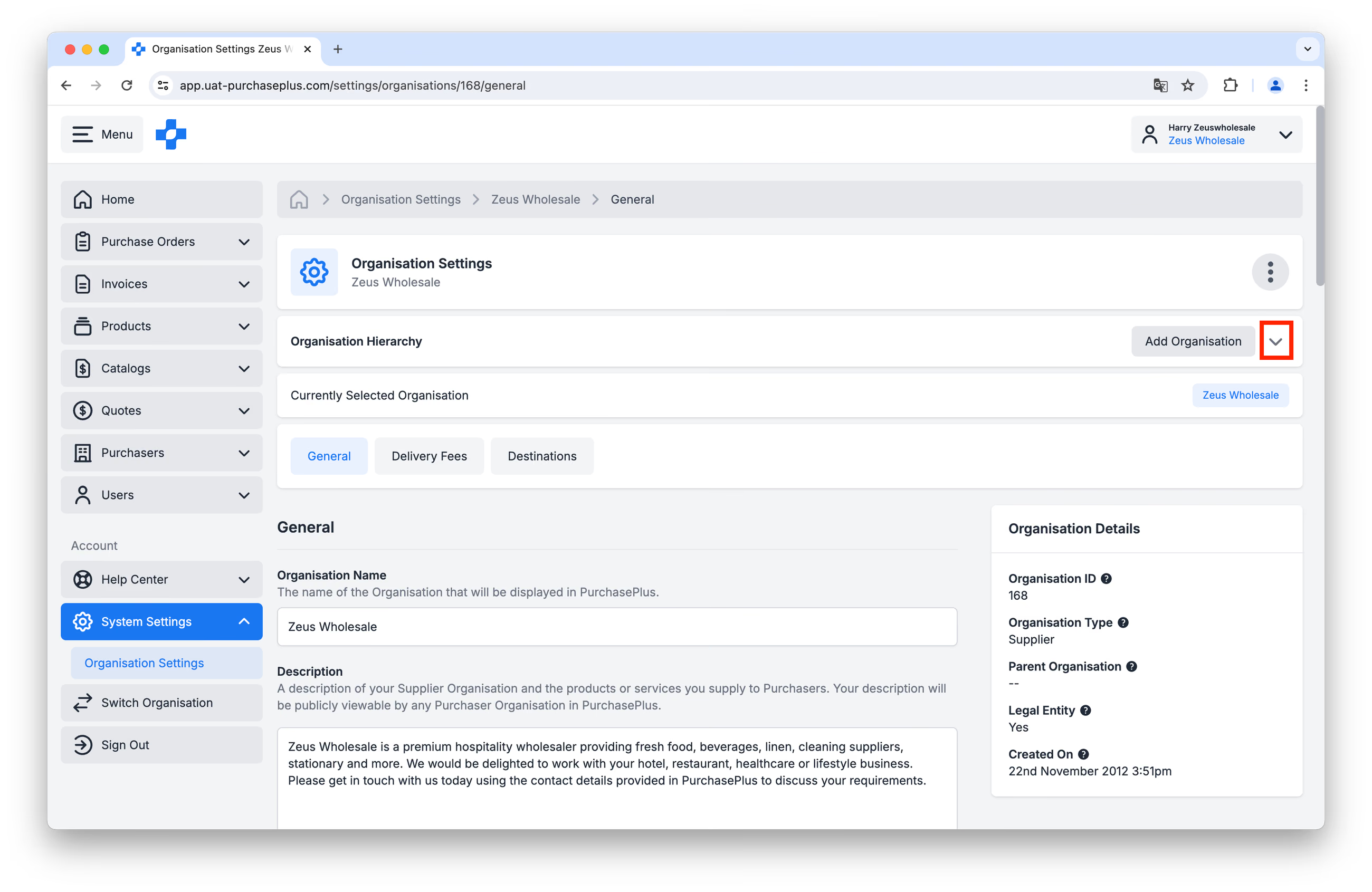
You can view your Organisational Hierarchy by clicking the down arrow in the [Organisation Hierarchy] panel:
This will display a 'tree' that illustrates the Organisations above and below yours in your Organisational Hierarchy:
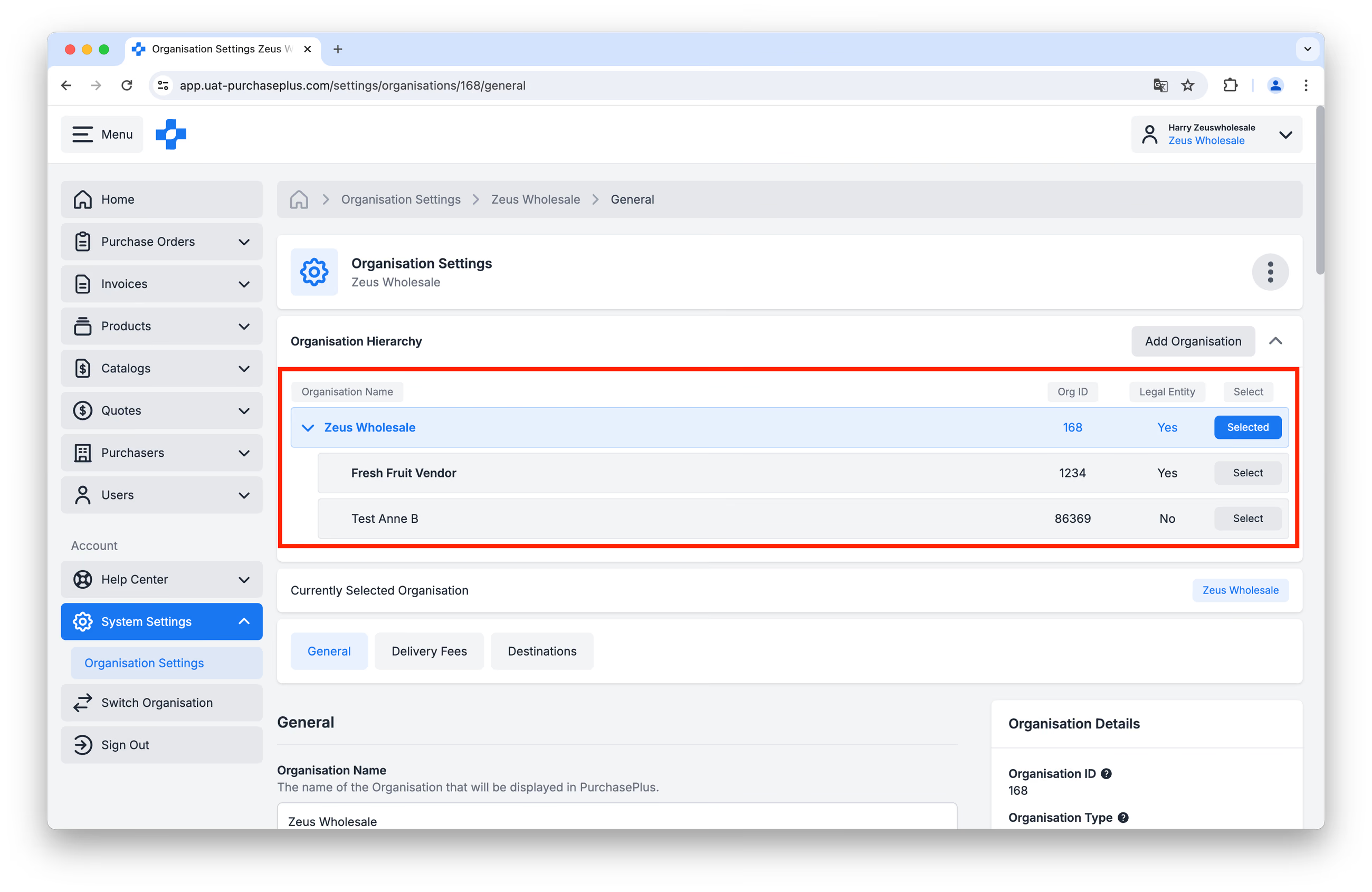
Organisational Hierarchies enable our platform to support large, multi-site Suppliers to be successful on our platform. Users in higher-level organisations (e.g. 'National Head Office') can view and manage the Profiles, Products and Catalogs of Organisations under their Organisation in the hierarchy (e.g. 'Queensland Branch').
Please contact our support team if you need to make a change to your Organisational Hierarchy.