

Overview
Overview
Catalog
A Catalog is a collection of Products with a Price that you purchase from Suppliers with whom your Organization has an enabled Trade Relationship.
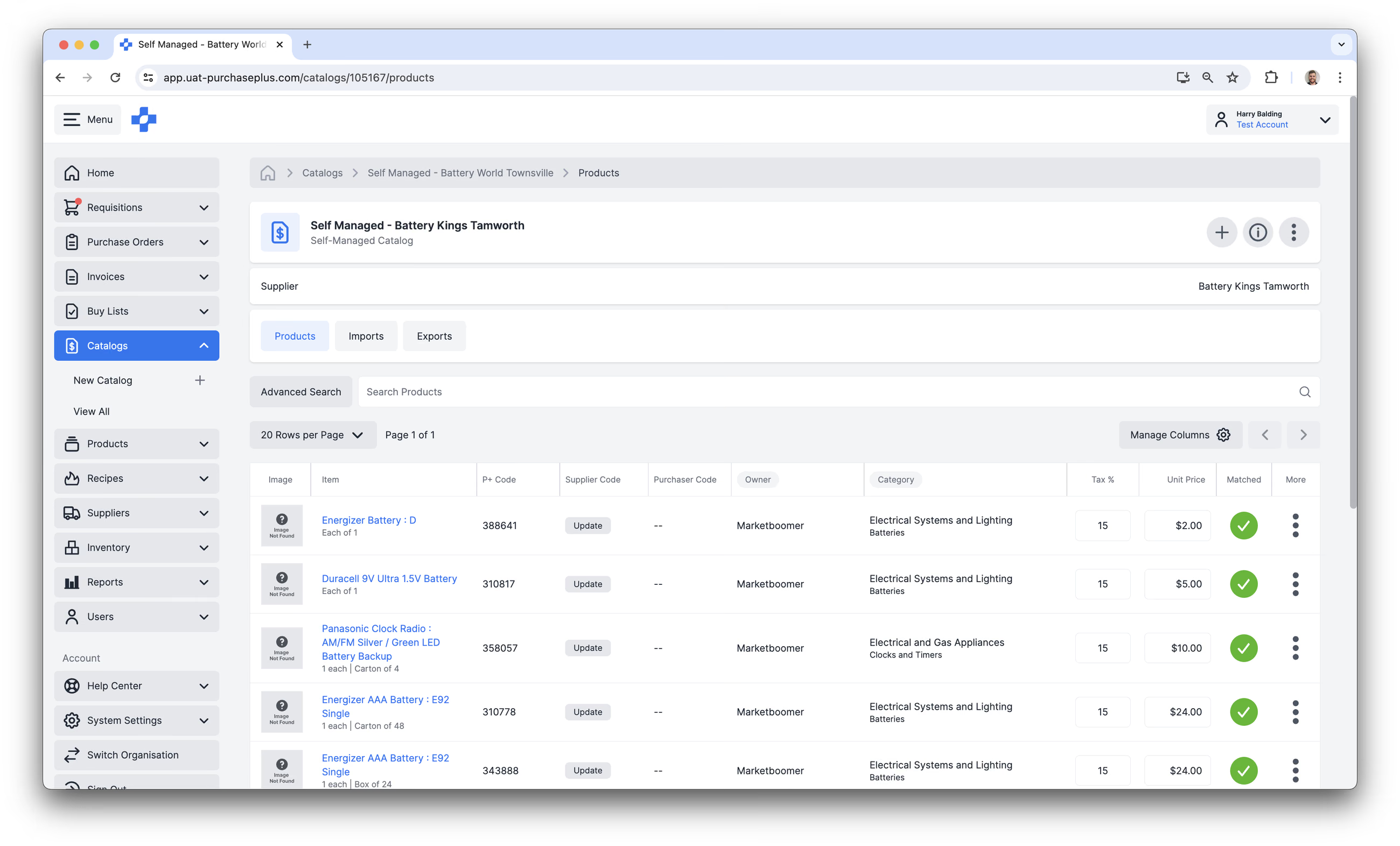
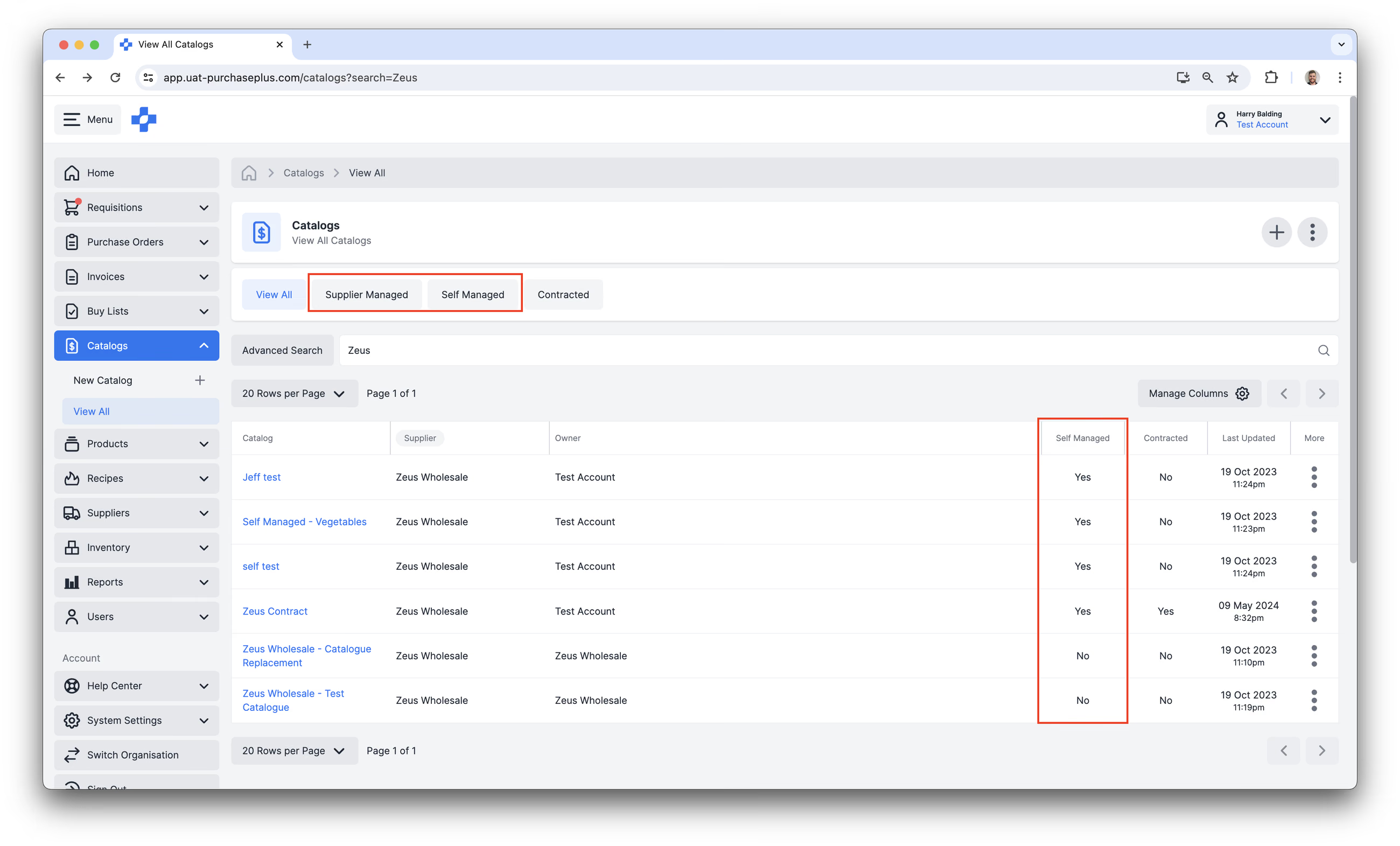
Catalogs can be:
- Supplier-managed, which means that a Registered Supplier has created the Catalog, and populated it with Products and Prices. As a Purchaser, you cannot edit Supplier-managed Catalogs.
- Self Managed, which means that a user at a Purchasing Organisation has created the Catalog, populated it with Products and Prices, and assigned it to one of your Suppliers. Self Managed Catalogs can be assigned to both Self Managed and Registered Suppliers, but only your Purchasing Organisation is able to view and manage a Self Managed Catalog - regardless of whether the Self Managed Catalog is assigned to a Registered Supplier.
 Once a Catalog is created, populated with Products, and assigned to a Supplier, users at your Organization can begin adding any Products contained in that Catalog to their Requisitions.
Learn more about Supplier vs Self Managed Catalogs.
Catalog Visibility in an Organisation Hierarchy
Self-Managed Catalogs that are set up at the Parent level in an Organisation Hierarchy will 'cascade' - i.e. be visible and usable - by Organisations under them.
Viewing Catalogs
You can view the Catalogs that are available to your Organisation in the Side Navigation bar by clicking [Catalogs] → [View All].
Viewing Price Change History for a Catalog's Product
You can view an Audit Log of changes to a Product's price (in a specific Catalog only) by clicking [More Options] → [View Audit Log]:
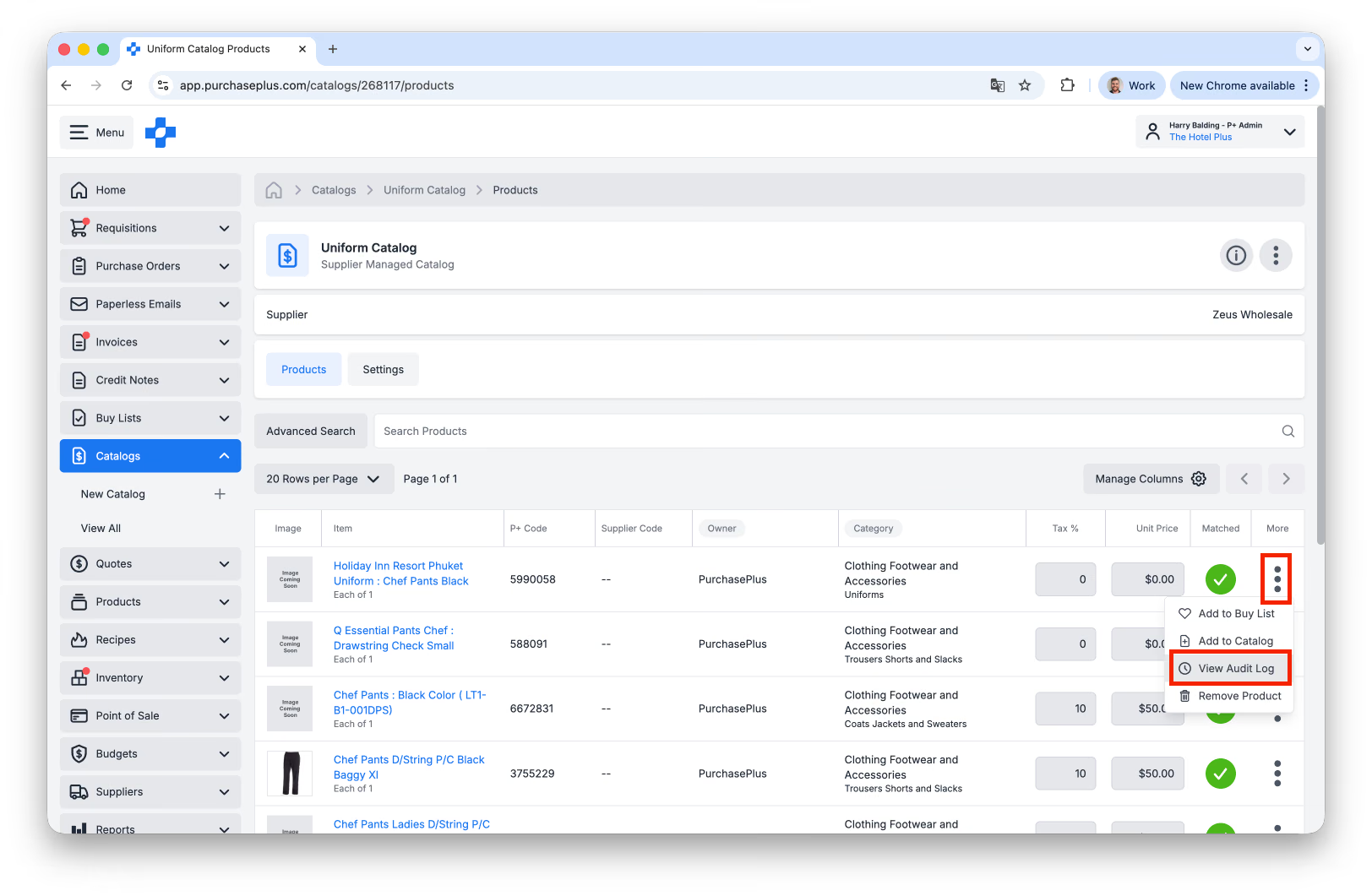
The Audit Log does not display the previous or current price - only the time, date and user that updated the price for that Product in the Catalog.
Creating Catalogs
You can Create a new Self Managed Catalog by clicking [Catalogs] → [New Catalog] in the Side Navigation bar. Creating a New Catalog as a Purchaser will set the Catalog’s ‘Owner’ to your Organization’s ID (which makes this a Self Managed Catalog), regardless of which Supplier you assign the Catalog to.
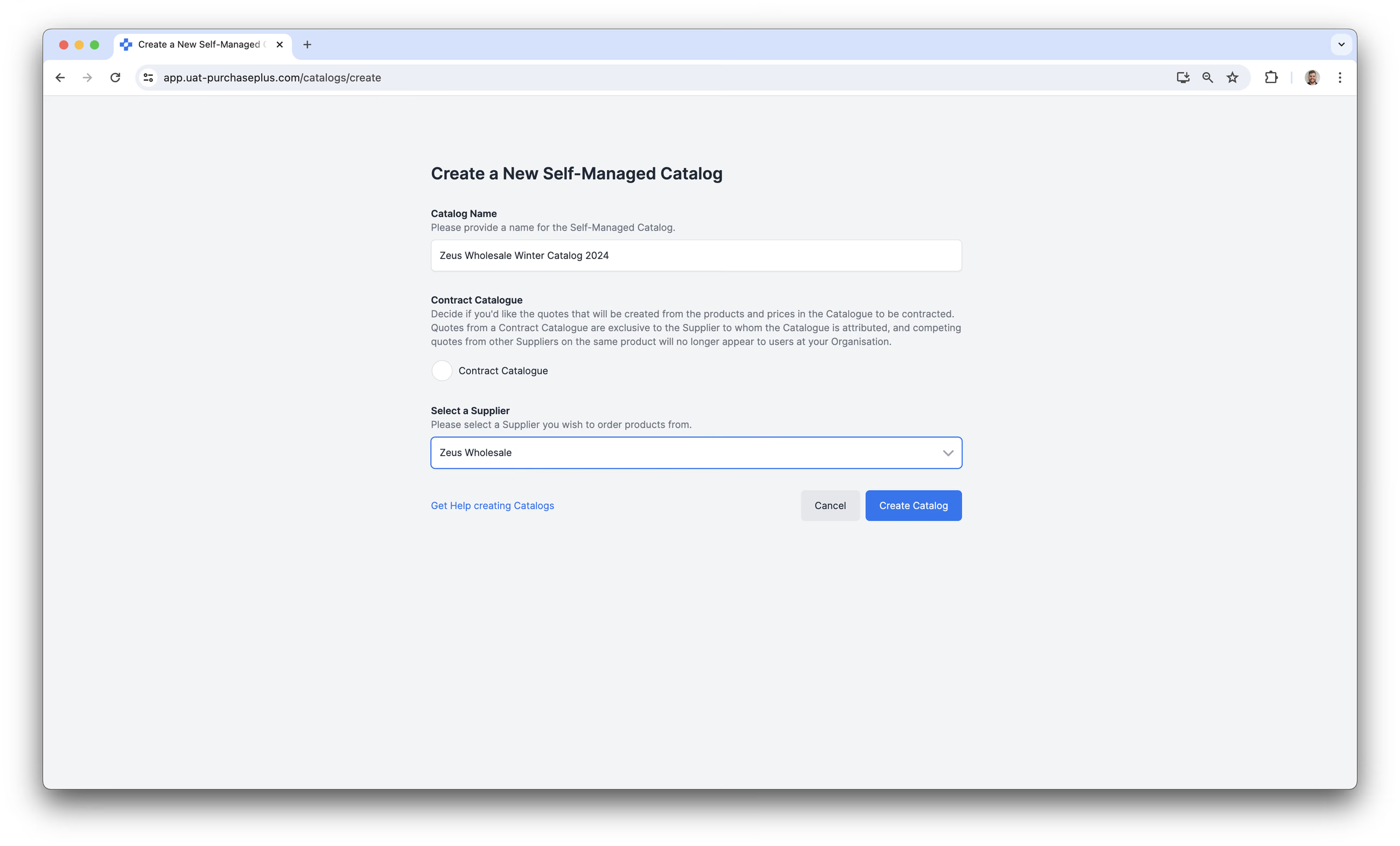
You can populate the Self Managed Catalog in two main ways:
- By adding Products and Prices manually, or
- By importing the Products and prices from a spreadsheet template. Please note that populating a Catalog using this method requires the Products to be created in our system first.
Contract Catalogs
A Catalog can be a ‘Contract Catalog’. Quotes (i.e. a Price for a Product) from a Contract Catalogue are exclusive to the Supplier to whom the Catalogue is attributed, and competing quotes from other Suppliers on the same product will no longer appear to users at your Organization when they are creating a Requisition.
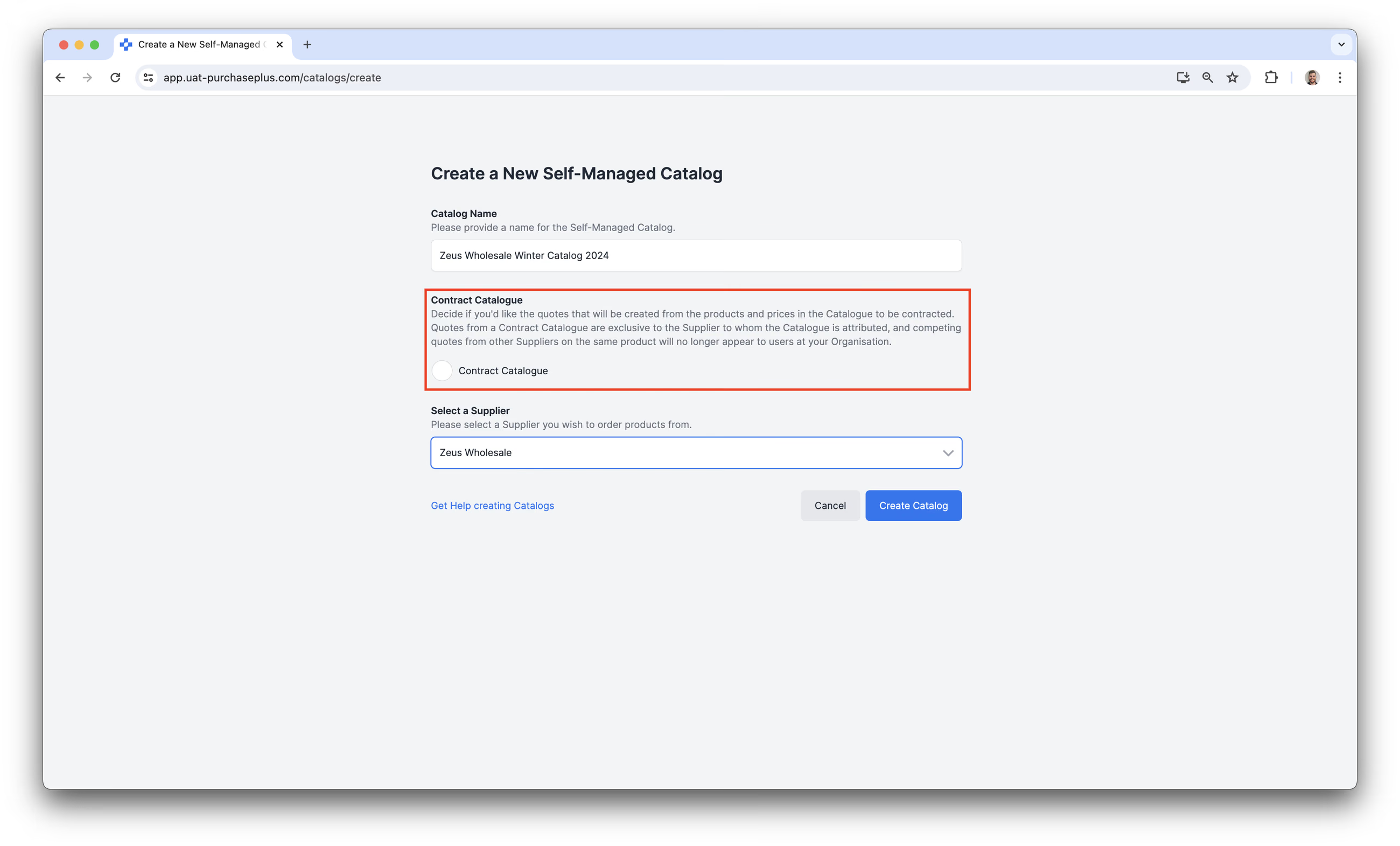
This effectively means that any user looking to purchase a Product that appears in this Catalog will only see this Supplier’s (i.e. the Catalog Owner’s) price, and will not be able to purchase the Product from any other Supplier.