

Allergens
Allergens
Allergens
PurchasePlus includes Allergen functionality that is available for users of our Recipes module, to better manage the allergens in their Recipes and Ingredients.
A Recipe and its Lines (i.e. Ingredients) can be 'tagged' with an Allergen, for quick identification and communication. Although similar to Product Tags, they operate differently and independently.
Read on to learn more.
Allergen Ownership
Allergens can be 'Owned' by:
- PurchasePlus. These Allergens are the 'standard' set of Allergens offered out-of-the-box, and they are what our AI uses when assessing a Recipe for the presence of Allergens (more on this later).
- Purchasing Organisations. Purchasing Organisations can create their own custom Allergens (that are not shared outside of their Organisation), with the caveat that a custom Allergen cannot share the same name as an Allergen owned by PurchasePlus or another Organisation in your Organisation Hierarchy.
Viewing Allergens
Viewing All Allergens
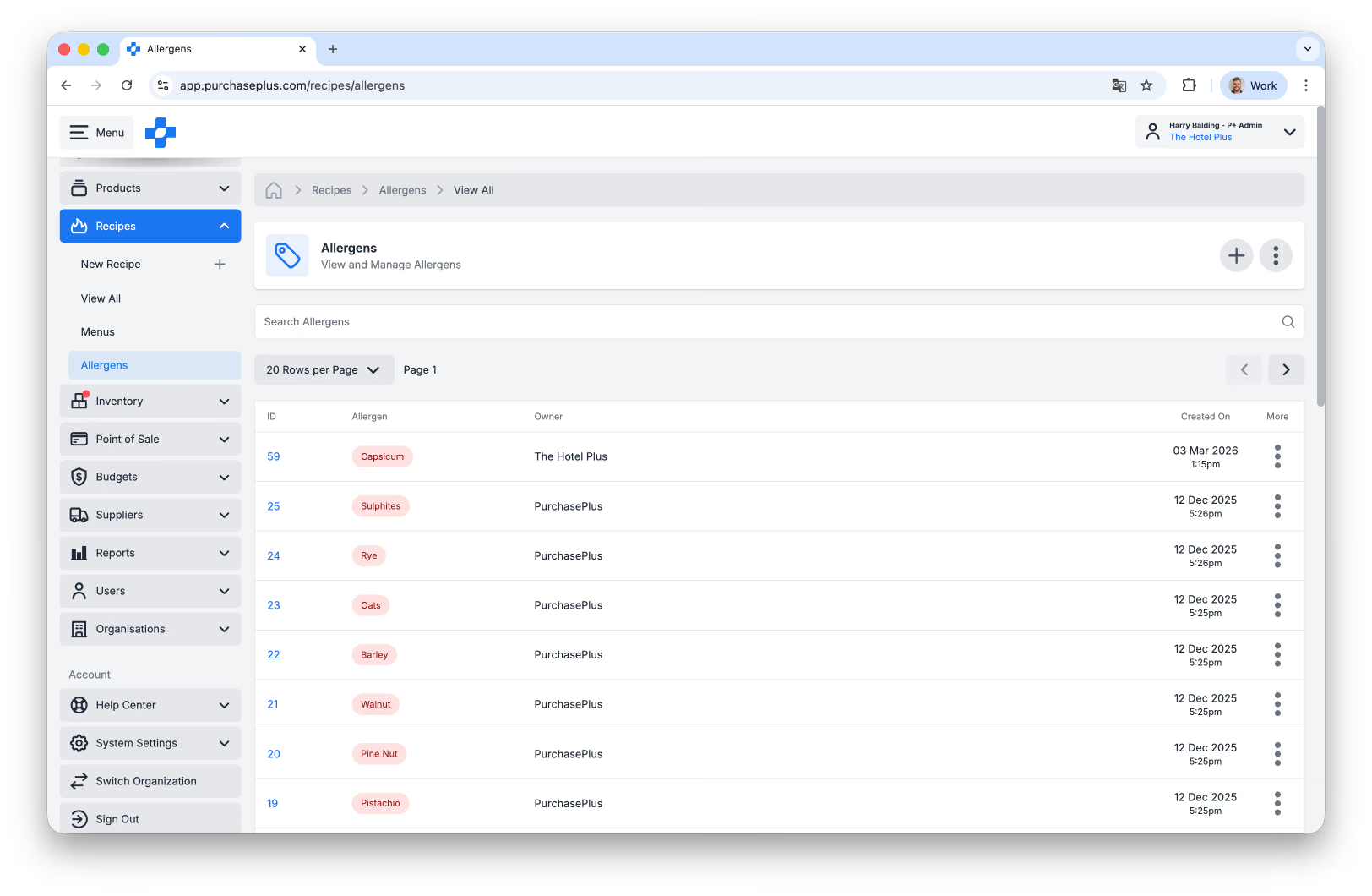
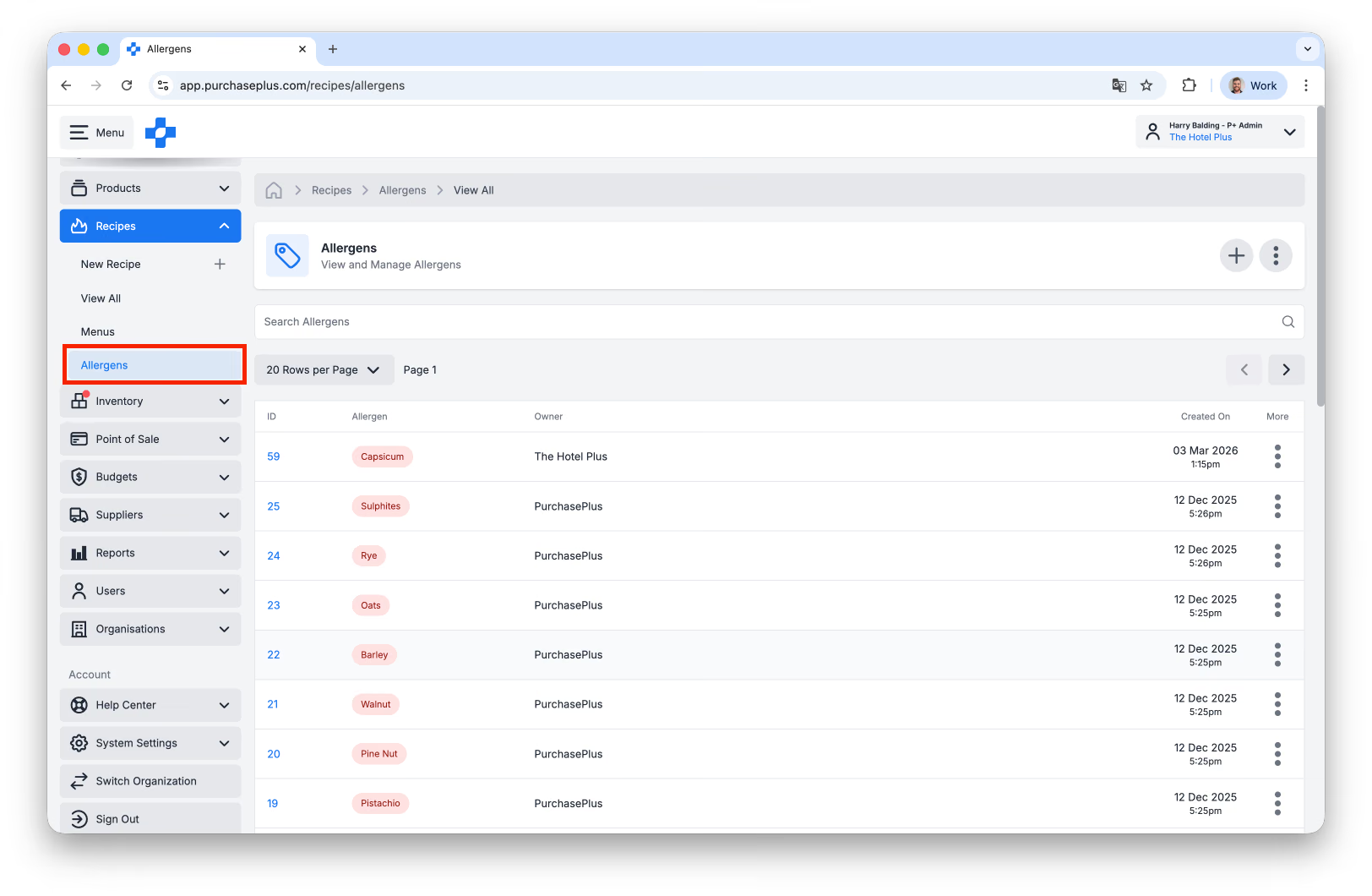
Users of the Recipe Module can access a table displaying their Allergens by clicking [Recipes] → [Allergens] in the side navigation bar:
The displayed list of Allergens includes:
- any Allergens owned by PurchasePlus,
- any Allergens created by your Organisation, plus
- any Allergens created by Organisations above or below yours in your hierarchy.
Viewing Allergens by Recipe
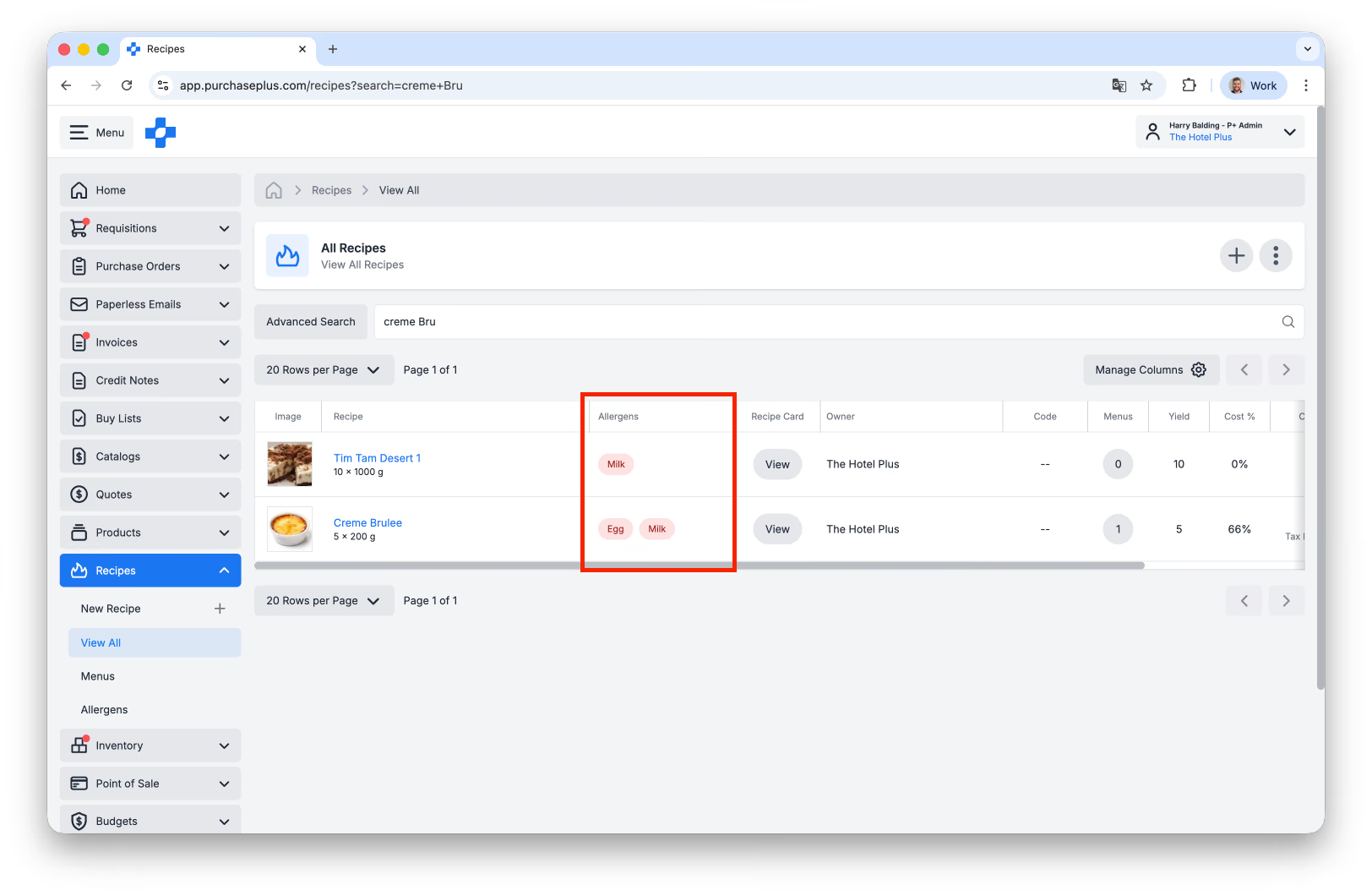
You can view the Allergens that a Recipe has been tagged with either in the Allergens column in the table of Recipes:
..or on the Recipe itself, in the Recipe's Settings tab:
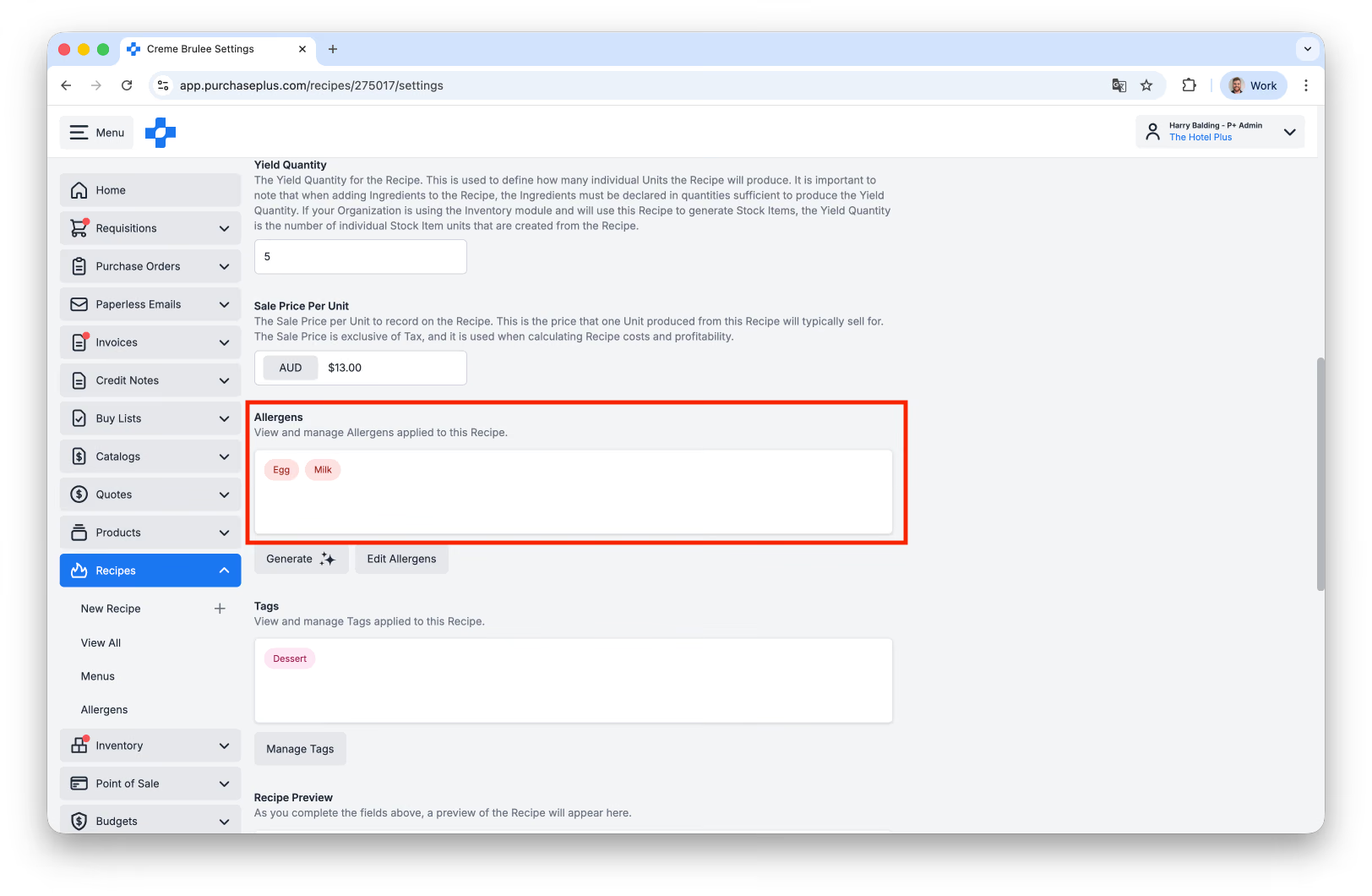
Viewing an Ingredient's Allergens
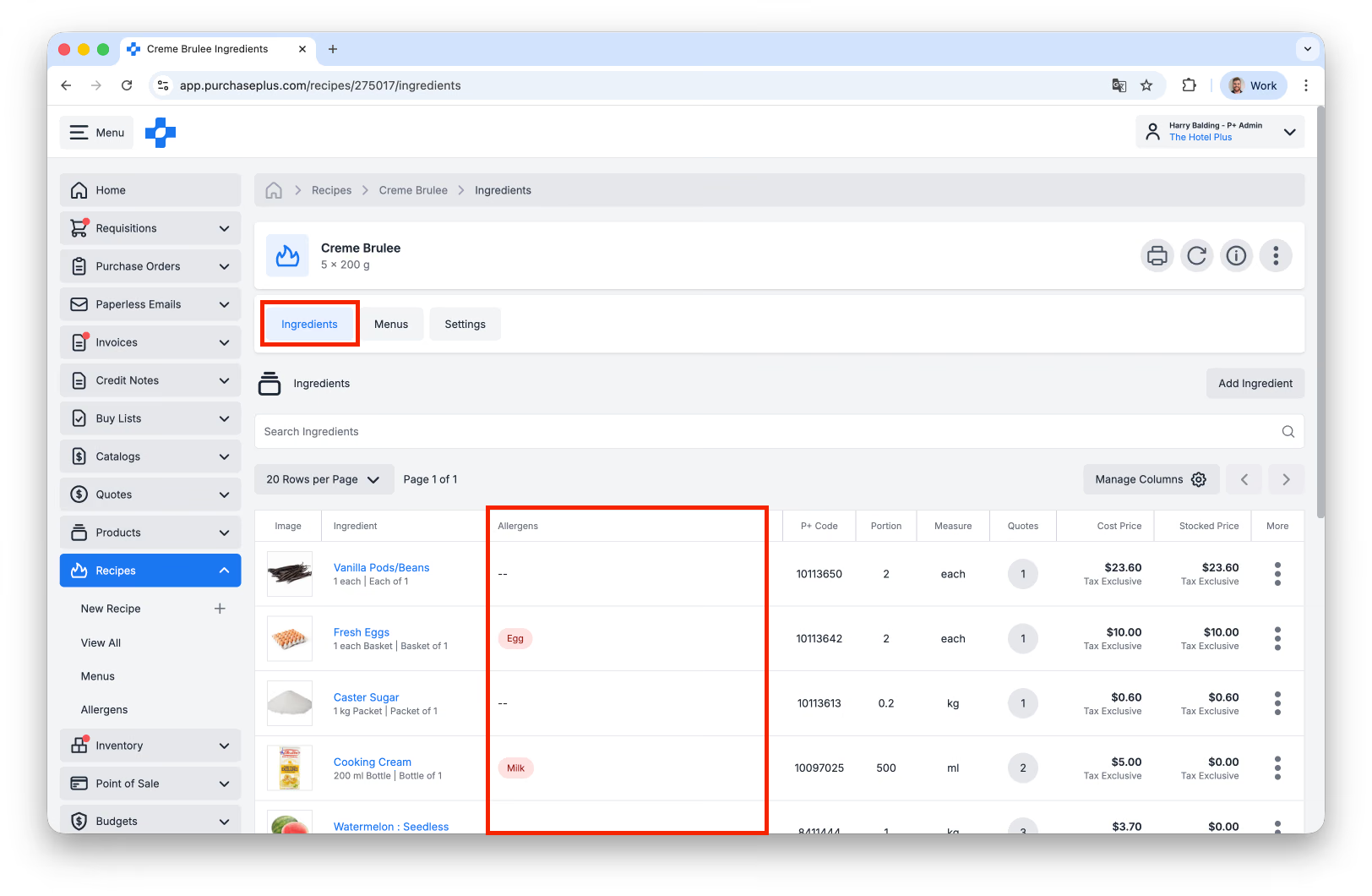
You can view a Recipe Ingredient's Allergens on the main Recipe page (i.e. the [Ingredients] tab):
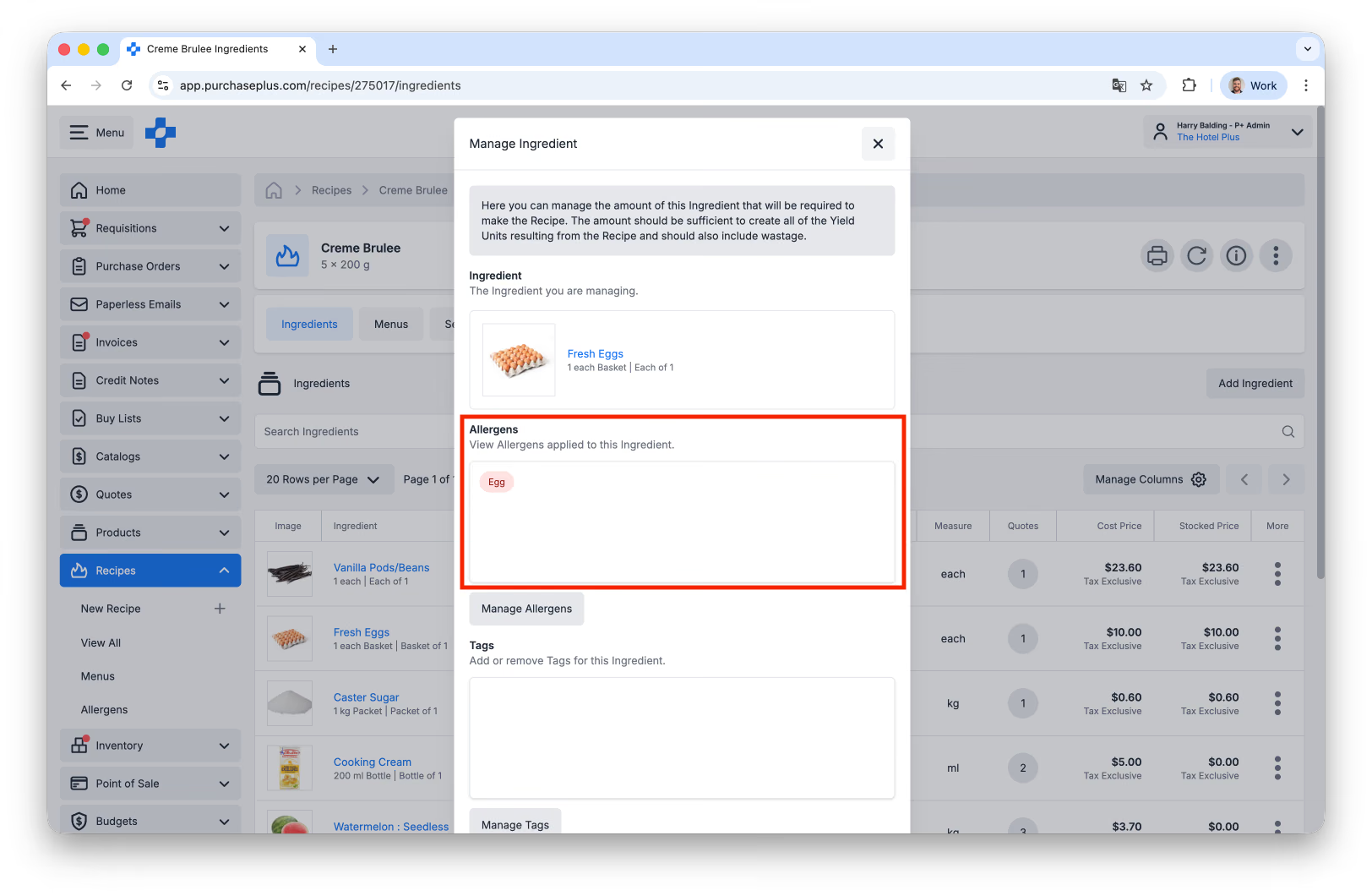
..and you can also view the Ingredient's Allergens by using the [Manage Ingredient] function that is accessed by the [More] menu in the main table:
Updating Allergens
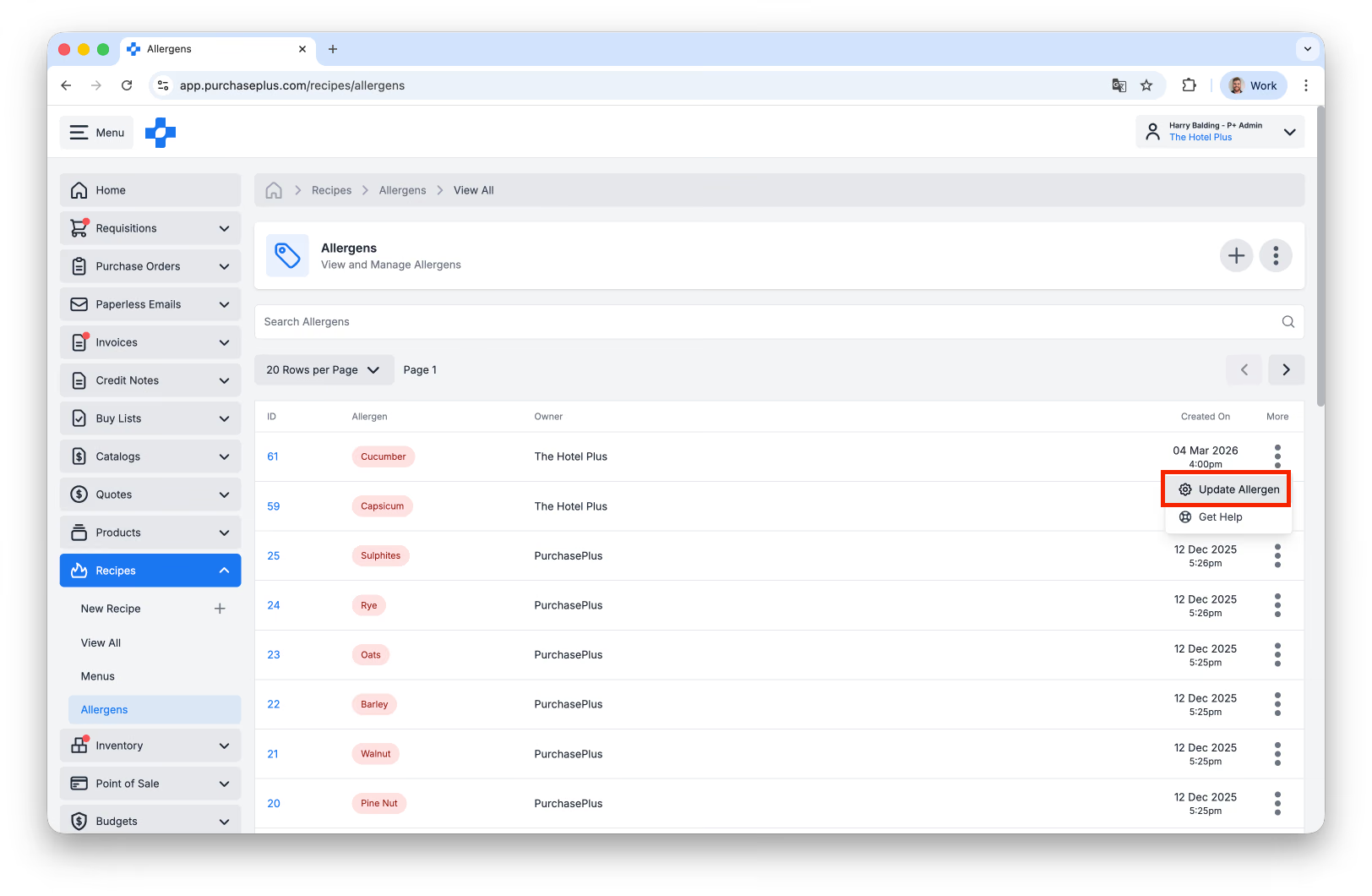
You can update an Allergen (i.e. its Name, for example) by clicking the [More] menu in the [Recipes] → [Allergens] table:
Creating a New Allergen
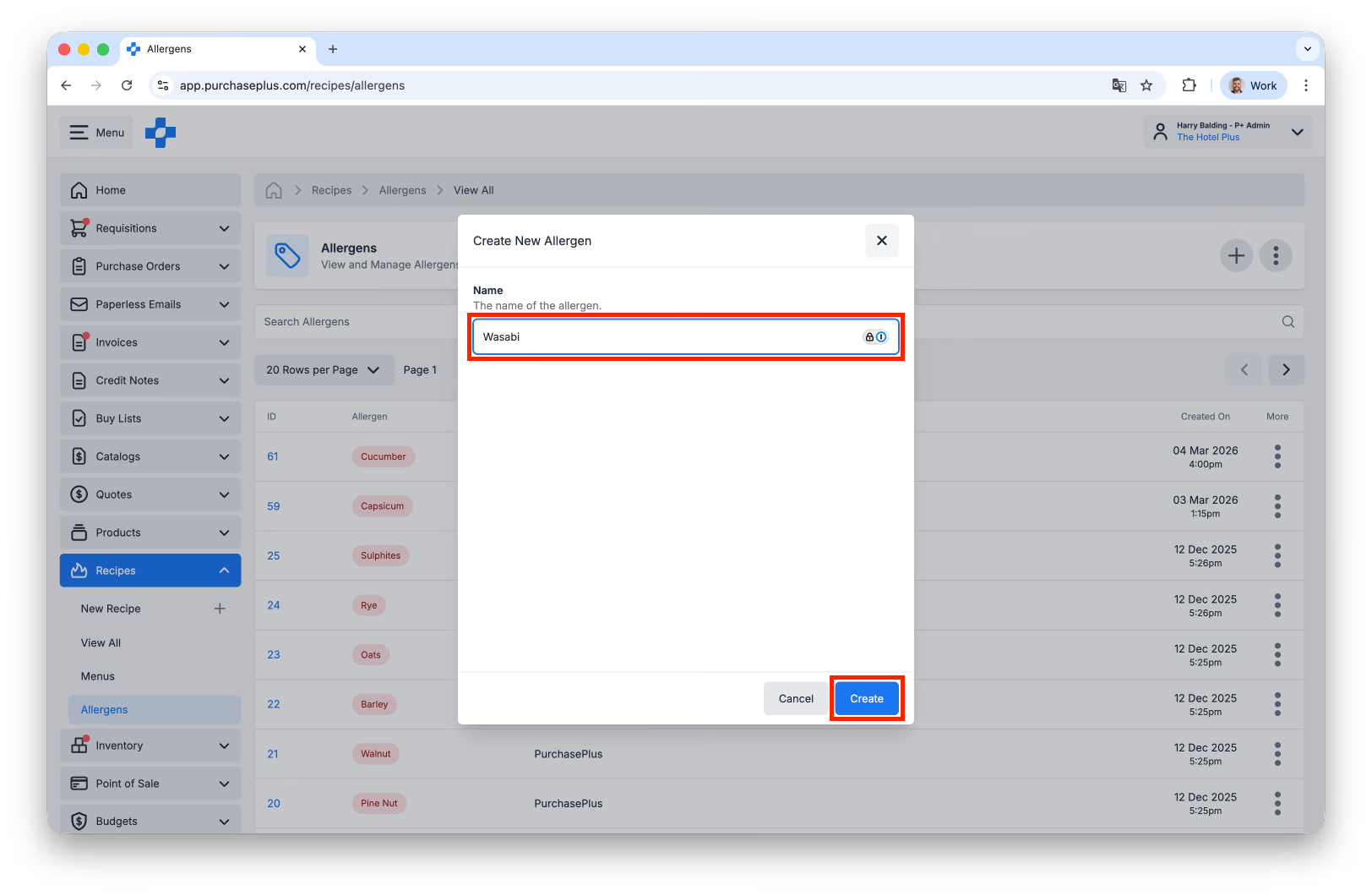
To Create a New Allergen, navigate to the [Recipes] → [Allergens] table, and click [Create New Allergen]:
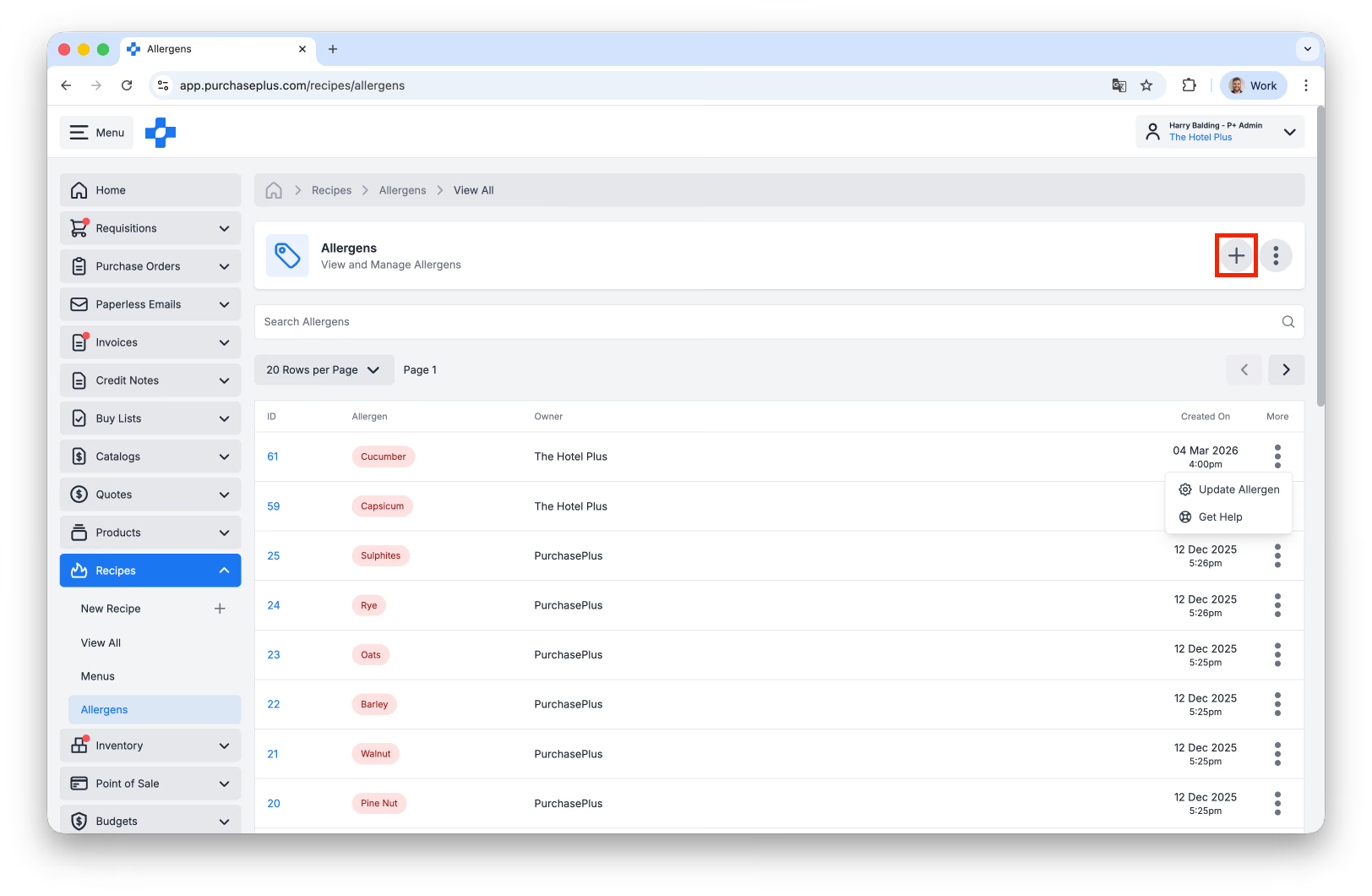
Enter the Name of the Allergen, then click [Create]:
Apply a tag
There are two ways that you can apply Allergens to your Recipes and Ingredients: Manually, or by using PurchasePlus's AI Assistant.
Applying Allergens Manually
You can apply an Allergen to a Recipe on the Recipe's [Settings] tab, using the [Edit Allergens] button:
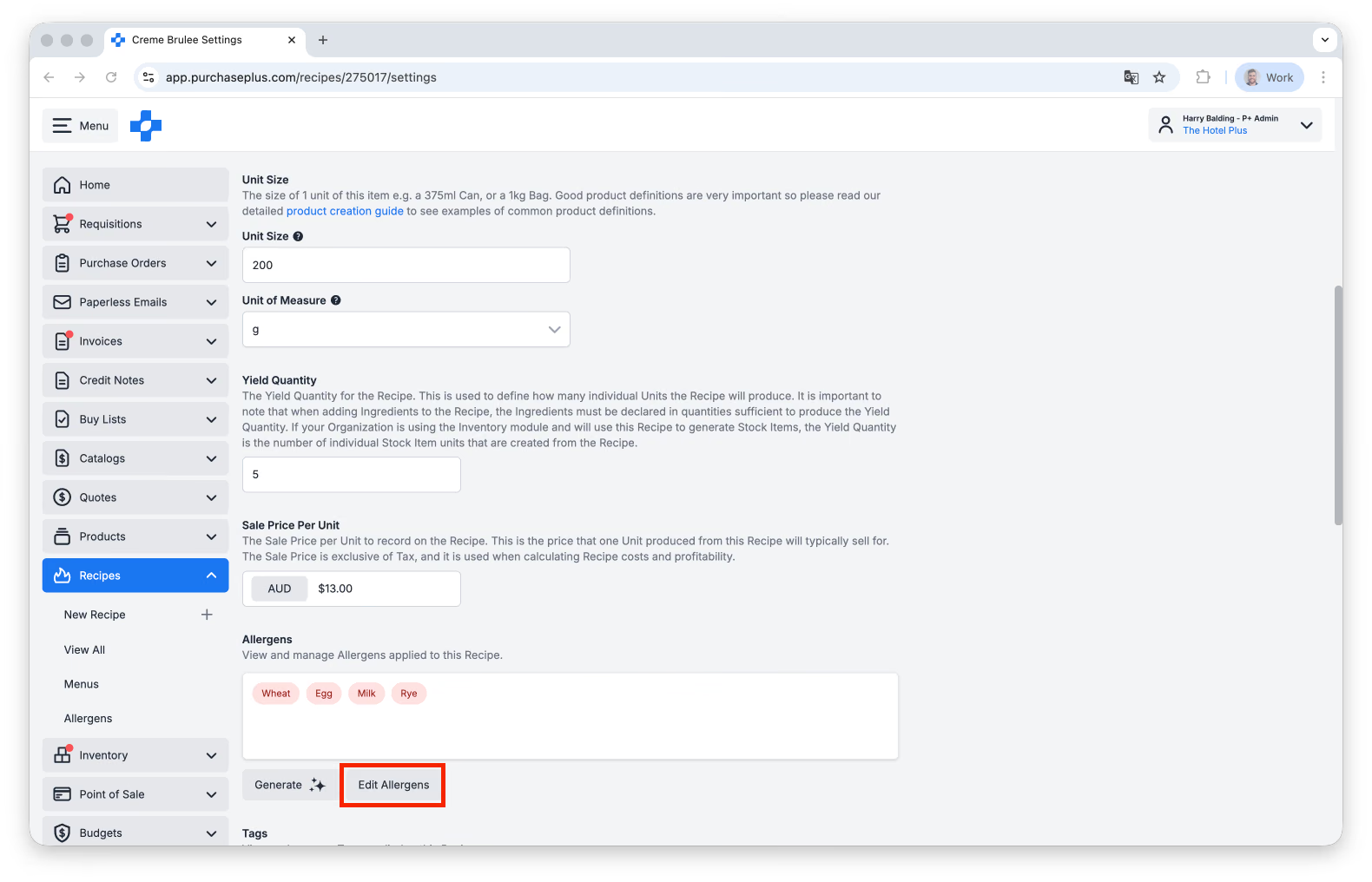
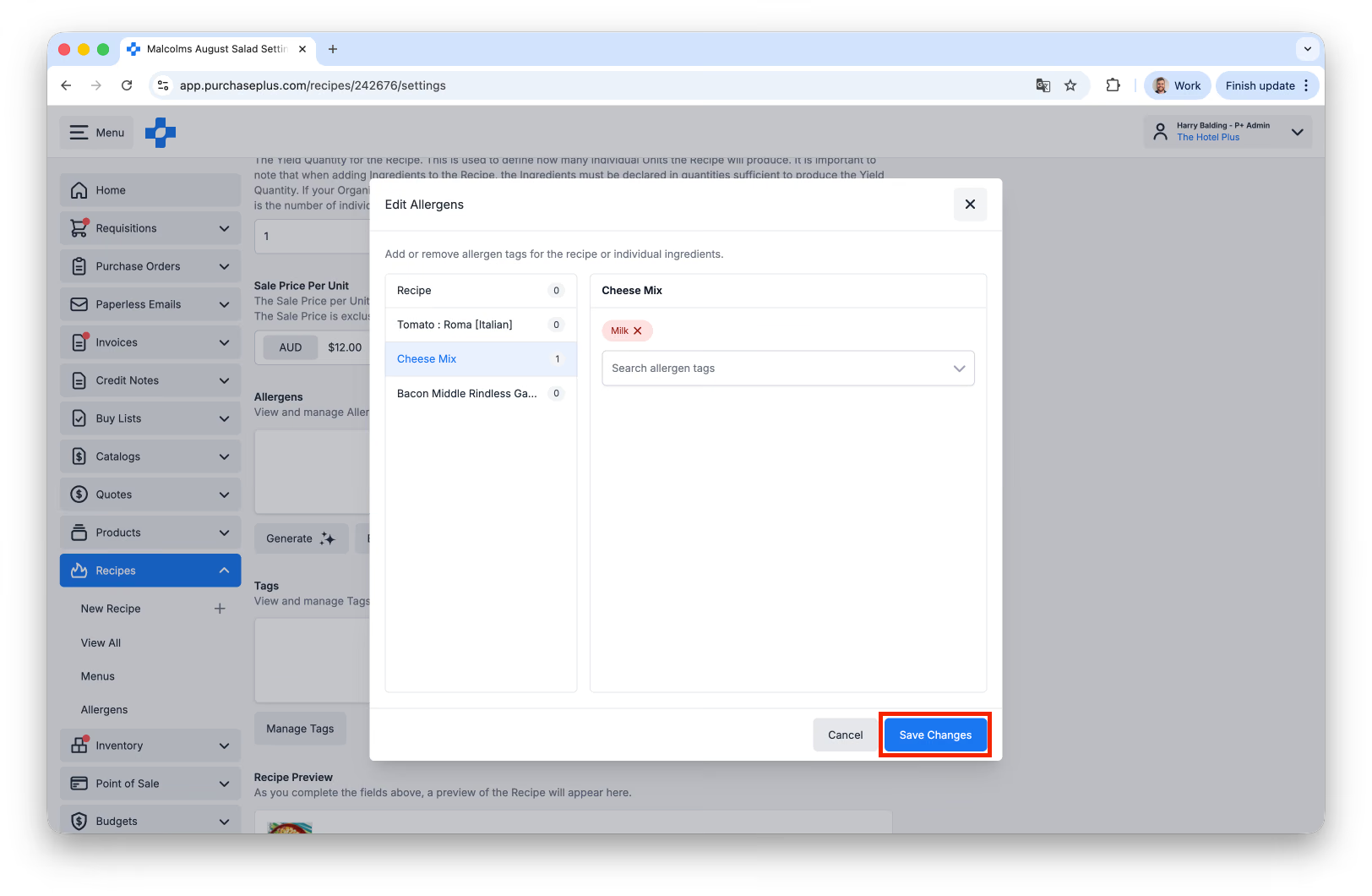
You will be presented with the following window:
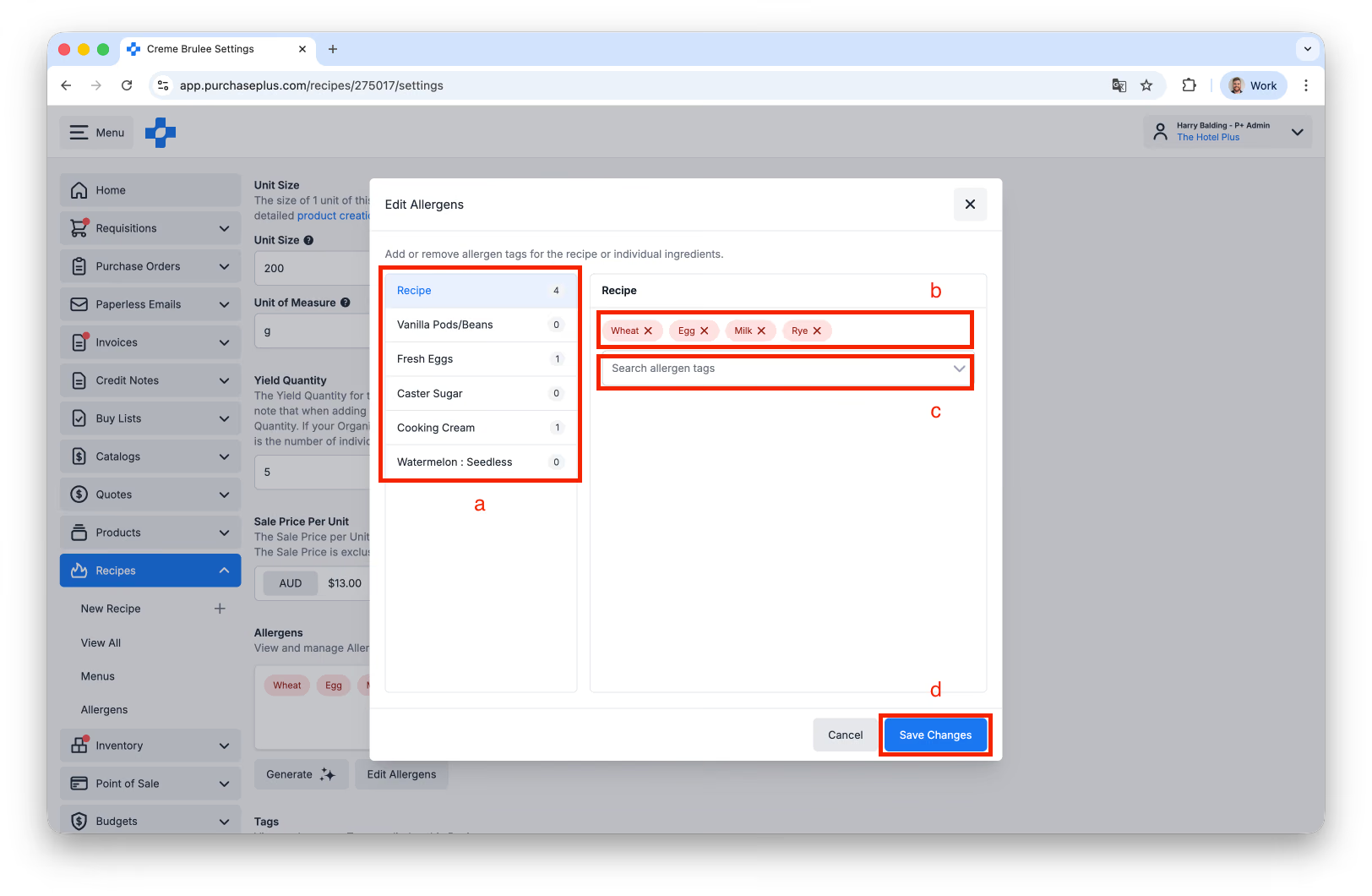
a) You can select either the Recipe or any of its Ingredients to which you would like to apply the Allergen(s).
b) You can edit the list of Allergens that are already applied to the Recipe or Ingredient.
c) You can search the list of Allergens and add additional Allergen(s) to the selected Recipe or Ingredient.
d) Clicking [Save] will close the window and update the Allergens applied to the Recipe or Ingredient.
Applying Allergens with AI
You can use PurchasePlus's AI to apply one or more Allergens to a Recipe on the Recipe's [Settings] tab, using the [Generate] button:
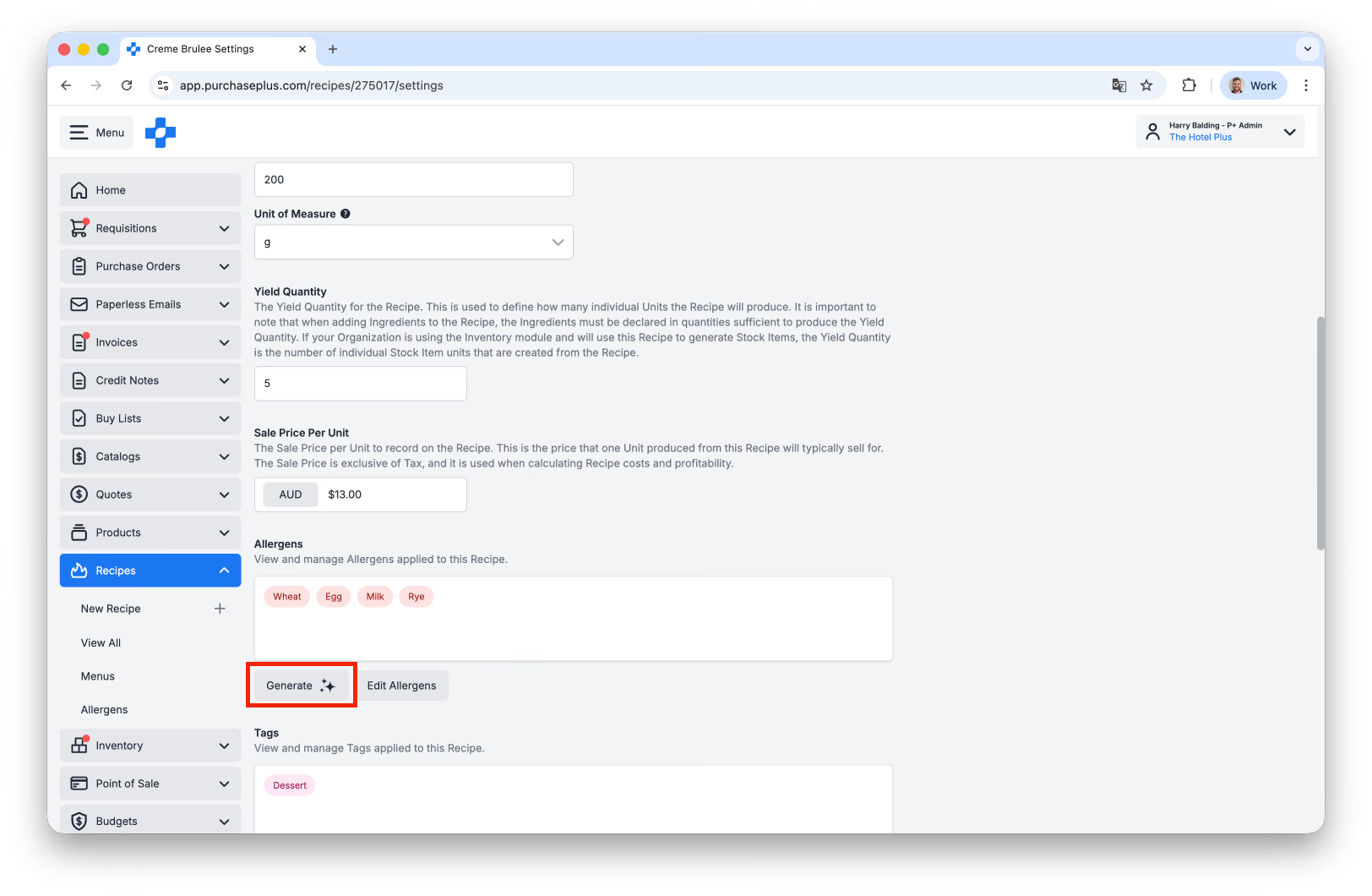
The AI inspects the Recipe and all its Ingredients to summarise the Allergens it finds, from the Standard Allergens list. The user needs to review and accept the changes to the Allergens (as the AI generated list is a suggestion only).
The Recipe product has its Allergen tags updated to reflect the aggregate of all of the Ingredient Allergens plus any Allergens that the AI thinks may be present in the Preparation Instructions of the Recipe (if present). New Allergen tags are added if none exist, or Allergen tags updated if some already exist.
Standard Allergens List
The following list of Allergens are those owned by PurchasePlus. These are the 'Standard' set of Allergens that our AI uses in its Allergen Analysis of a Recipe:
| Sulphites |
|---|
| Rye |
| Oats |
| Barley |
| Pine Nut |
| Pistachio |
| Pecan |
| Macadamia |
| Hazelnut |
| Cashew |
| Brazil Nut |
| Almond |
| Sesame |
| Soy |
| Peanut |
| Lupin |
| Milk |
| Egg |
| Mollusc |
| Crustacean |
| Fish |
| Wheat |