

Sign In to PurchasePlus
Sign In to PurchasePlus
Sign In to PurchasePlus
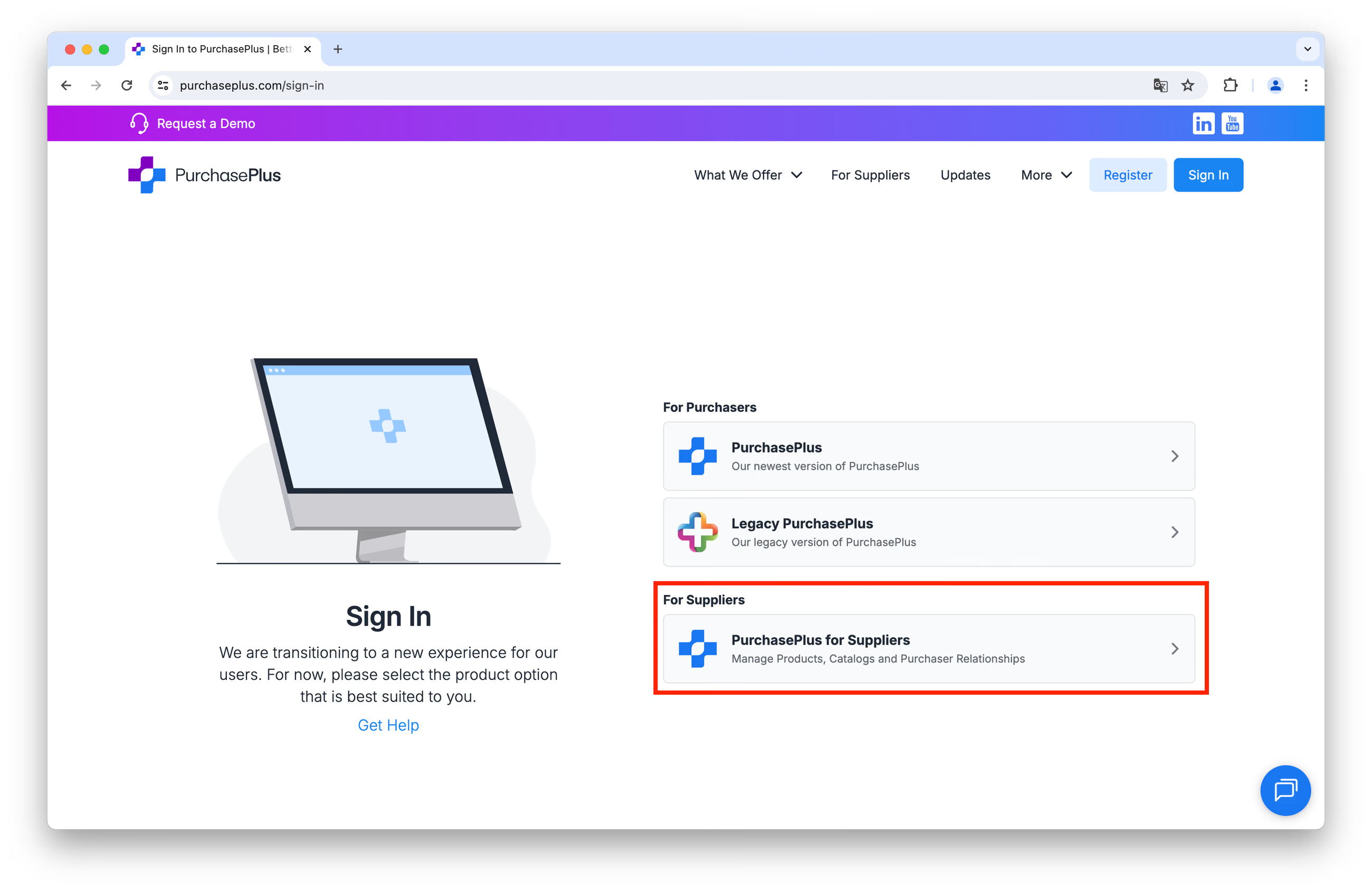
Step 1: Navigate to our Sign In page and click on [PurchasePlus for Suppliers] under the 'For Suppliers' sub-heading:
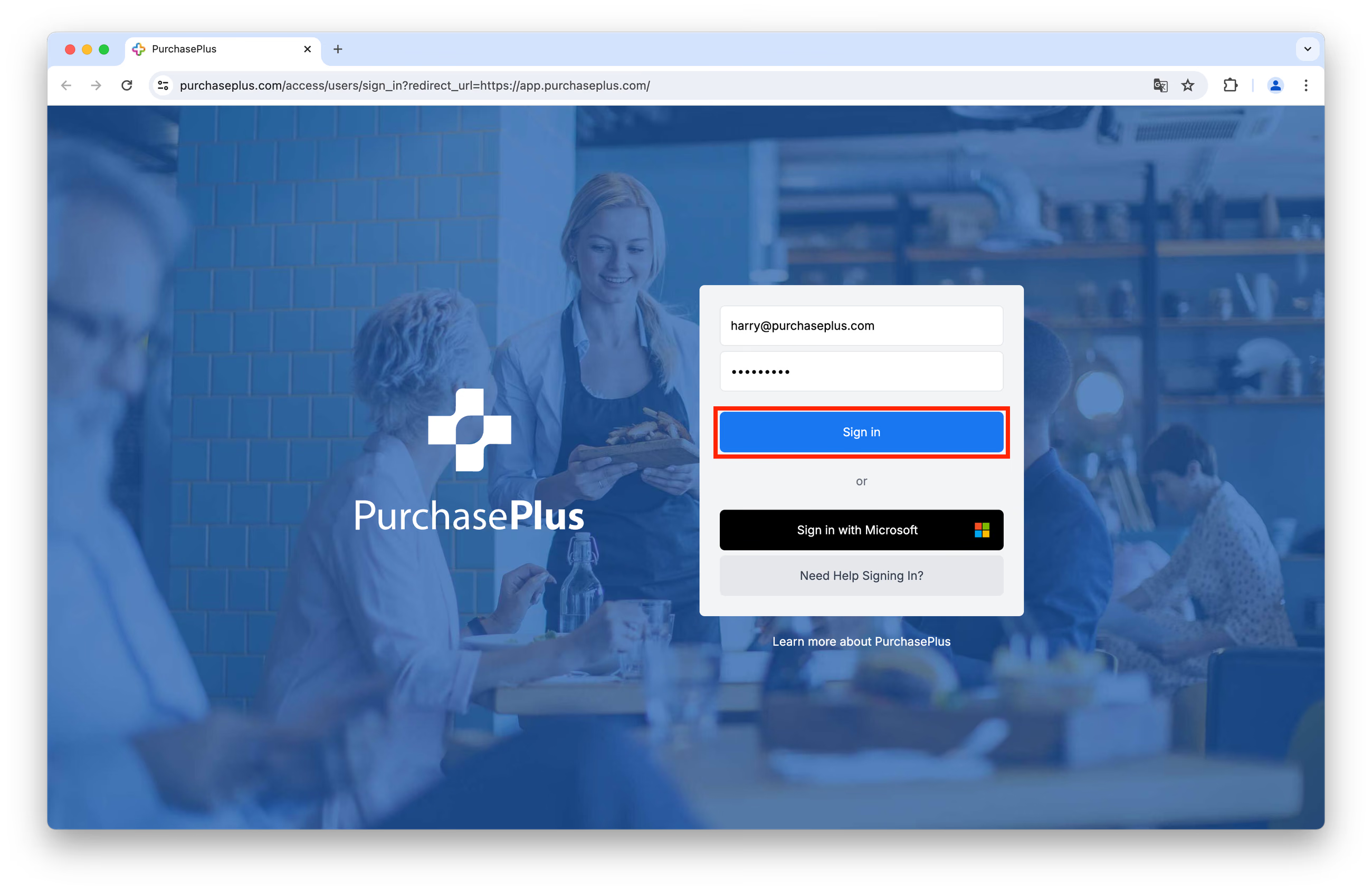
Step 2: Enter your registered Email Address and your Password into the relevant fields.
Step 3: Click [Sign in] to start your PurchasePlus session.
First-time sign in
If you are signing in to PurchasePlus for the very first time, you will need to follow the instructions on your Account Confirmation Email, sent to your registered email address.
If you did not receive an Account Confirmation Email (or it has been deleted), please follow these steps:
Step 1: Click [Need Help Signing In?]:
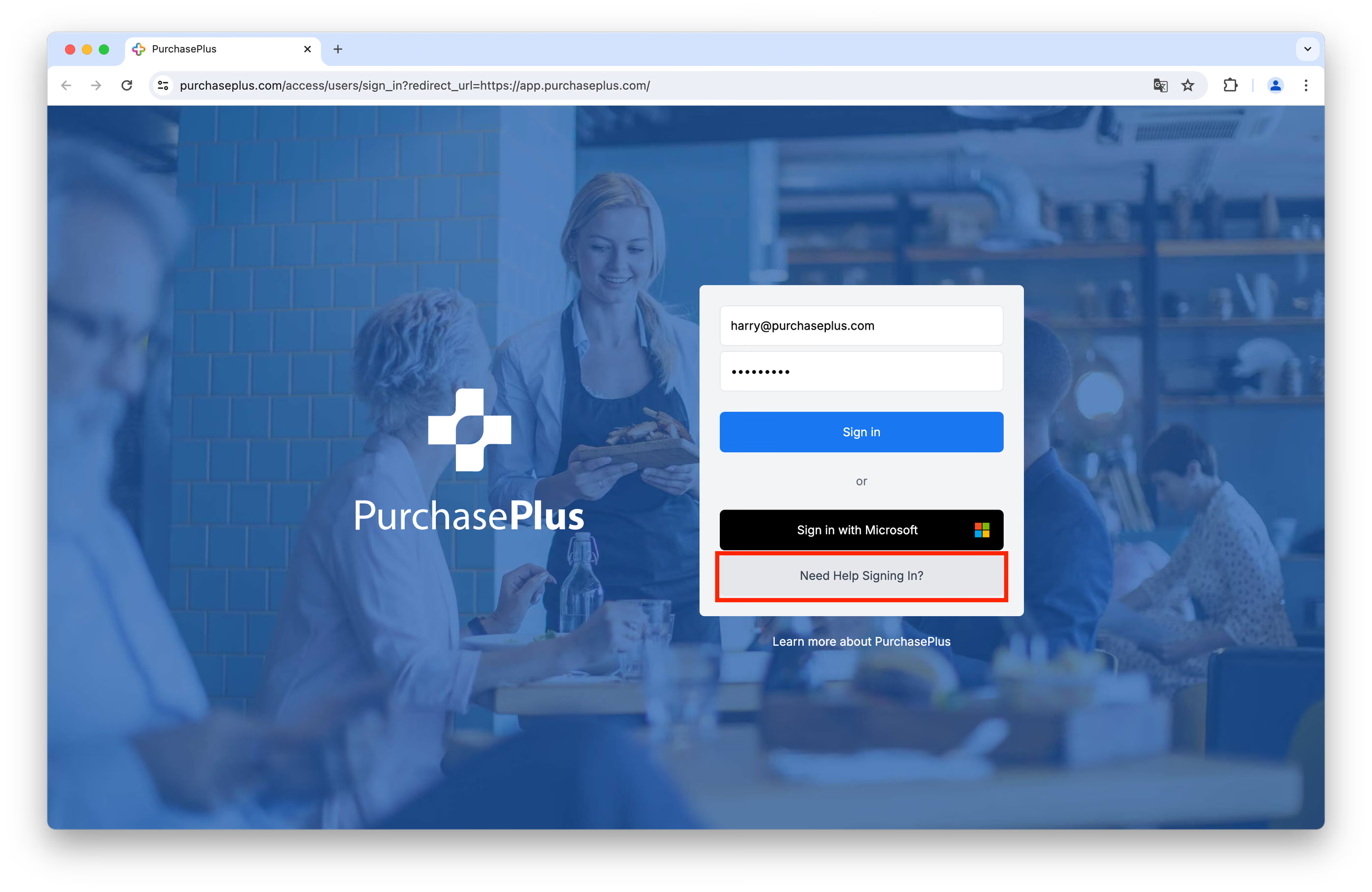
Step 2: Click on [Re-Send My Welcome Email].
Step 3: Enter your registered email address, and click [Re-send Welcome Email].
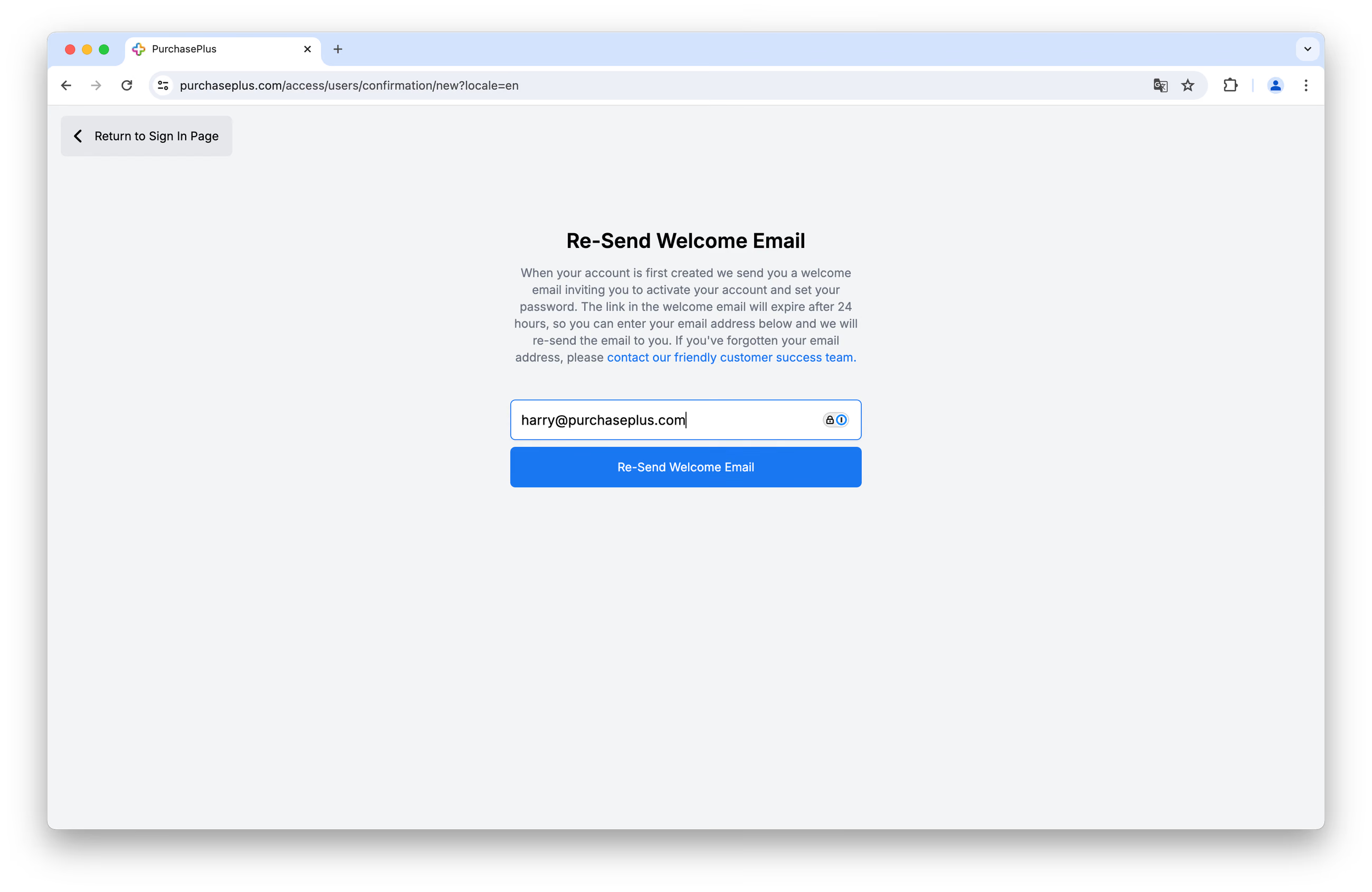
You will shortly receive another welcome email and can follow the steps contained therein to activate your Account.
Reset password
If you have forgotten your password, you can reset it and sign in by following these steps:
Step 1: Click [Need Help Signing In?]:
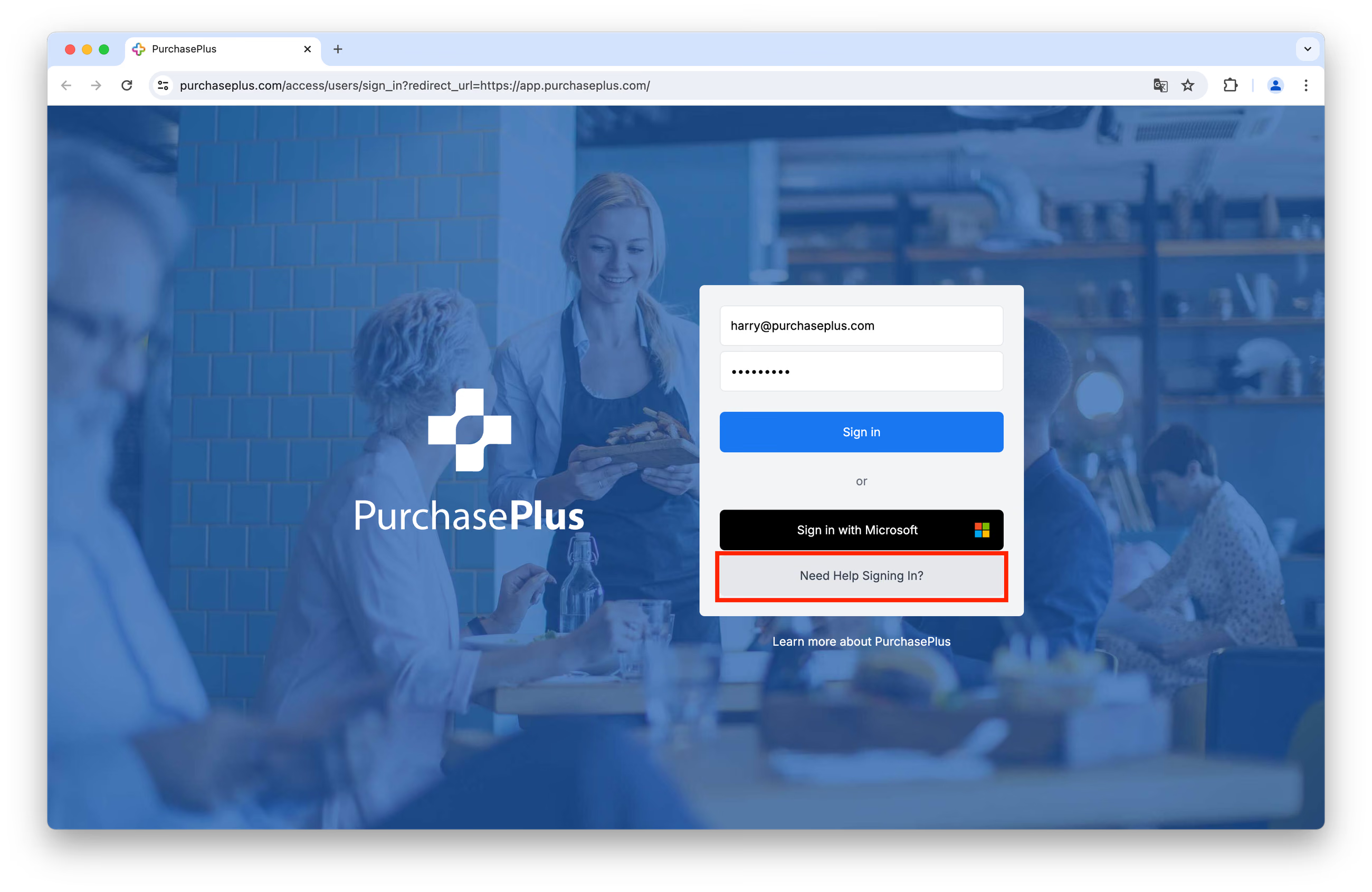
Step 2: Click [Reset My Password].
Step 3: Enter your registered email address, and click [Send Password Reset Instructions]:
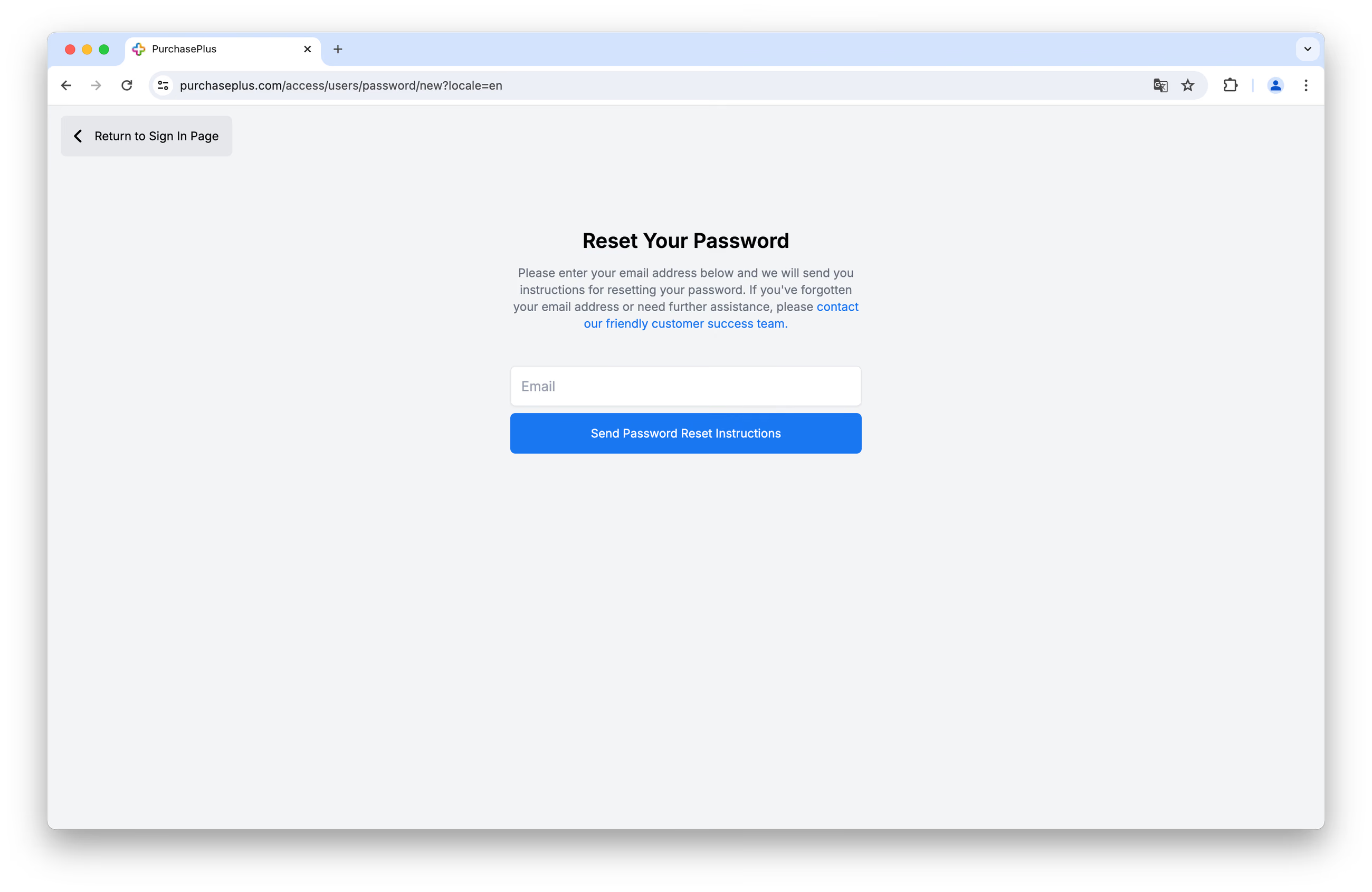 You will shortly receive an email from us, and you can follow the steps contained therein to reset your password.
We recommend that your password contain:
- Password (length between 12 to 128 Characters, must include at least one digit, one lowercase letter, and one upper case letter)
Sample Ideal Password: *mub!qzr0ADF_rzj0duh*#