

Minimum Order and Delivery Fees
Minimum Order and Delivery Fees
Delivery Fees
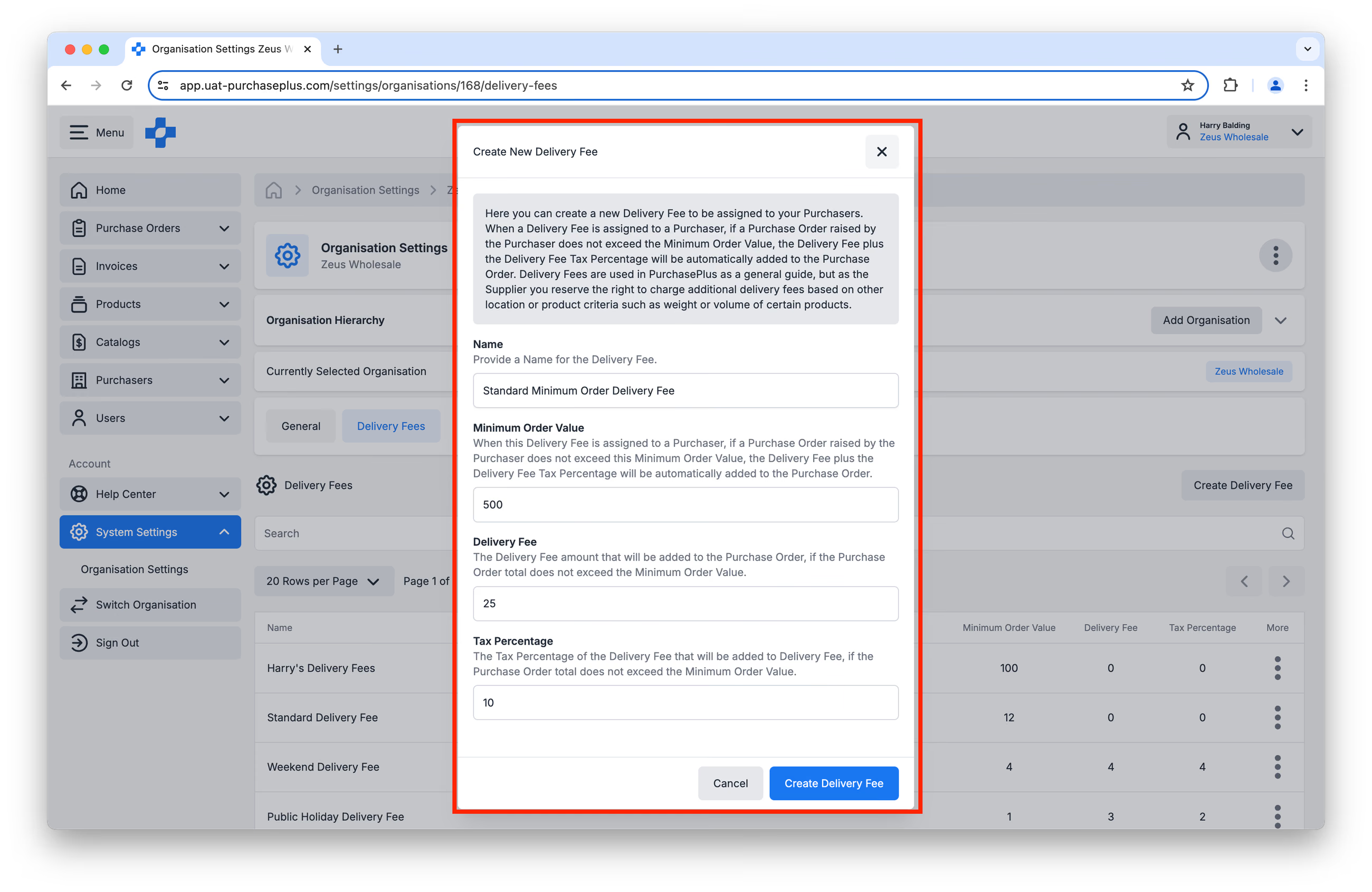
Delivery Fees in PurchasePlus are made up of:
- A Name,
- A Minimum Order Value,
- A Delivery Fee,
- A Delivery Fee Tax Percentage.
Delivery Fees are 'Assigned' to Specific Purchasers. If a Purchase Order raised by the Purchaser does not exceed your Minimum Order Value, the Delivery Fee plus the Delivery Fee Tax Percentage will be automatically added to their Purchase Order.
Delivery Fees are used in PurchasePlus as a general guide, but as the Supplier you reserve the right to charge additional delivery fees based on other location or product criteria such as weight or volume of certain products.
Create a fee
Users with the 'Manage Organisations' Permission can create a new Delivery Fee by following these steps.
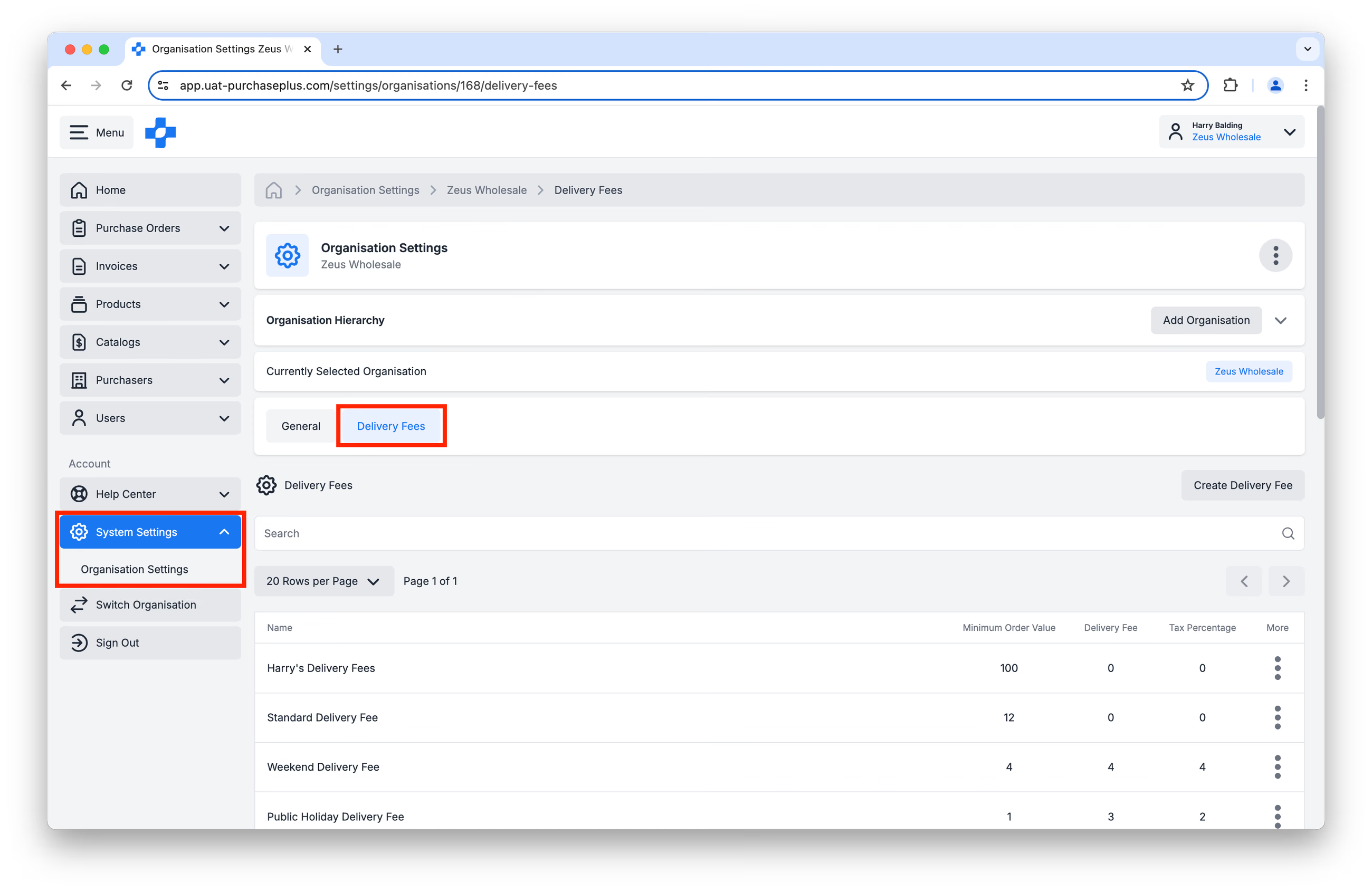
Step 1: Navigate to [System Settings] → [Organisation Settings] in the Side Navigation bar. Then, select the [Delivery Fees] tab:
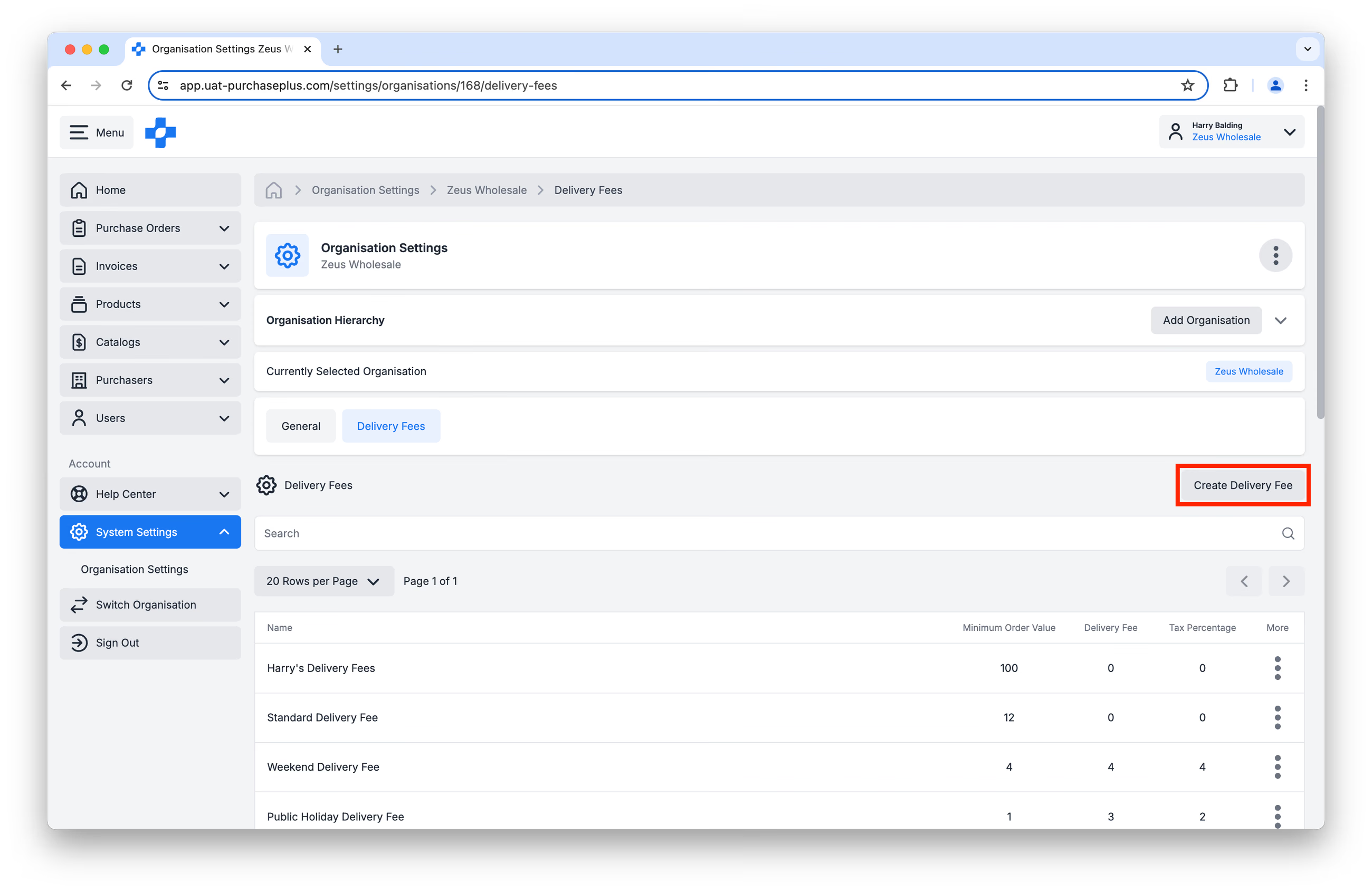
Step 2: Click [Create Delivery Fee]:
Step 3: Fill in the Name, Minimum Order Value, Delivery Fee and Delivery Fee Tax Percentage fields. Then click [Create Delivery Fee]:
Assign to a purchaser
Once you have created your Delivery Fee, you can 'Assign' it to a Purchaser. This functionality allows you to create many different classes of Delivery Fee, and assign the relevant one to each of your Purchasers.
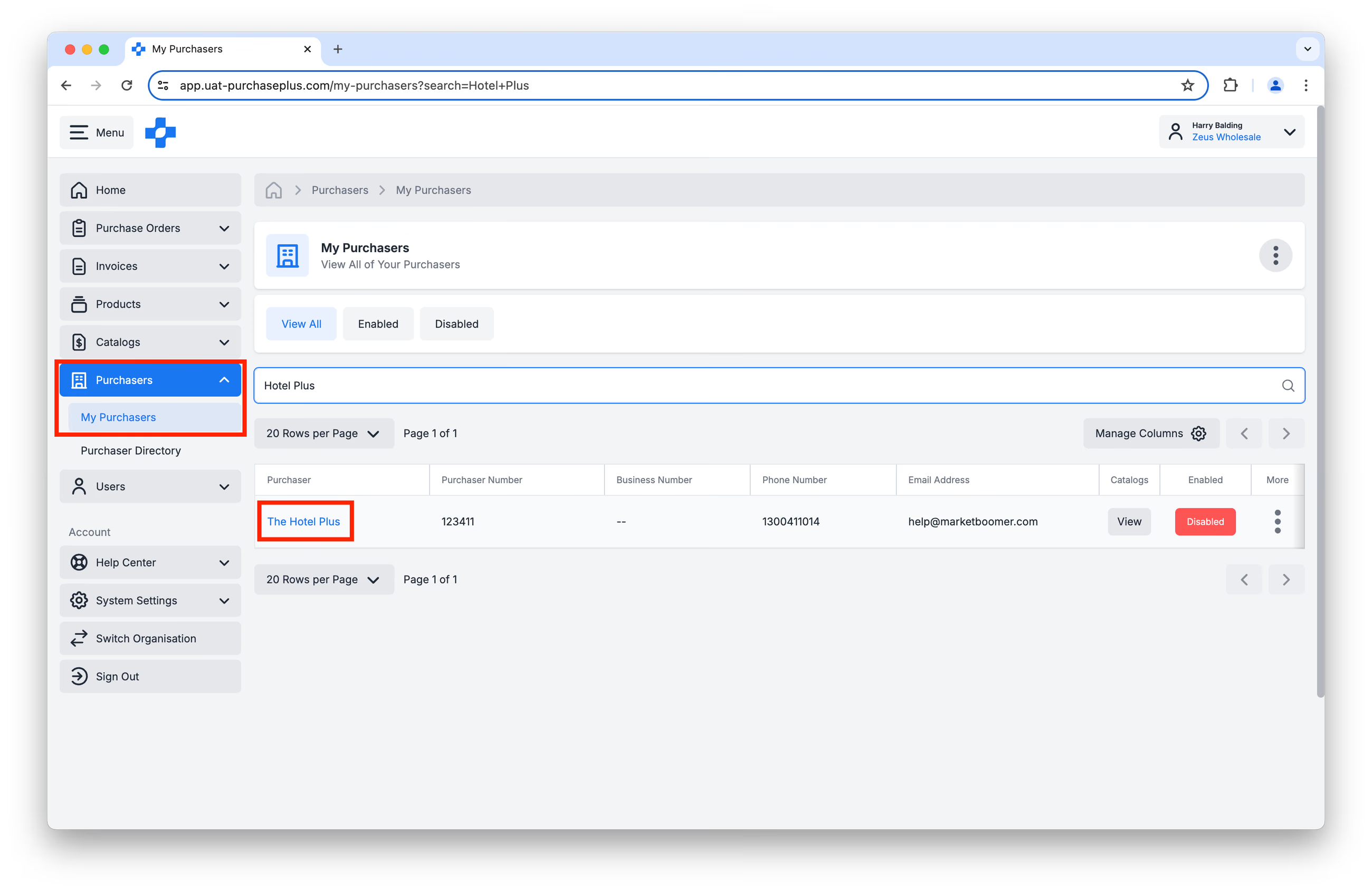
Step 1: Navigate to [Purchasers] → [My Purchasers] in the Side Navigation bar, and Search for the Purchaser in Question. Then, click on that Purchaser's name in the table:
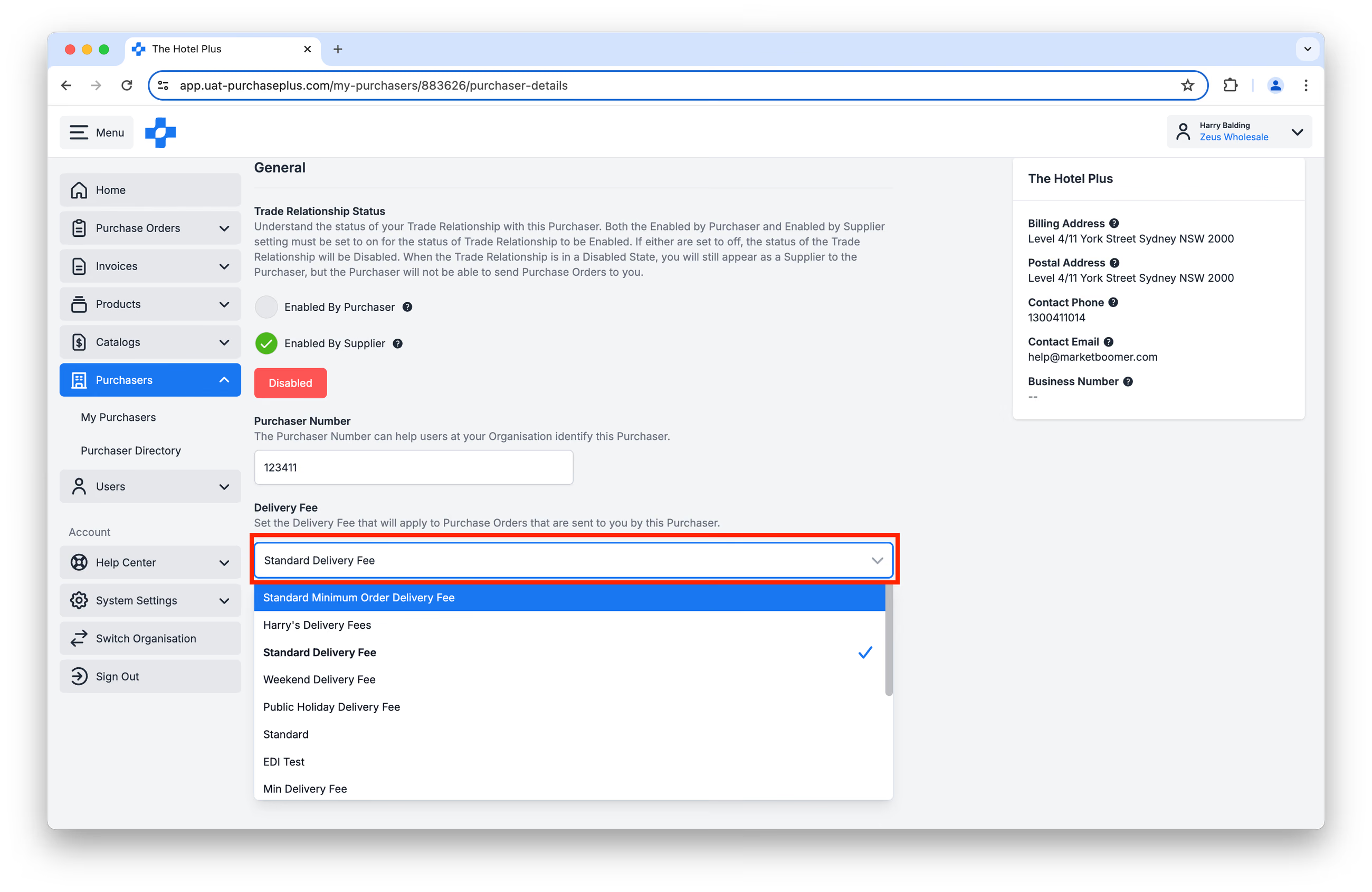
Step 2: On the Purchaser's [General] tab, scroll down to [Delivery Fee]. Click on the Drop-down selector, and then select the Delivery Fee that pertains to this Purchaser:
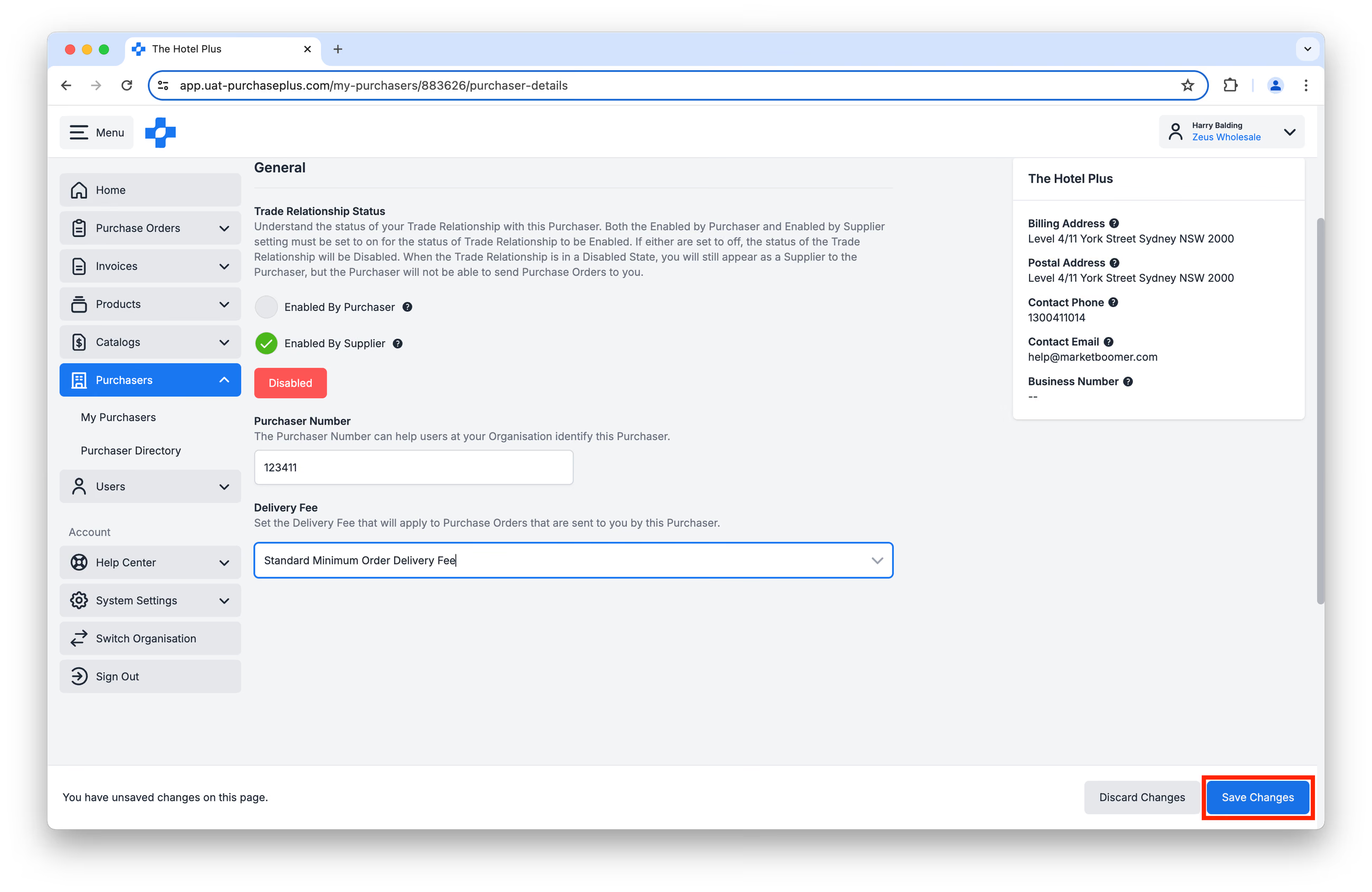
Step 3: Click [Save Changes]:
Any Purchase Order you receive from this Purchaser that does not exceed the Minimum Order Value will now automatically include your specified Delivery Fee (and Delivery Fee Tax Percentage):
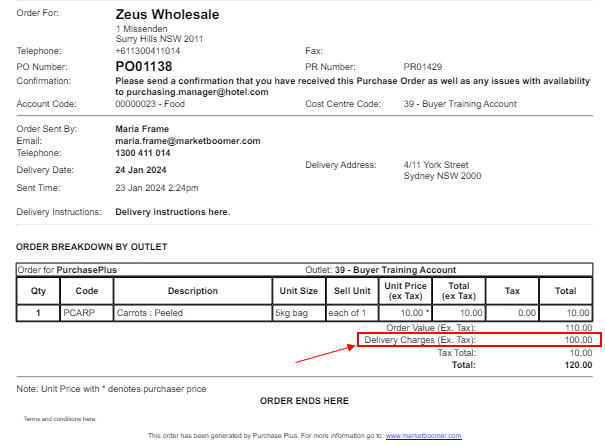
Finally, be sure to include any Delivery Charges on the corresponding Invoice. Or, if you use our API for Invoicing, please be sure to include this specific field in the data package, so that the Purchase Order and Invoice amounts match.
Frequently Asked Questions
- Q: Does PurchasePlus Enforce Absolute Minimum Orders? I.e. where a Supplier will not accept a Purchase Order that is less than a certain value.
A: No. Please liaise directly with your Purchaser if you need to enforce absolute minimum orders.
- Q: Are there any limits to the number of Delivery Fees we can create?
A: No, you can create as many Delivery Fees as you need.
- Q: Can we establish Unit Size-based Delivery Fees? For example, 'order 10 cartons or a $50 Delivery Fee will apply'.
A: PurchasePlus does not support Minimum Unit Size Delivery Fees at this time.
- Q: Can we establish a 'Bonus'-type special? For example, 'order 4 cartons & get 1 carton free'?
A: PurchasePlus does not support Bonuses or Specials in-app at this time. However, you can manage that bonus carton manually by dispatching the 'bonus' item as FOC stock. The Purchaser will receive it into their Inventory when receiving the Purchase Order.