

Menus
Menus
Menus
A Menu is a collection of Recipes. Menus are typically used for managing the procurement and cost of the Ingredients in your real-world dishes (i.e. Recipes) that your customers order in your restaurant, cafe or bar.
Menu Permissions
A user’s ability to Manage Menus (i.e. create, update and delete) is controlled by the Permission: ‘Manage Recipes.’ Please contact a PurchasePlus administrator at your organization if you wish to have this permission enabled for your user profile.
Viewing and Managing Your Menus
You can find the list of Menus that are available to your Organization in the Side Navigation bar by clicking [Recipes] → [Menus]. Here you will find all of your Menus (and a count of the Recipes contained therein) in a table view:
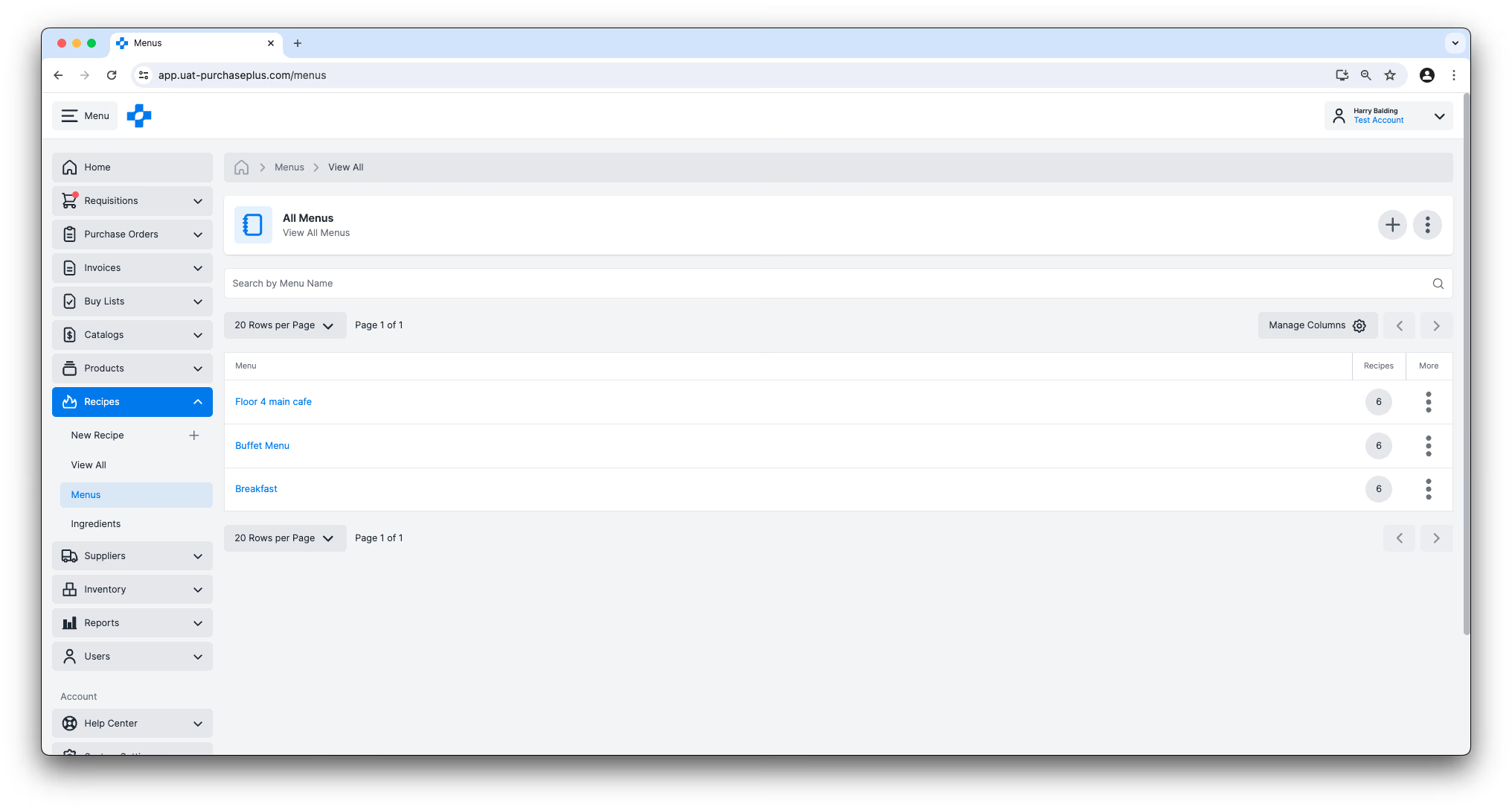
You can customize the table using the ‘Manage Columns’ button, or dragging the column width borders to suit your preference.
You can Delete a Menu using the More menu on the right hand side of the table:
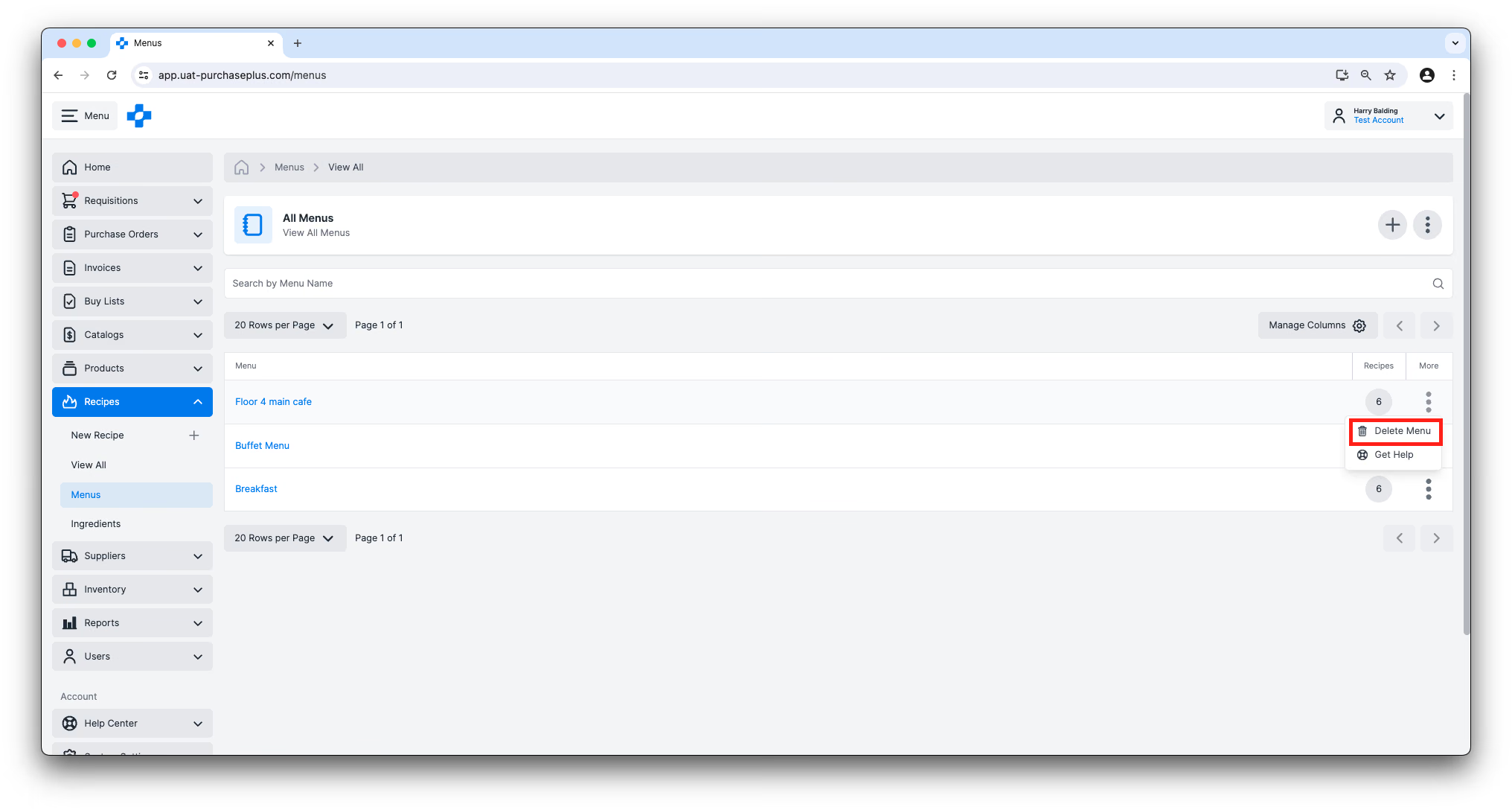
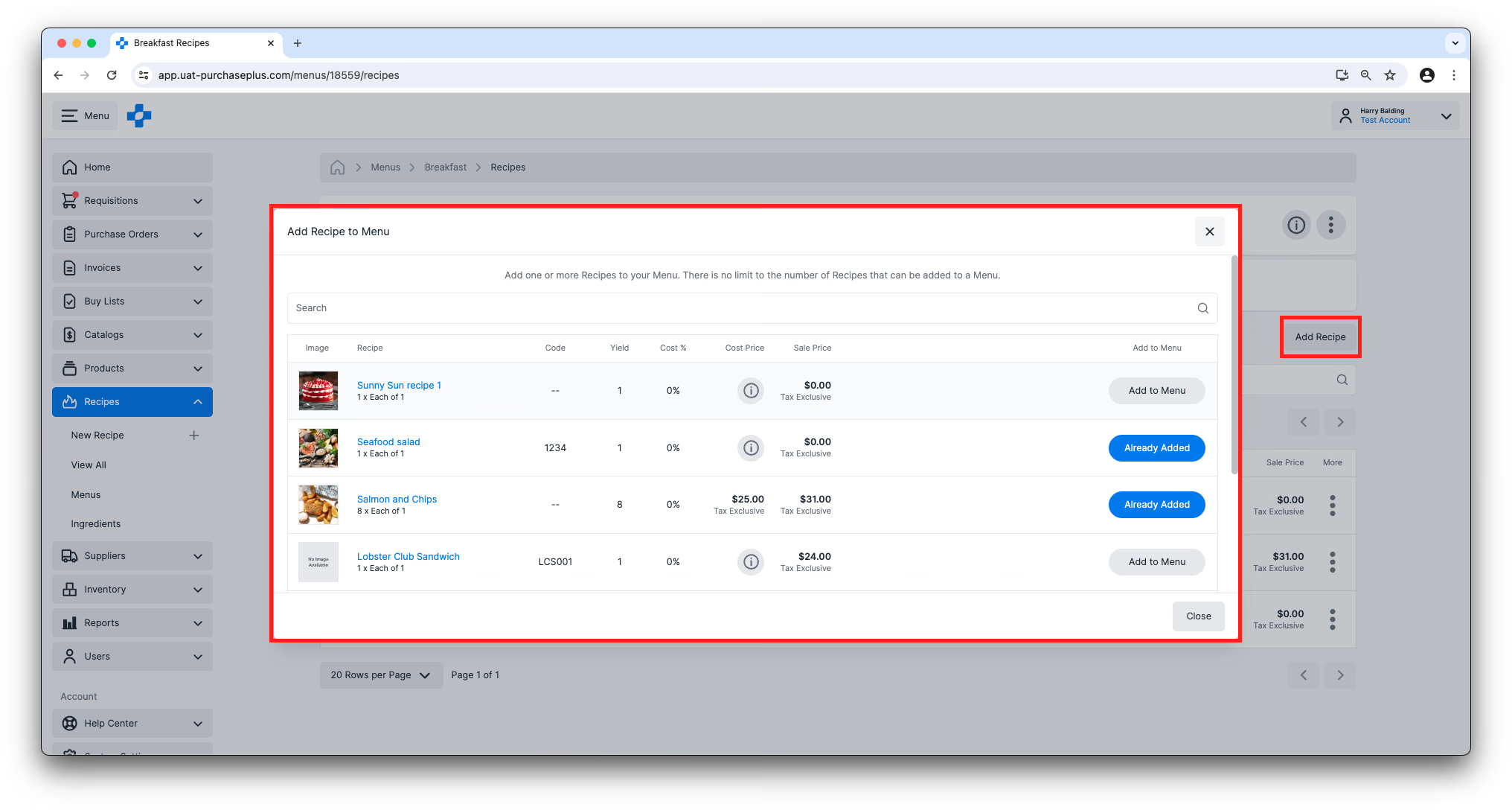
Clicking on the Name of a Menu in the table will take you to the Menu Recipes view, where you can see a table view of the Recipes that have been added to this Menu. You can Add and Remove Recipes from this view, and edit the Settings of the Menu in the Settings tab.
Each Menu Section header expands or collapses its Recipe rows. [Add Recipe] stays on the Section while rows are collapsed or expanded.
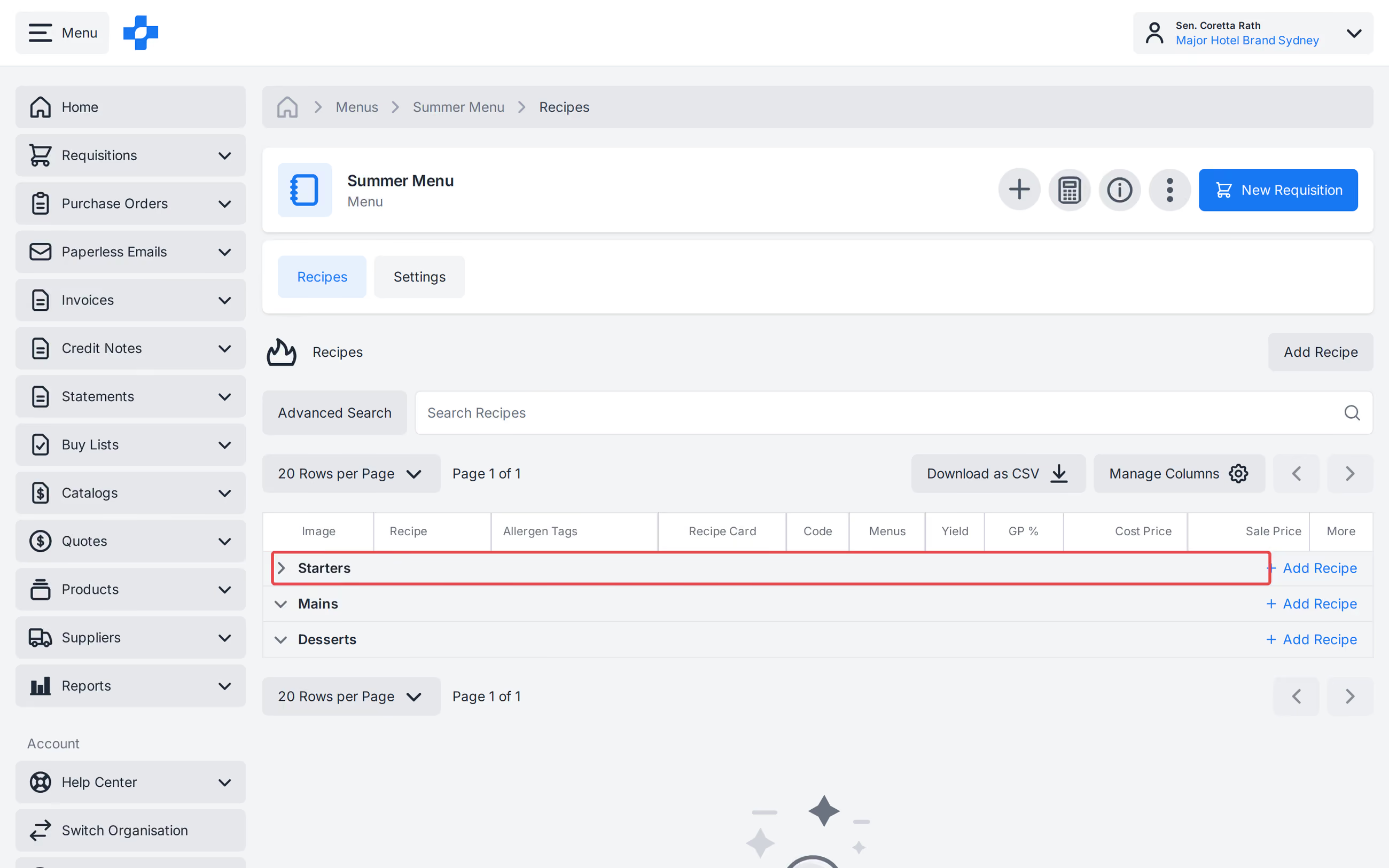
A newly created Menu Section appears on the Recipes tab immediately, including on Menus that span more than one page of Recipes. Creating or renaming a Section to a name that already exists on that Menu is rejected. From [All Recipes], [Add to Menu] lists every Menu for your Organisation; scroll to load more than the first page.
Creating a New Menu
You can create a Menu by clicking [Menus] → [Create New Menu].
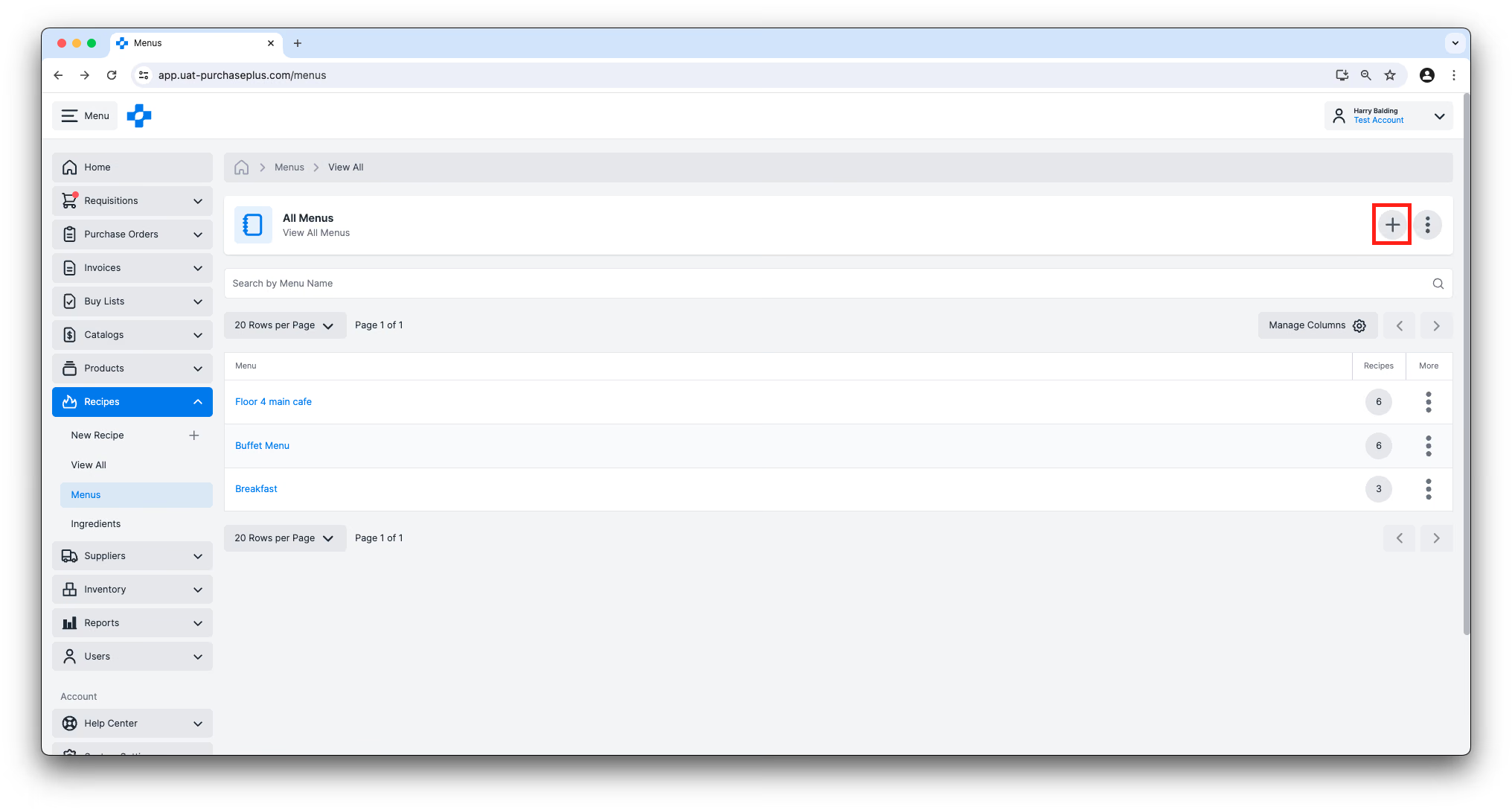
You will first be prompted to give your Menu a name, and you will be able to add Recipes to the Menu on the resulting page.
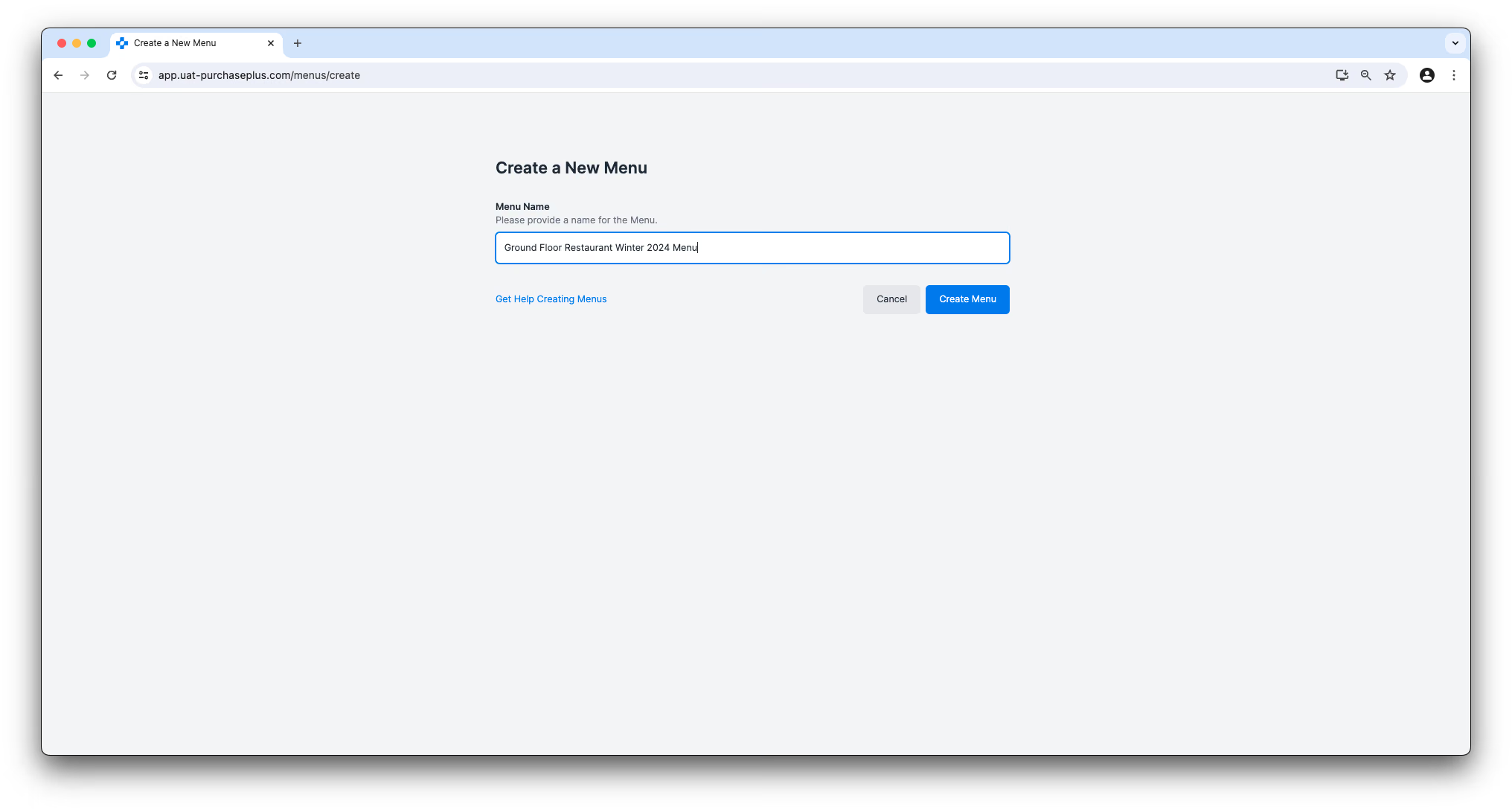
We recommend being as detailed as possible with the Menu name, for example, ‘Ground Floor Restaurant Winter 2024 Menu’.
Costing a Menu
You can understand important financial details about your Menu in the Table view of the Menu Recipes.
- Yield: The number of servings (‘units’) that are produced by the Recipe.
- Cost %: The percentage of the Cost Price of the Recipe, relative to the Sale Price.
- Cost Price: The cost price per unit of the Recipe, based on the either:
- For Inventory Recipes: Each Ingredient's (i.e. Stock Item's) Average Unit Value.
- For Non-Inventory Recipes: the Best Price from your Suppliers on each Ingredient (if available), and multiplied by the Portion of each Ingredient.
- Sale Price: The price that a unit is sold for.
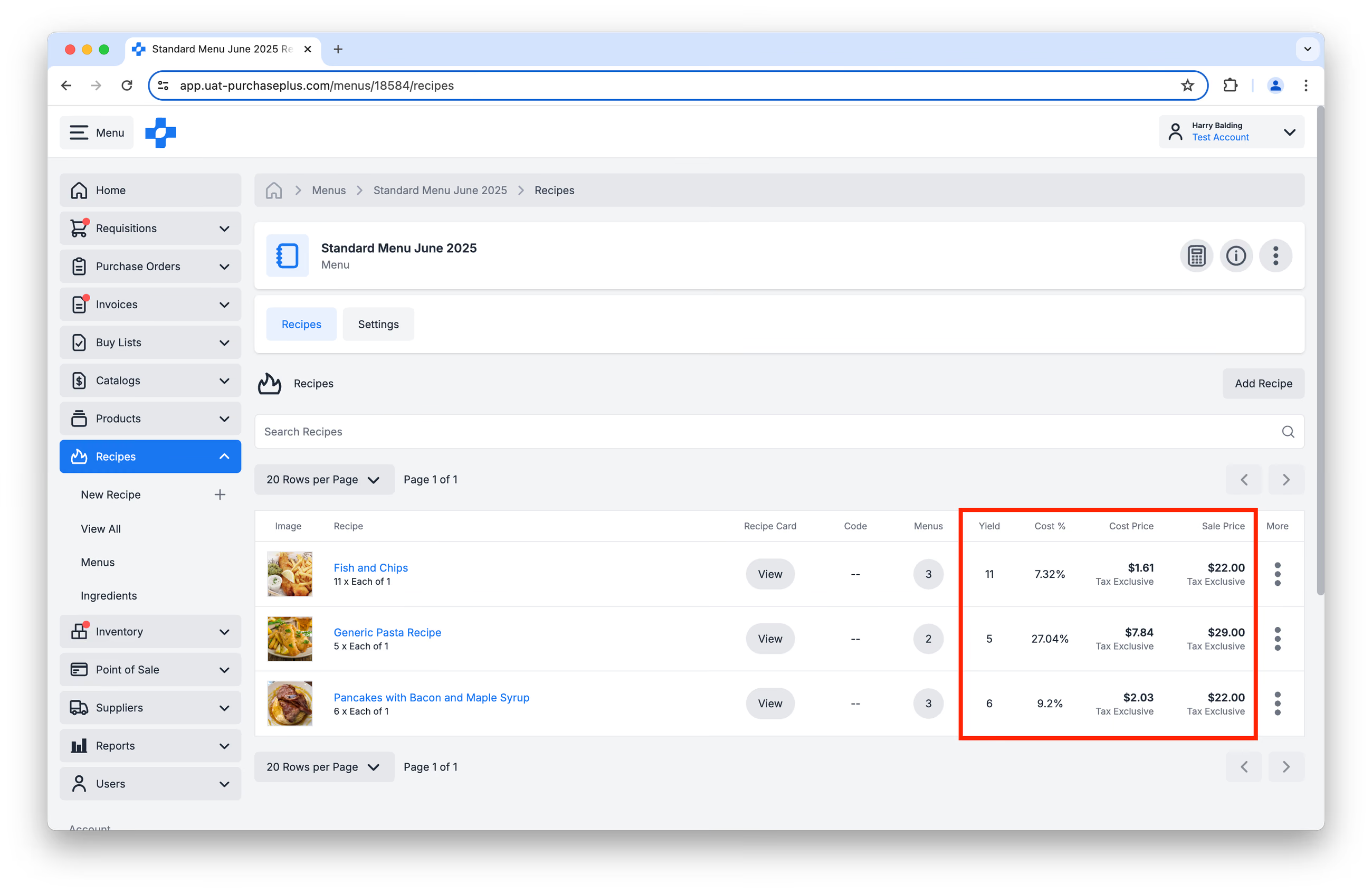
Tip: If a Recipe's Cost Price is not available in this table, it is because one of the Recipe's Ingredients does not have a Cost Price. Learn more about Ingredient Costs.
Calculating Menu Costs
In order to make sure your venue is covering food costs, reducing waste and maximising profit, you may wish to Calculate the Cost of a Menu. This can be helpful day-to-day, or when planning for an event.
To Calculate the Cost of a Menu in PurchasePlus, first click [Calculate Menu Costs]:
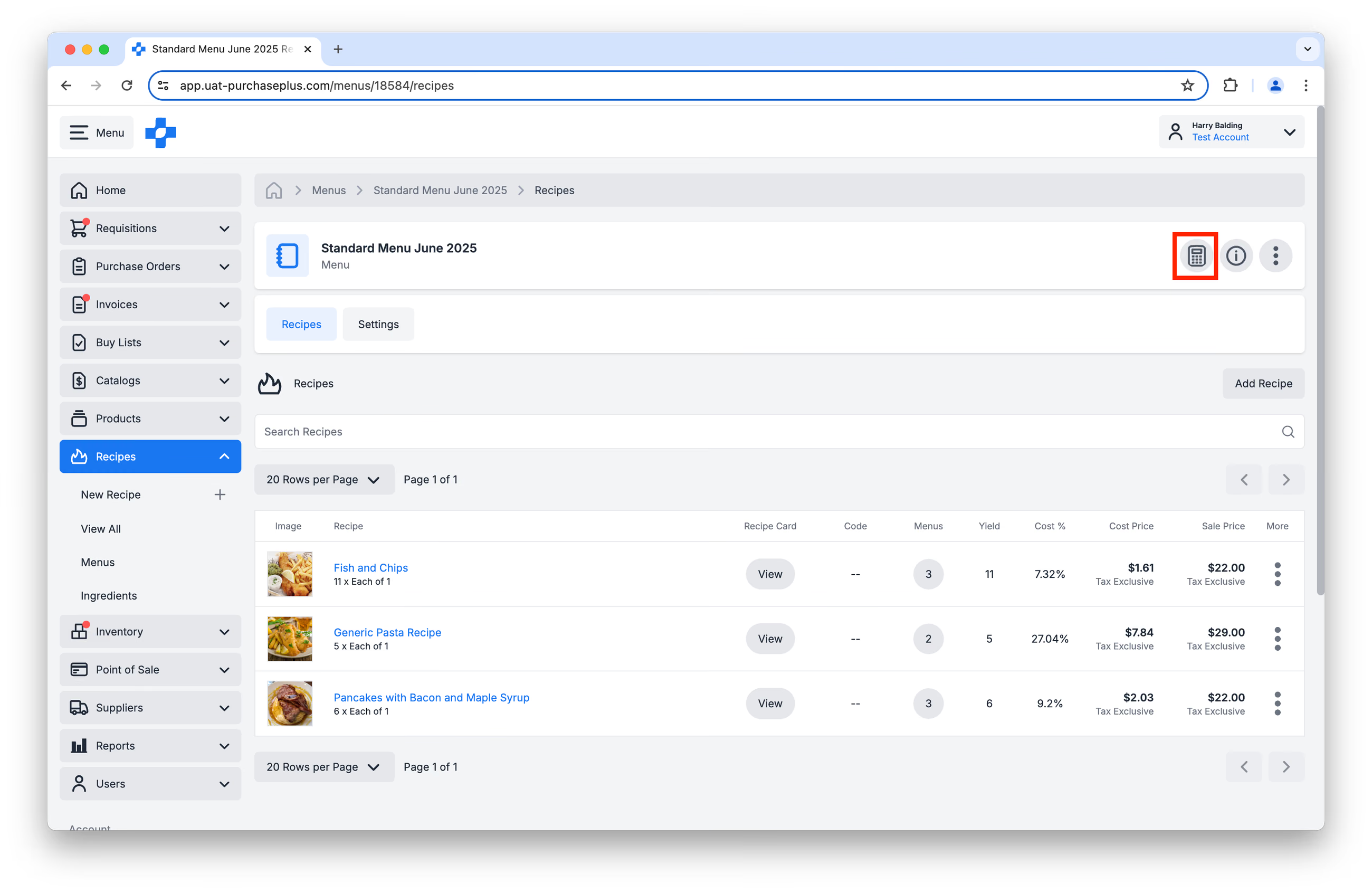
Then, decide if you would like to Cost your Menu based on:
- the Best Supplier Price available for the Ingredients in your Recipes, or
- the Value of the Stock Items you are using in your Recipe. This option requires your Organisation to be using our Inventory Module.
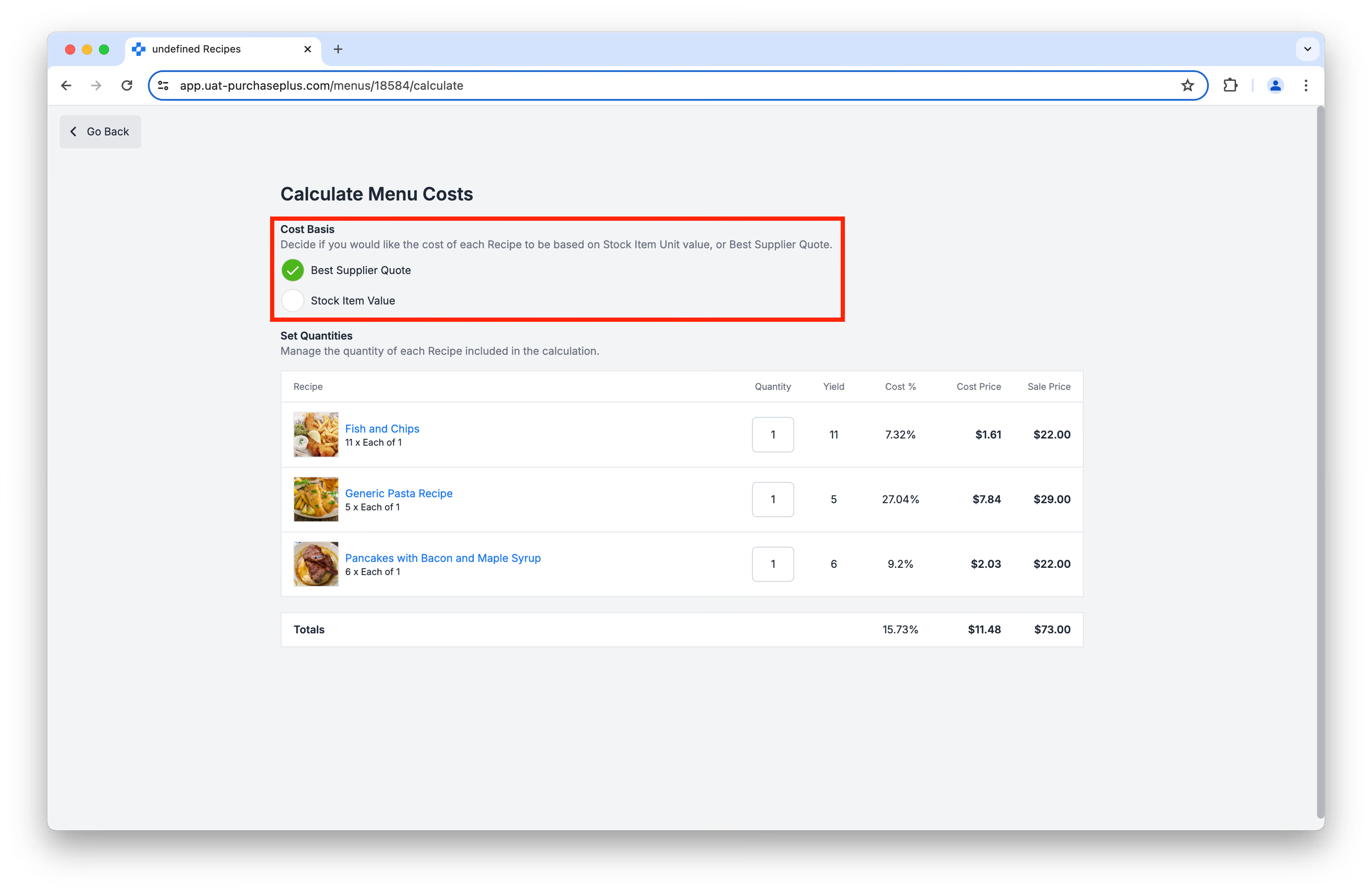
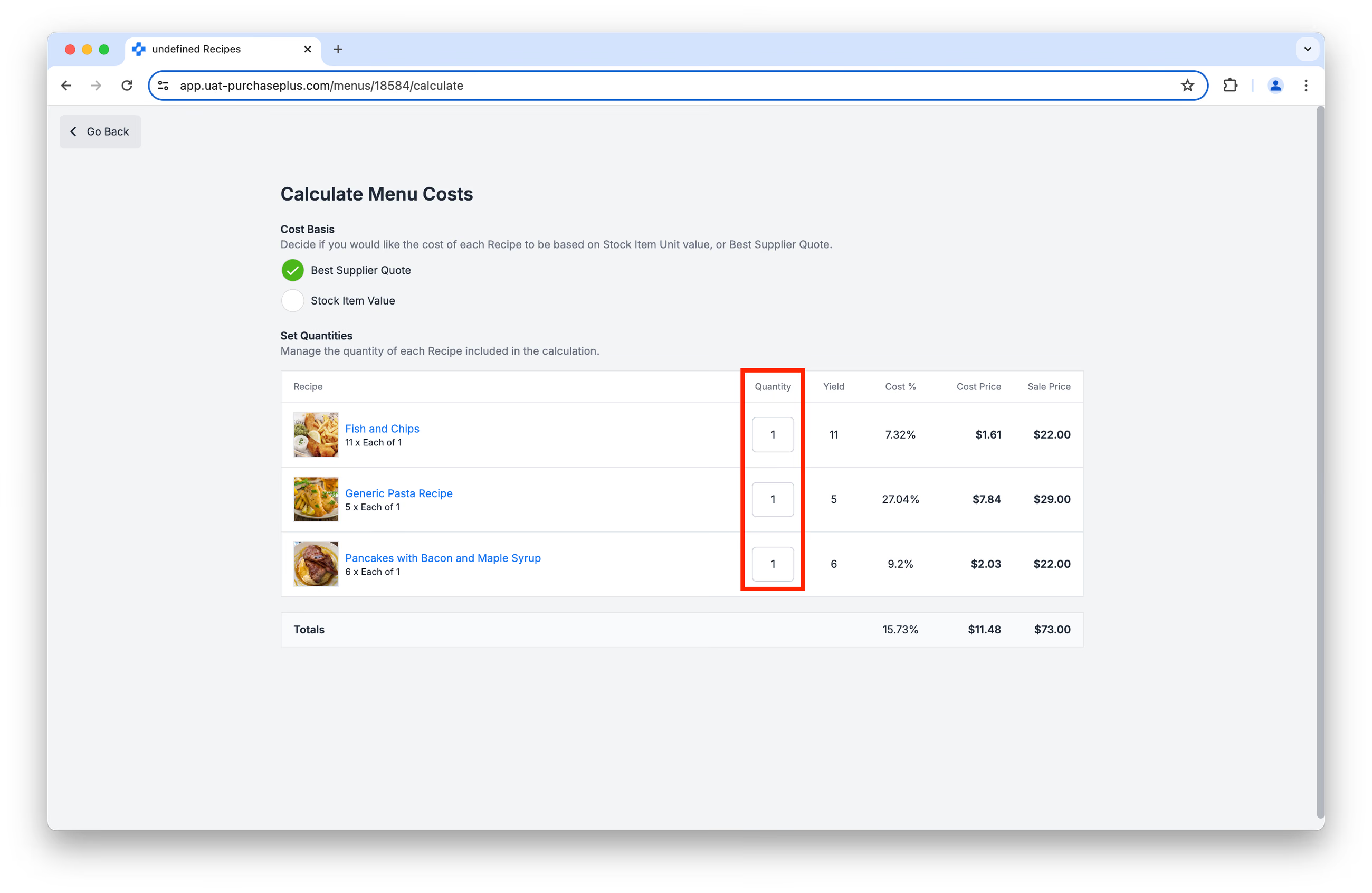
Finally, edit the [Quantity] field next to each Recipe in the Menu, to forecast the quantity of Recipes you expect the venue to produce:
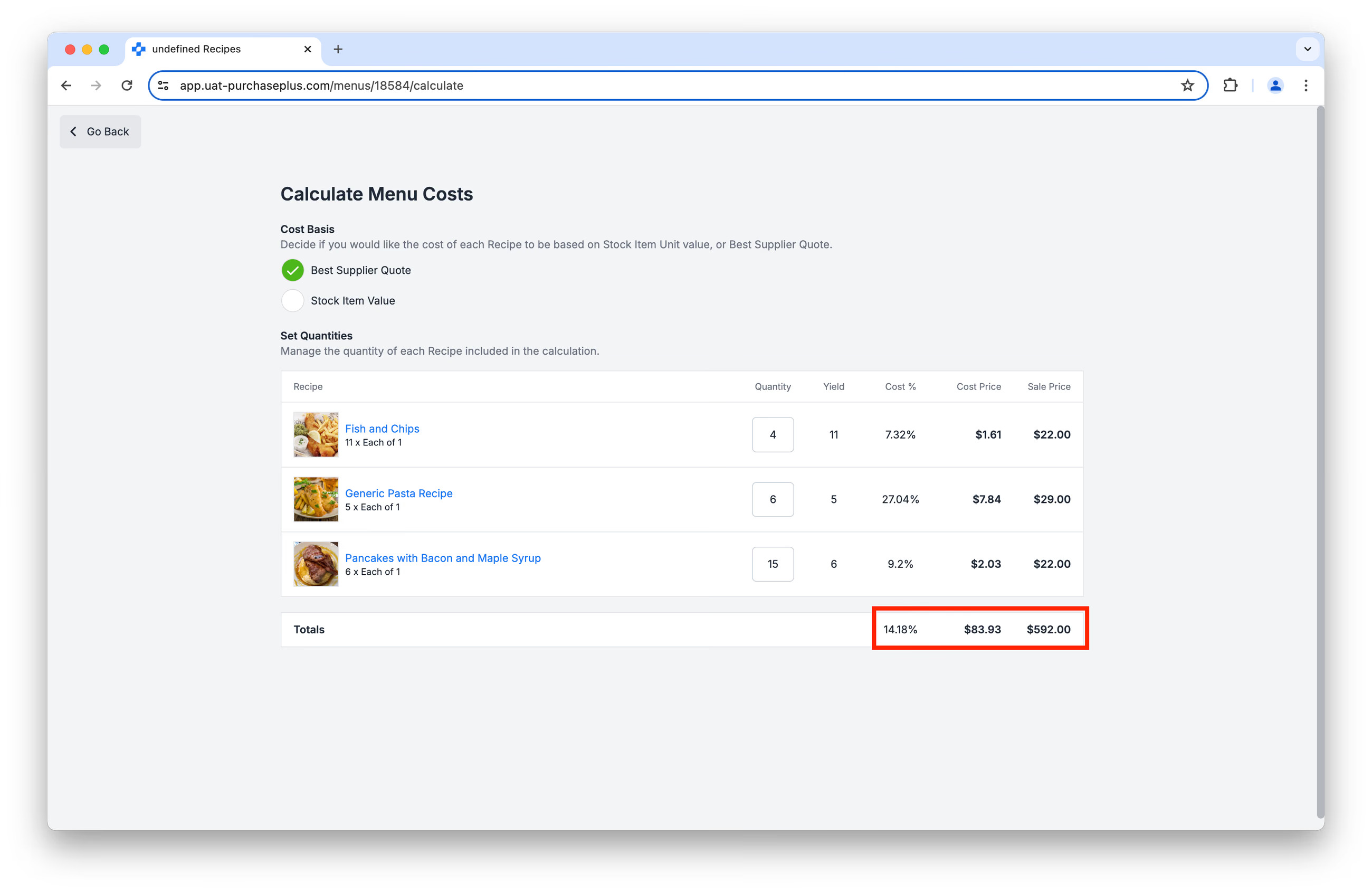
The Total Cost %, Cost Price and Sale Price fields will automatically calculate:
This is Part 2 of our Introduction to Recipes series.
- Read Introduction to Recipes, Part 1
- Read Introduction to Recipes, Part 3: Ingredients
- Read Introduction to Recipes, Part 4: Allergens
Get started with Recipes
If your Organization would like to begin using the PurchasePlus Recipes module, please contact your Account Manager or our friendly Customer Success Team for assistance with enabling the module, and to organize training for your users (if required).
Note for Purchasers using Legacy PurchasePlus
The Recipes module in PurchasePlus has been redesigned and reengineered, and it is materially different to the Legacy PurchasePlus Recipes Module. Purchasers migrating from Legacy PurchasePlus to PurchasePlus will need additional migration support to begin using Recipes, as Recipe, Menu and Ingredient data in Legacy PurchasePlus is not automatically available in PurchasePlus.