

Out of Stock
Out of Stock
Out of Stock
Suppliers using PurchasePlus can mark any of their Products as 'Out of Stock', in order to set Purchaser expectations while they are creating their Purchase Orders. Purchasers are not prevented from adding the Product to their orders - it is a warning only.
Prerequisites
- The user must have the 'Manage Products' permission, and
- The product in question must be 'Owned' by your Organisation.
Marking a Product as Out of Stock
If you are the Owner of a Product, you can manually mark the product as Out of Stock in the Advanced Tab of the Product.
Step 1: Navigate to the [Products] area from the side navigation bar and locate the Product in question. You can use the Search or Advanced Search functions to help with this.
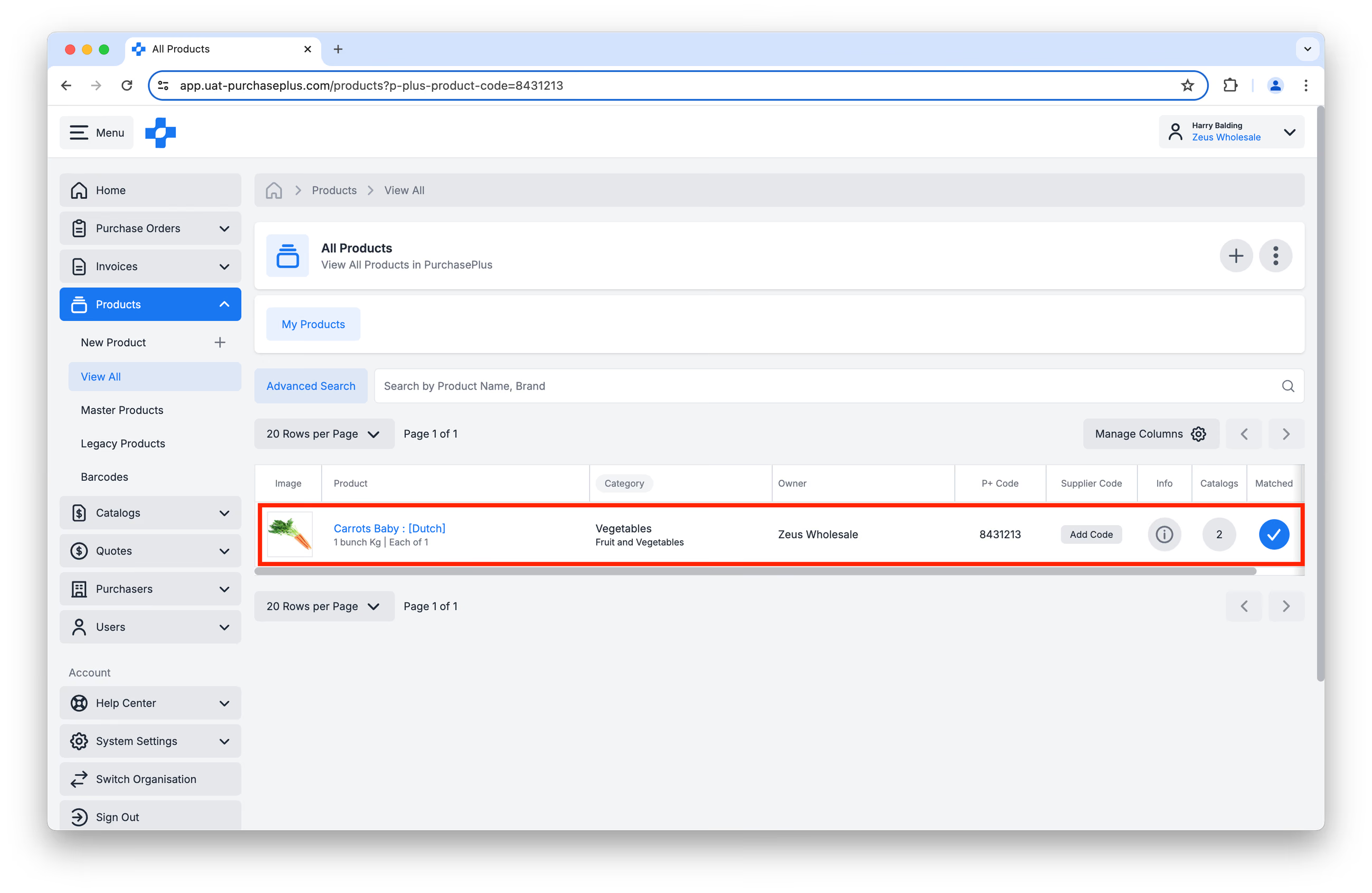
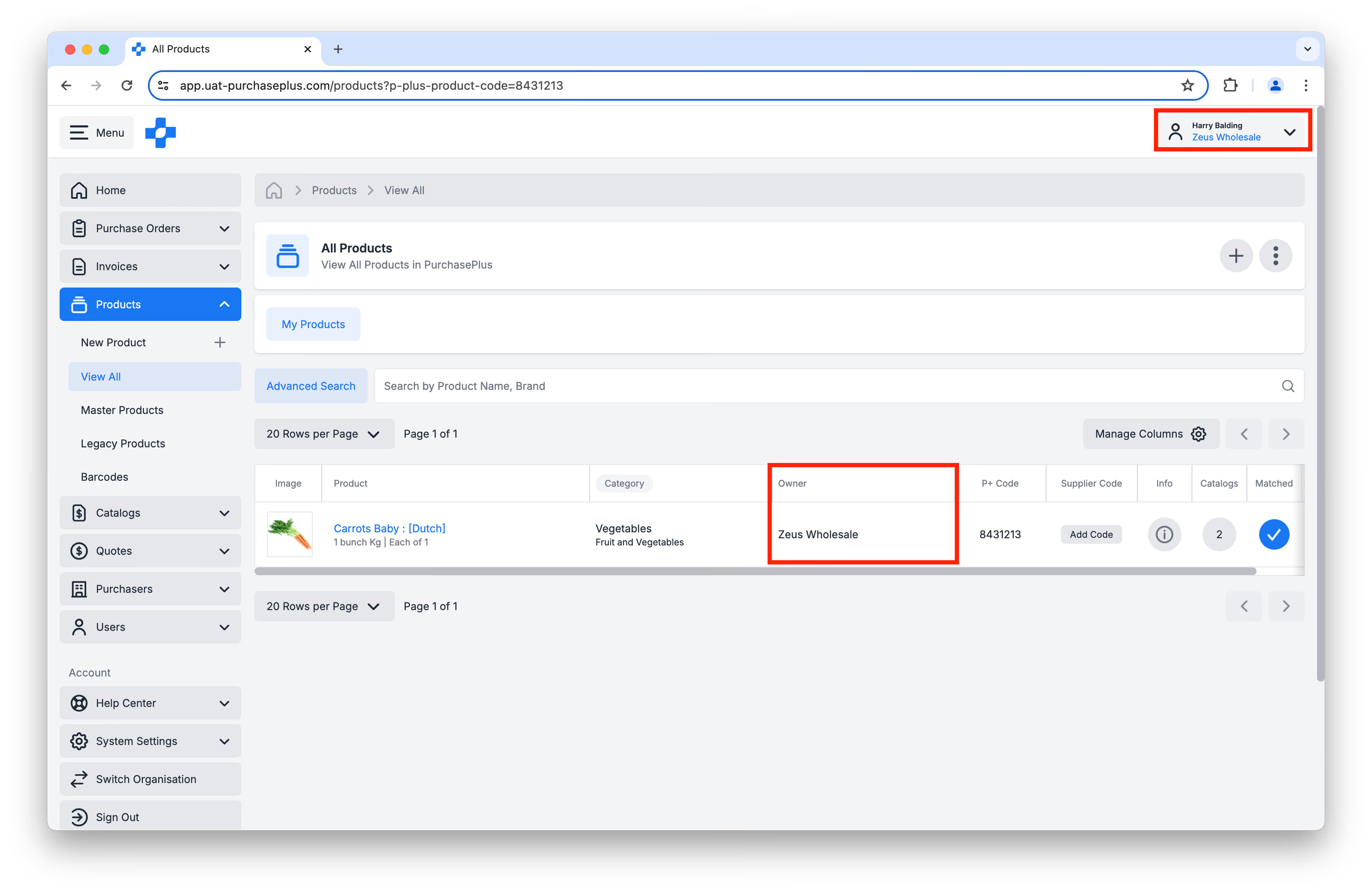
Step 2: Ensure that your Organisation is the Owner of the Product:
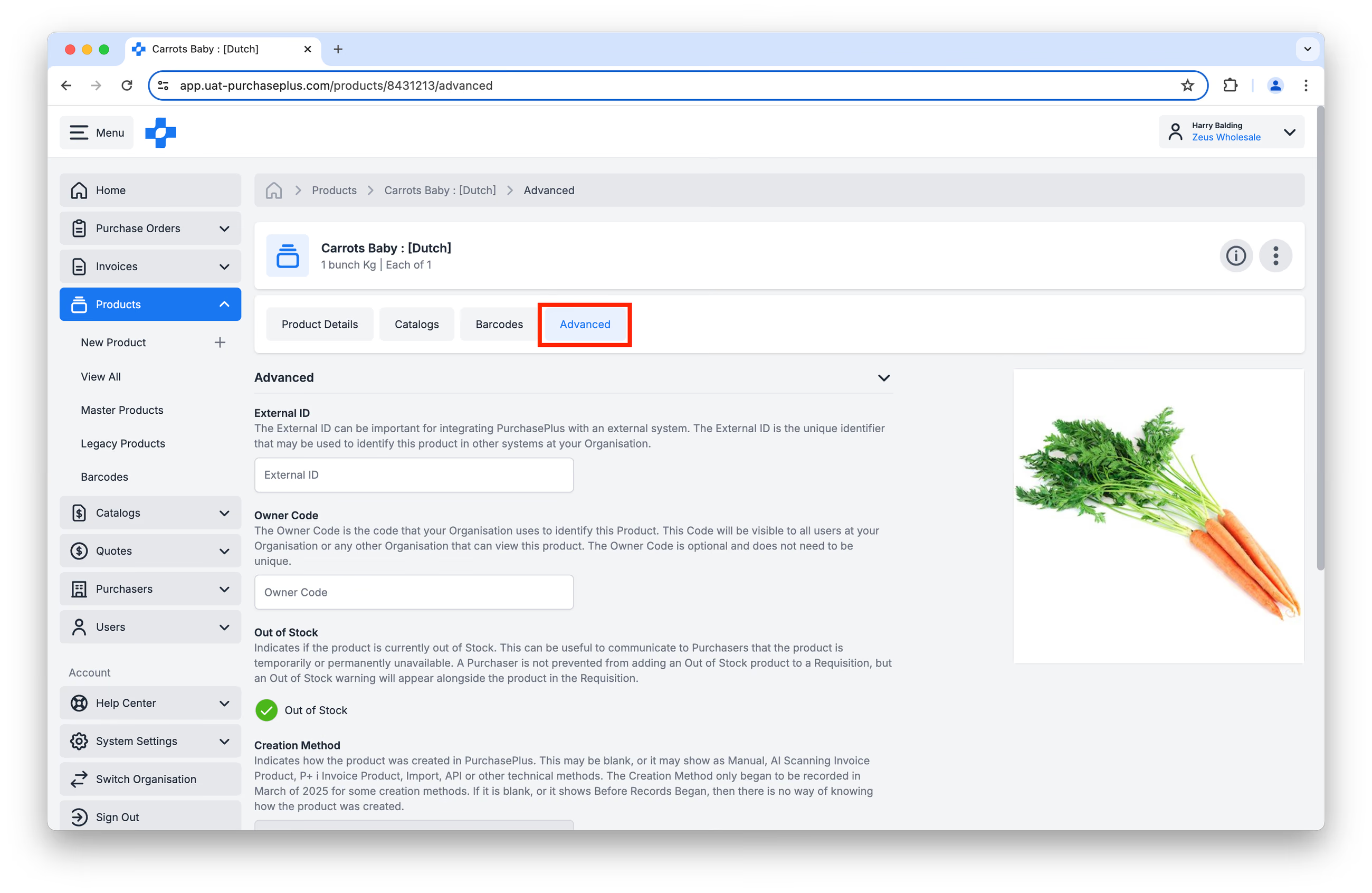
Step 3: Click on the name of the Product in the table, and then click [Advanced]:
Step 4: Check the 'Out of Stock' checkbox and click Save Changes.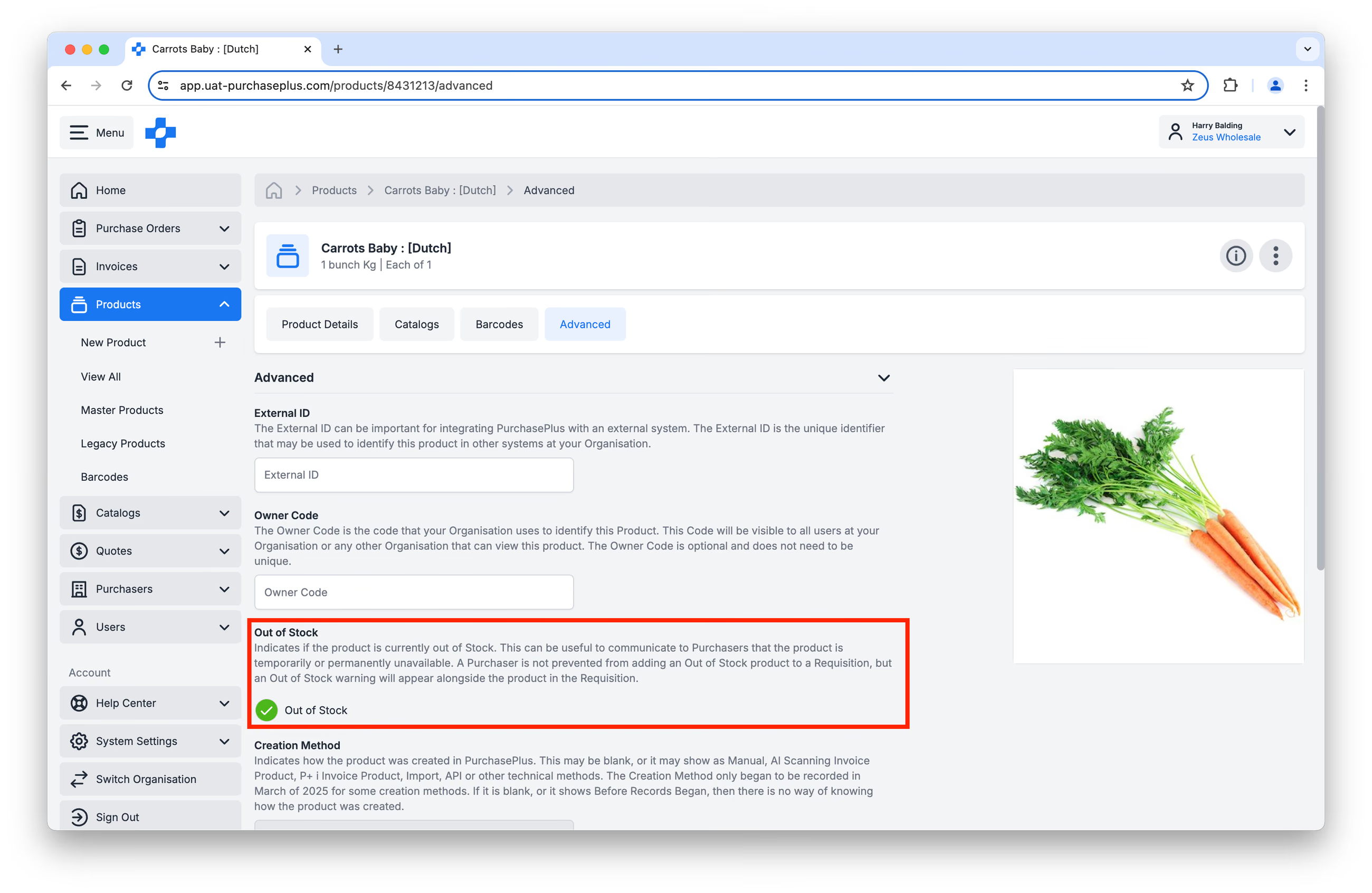
If this Product is in a Catalog, then the assigned Purchasers will see an 'Out of Stock' Indicator next to the Product when they are creating an order. This does not prevent the Purchaser from adding the Product to their Requisition. The Out of Stock Product should simply be handled via your regular Backordering process (or similar).
Using the Supplier API to mark Products as Out of Stock
The POST and PATCH Product API endpoints in the supplier module both support an out_of_stock boolean field that Suppliers can update to reflect stock availability. This field is optional and can be toggled on a per-product basis. Suppliers typically run a scheduled job to update this field frequently, depending on how dynamic their inventory is.